10 Troubleshooting and Maintenance User Manual
68
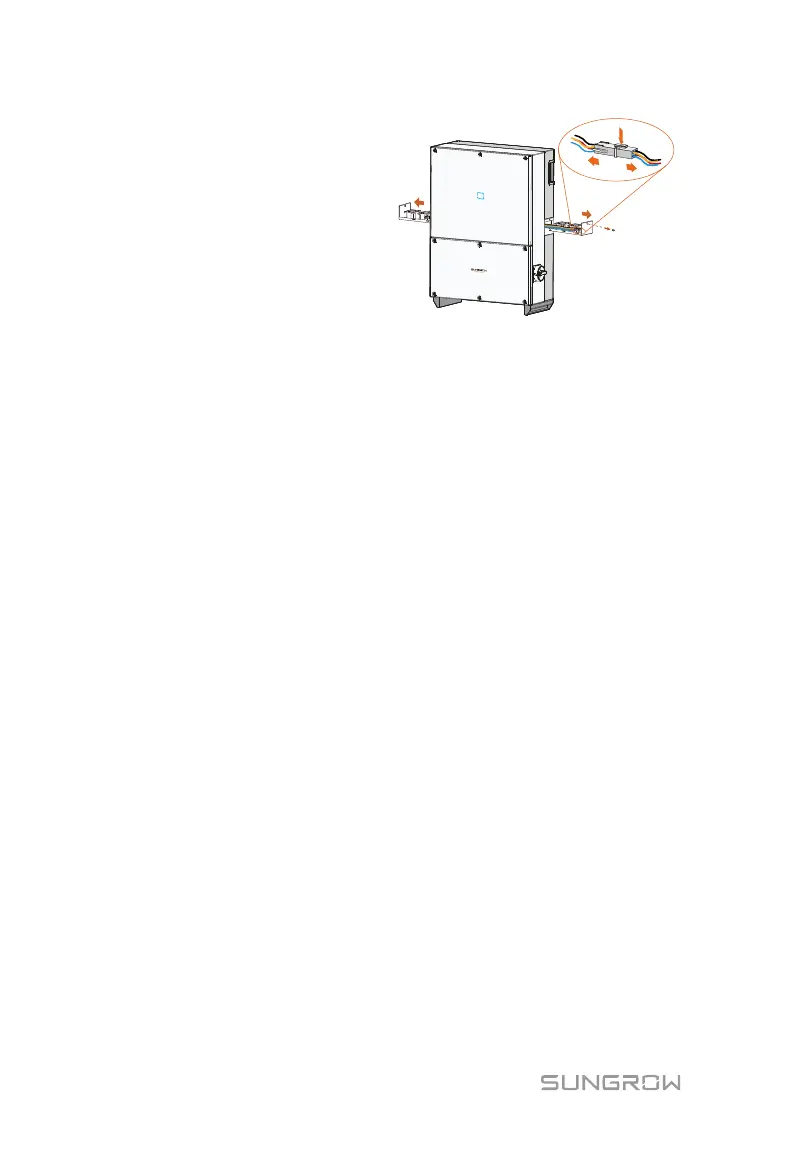
Step 9 Press the hump of the latch
hook and unplug the cable
connection joint outwards.
Step 10 Remove fans from the
PCS.
Step 11 You can clean the dirty fans with soft brush or vacuum cleaner. Or
replace the broken fans.
Step 12 Re-assemble the fans onto the PCS.
Step 13 Connect the four connectors and fasten them with cable ties.
Step 14 Assemble the plate by fastening the two screws of both sides.
Step 15 Perform the electrical and mechanical connection and then restart
the PCS.
Clean Air Inlet and Outlet
A huge amount of heat is generated in the process of running the PCS. The
PCS adopts a controlled forced-air cooling method.
In order to maintain good ventilation, please check whether there is anything
blocking the air inlet and outlet.
Clean the air inlet and outlet with soft brush or vacuum cleaner if necessary.


 To Next Page