•
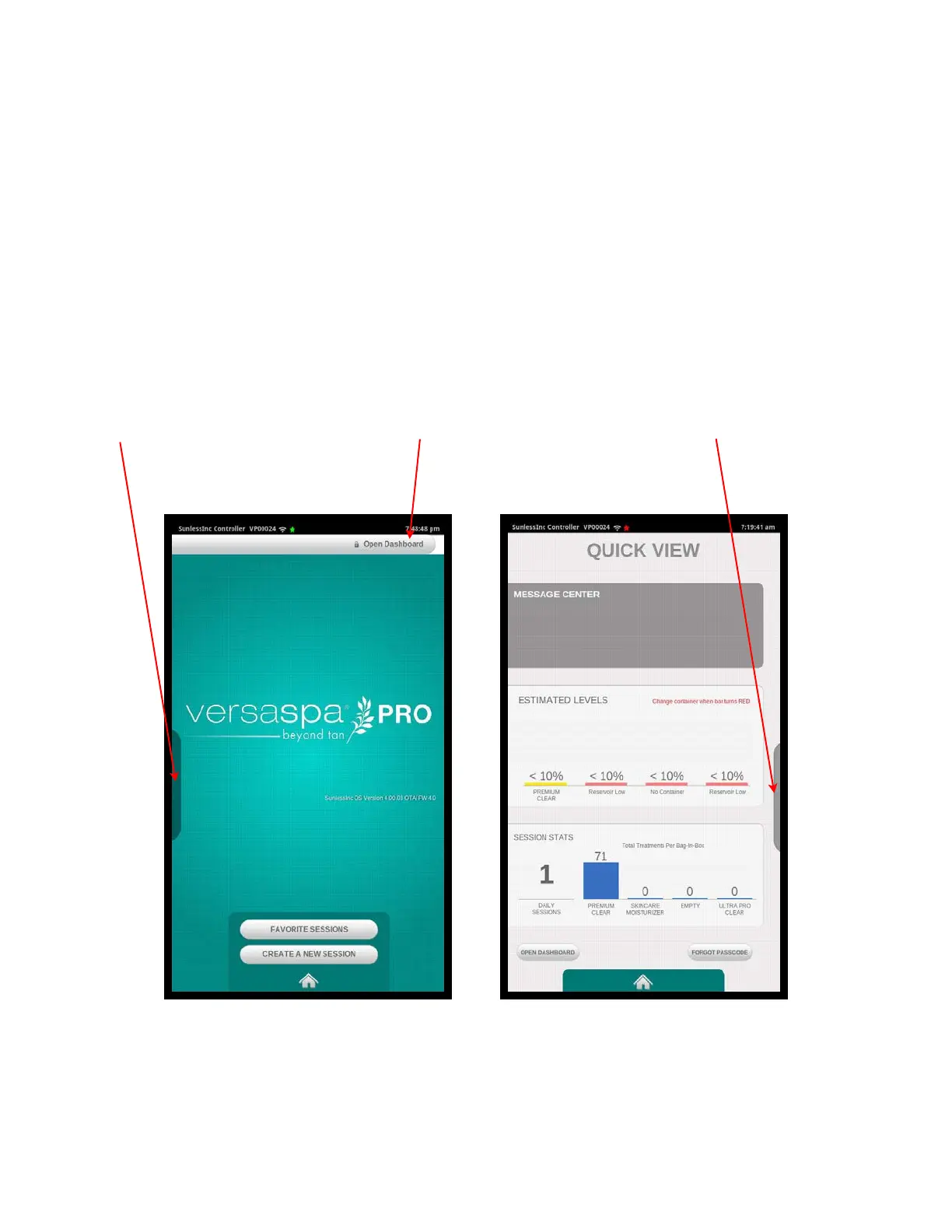
Open Dashboard: The Dashboard is the place to go to customize all Salon Settings,
Machine Settings, Admin Settings, open the solution drawer, wash down the booth,
diagnose machine components, connect to wi-fi, get tech support, view statistics, etc.
To access the Dashboard, it will prompt you for your 4 digit PIN. The default PIN’s
listed below MUST be changed during installation for your security.
•
Admin: 0000
•
Manager: 1111
•
Staff: 2222
•
Quick View: By touching the Dark Red bar at the center of the left side of the screen, it
will open up the Quick View screen to see a snapshot of session history, solution
levels, and any recent fault codes.
Section 2!
Getting to Know Your Versa6SDPro
TM
14
Touch Here to
open Quick View
Touch Here to
close Quick View
Touch Here to
Open Dashboard
Versa6SDPro
TM
Home Screen
Quick View Screen



 To Next Page