4.5 Starting a Session Using Tmax
If you are using a TMax and it is set up properly as described in Section 2.5, and your
Salon Management Software is set up with the proper codes and pricing, simply enter
the time code in your Salon Software that corresponds to the desired session on the
Versa6SDPro
TM
. Appendix A lists the codes that come standard with the machine. If
you create or modify any Favorites, they will be different from the codes that came with
the machine. You can review the Favorites and associated TMax codes by going to
the Manage Favorites section of the Touchscreen. Codes 1-39 will all be single
session codes corresponding to Solutions 1-4, Levels 1-4, and Full Body, Just Face, or
Just Legs. Codes 40-99 will be Favorite sessions that include multiple treatments but
can also include single sessions if a Favorite was programmed that way.
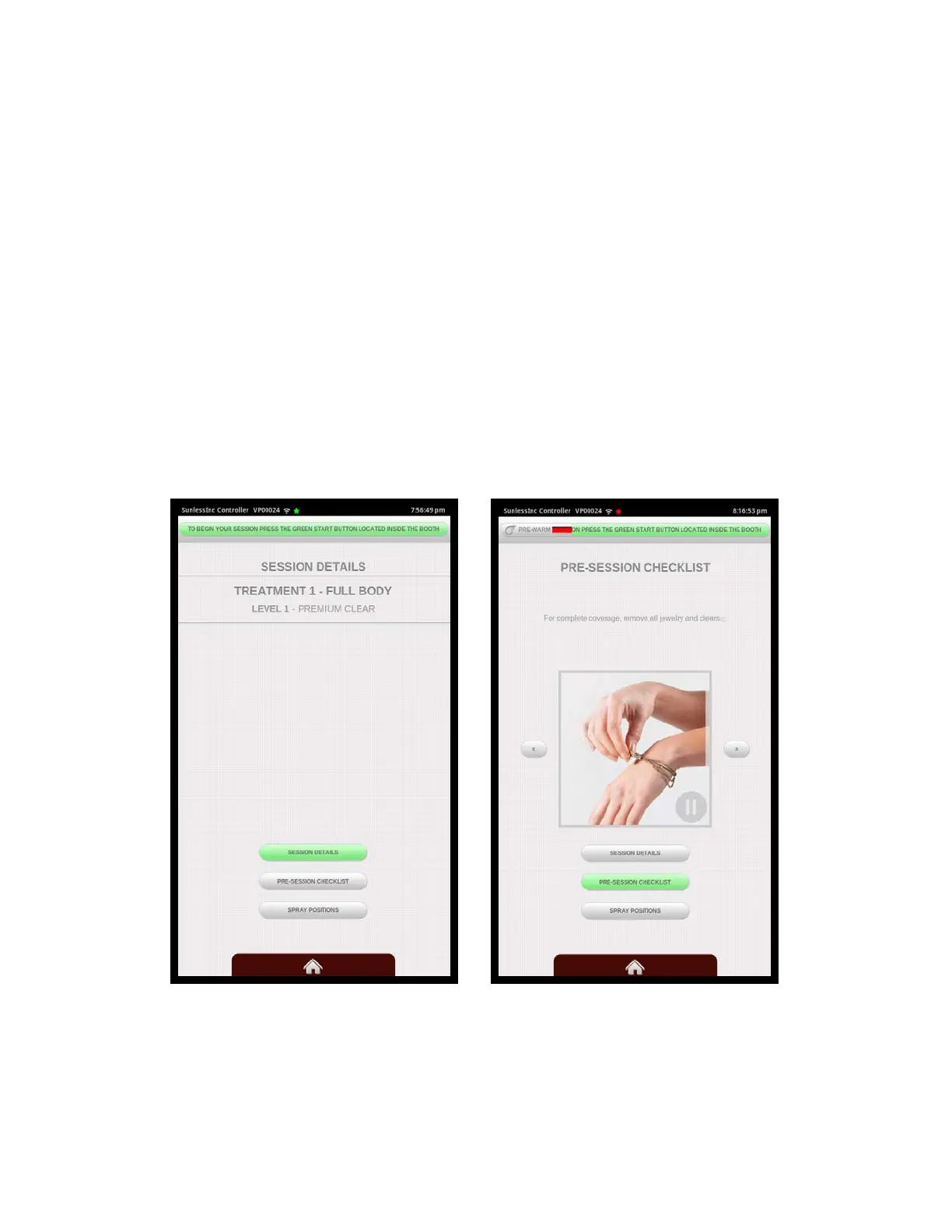
After the code is sent, the machine will go to ready mode as shown below and the user
can now enter the booth and press the flashing green start button or choose to view
Pre-Session Details, View the Spray Positions, or watch the Instructional Video.
Section 4!
Using Your Versa6SDPro
TM
38
Session Ready Screen Pre-Session Checklist
Shown



 To Next Page