5.2 Changing Solution Types
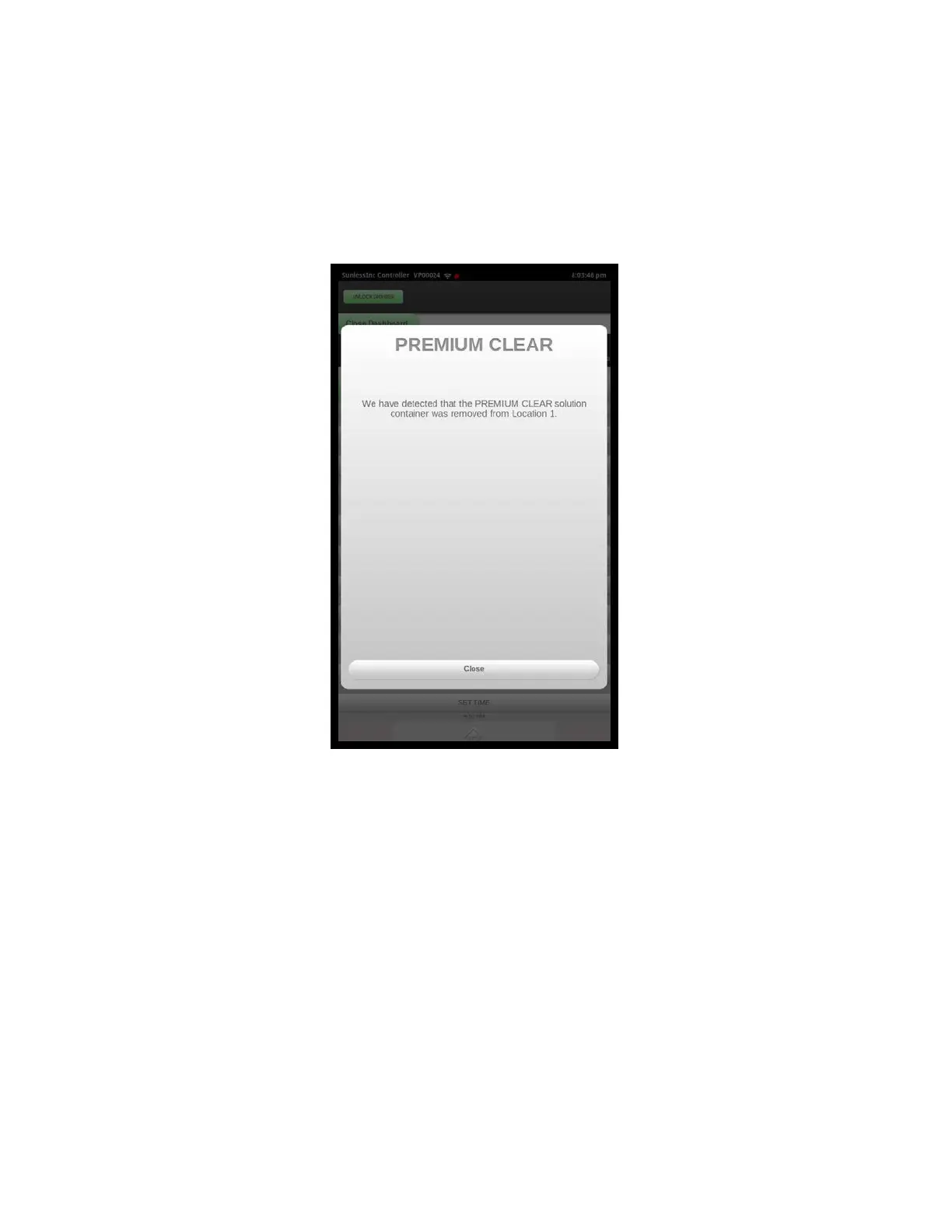
If you wish to change the type of solution in any of the 4 solution slots, it will be
necessary to completely purge the internal solution reservoir and solution lines so that
there is no cross-mixing of the old solution with the new solution. Remove the solution
box to be changed and the following message will be displayed on the touchscreen:
To continue with the replacement:
:LWKWKHFRQWDLQHUVWLOOUHPRYHGSUHVVWKHFORVHEXWWRQSLFWXUHGDERYH7KHQDW
WKHWRSRI\RXUVFUHHQSUHVVWKHSXUJHVROXWLRQEXWWRQDQGVHOHFWWKHVORWWKDW
\RXKDYHMXVWUHPRYHGWKHVROXWLRQIURP0DNHVXUHWKHRISXUJHF\FOHVLVVHW
WRDQGWKHQSUHVVWKHSXUJHEXWWRQWKLVZLOOLQLWLDWHIXOOSXPSLQJF\FOHVWKDW
ZLOOUHPRYHDOORIWKHRULJLQDOVROXWLRQIURPWKHUHVHUYRLUDQGWKHOLQHVOHDGLQJWR
WKHQR]]OHV7KLVZLOOWDNHDSSUR[LPDWHO\PLQXWHV.
When it is completed, select the Close button on the window.
5HPRYHWKHSURWHFWLYHFDSIURPWKHQHZVROXWLRQFRQWDLQHUDQGLQVHUWLWLQWRWKH
PDFKLQH7KHIROORZLQJPHVVDJHZLOOEHGLVSOD\HG
Section 5! Adding and Changing Solutions
42



 To Next Page