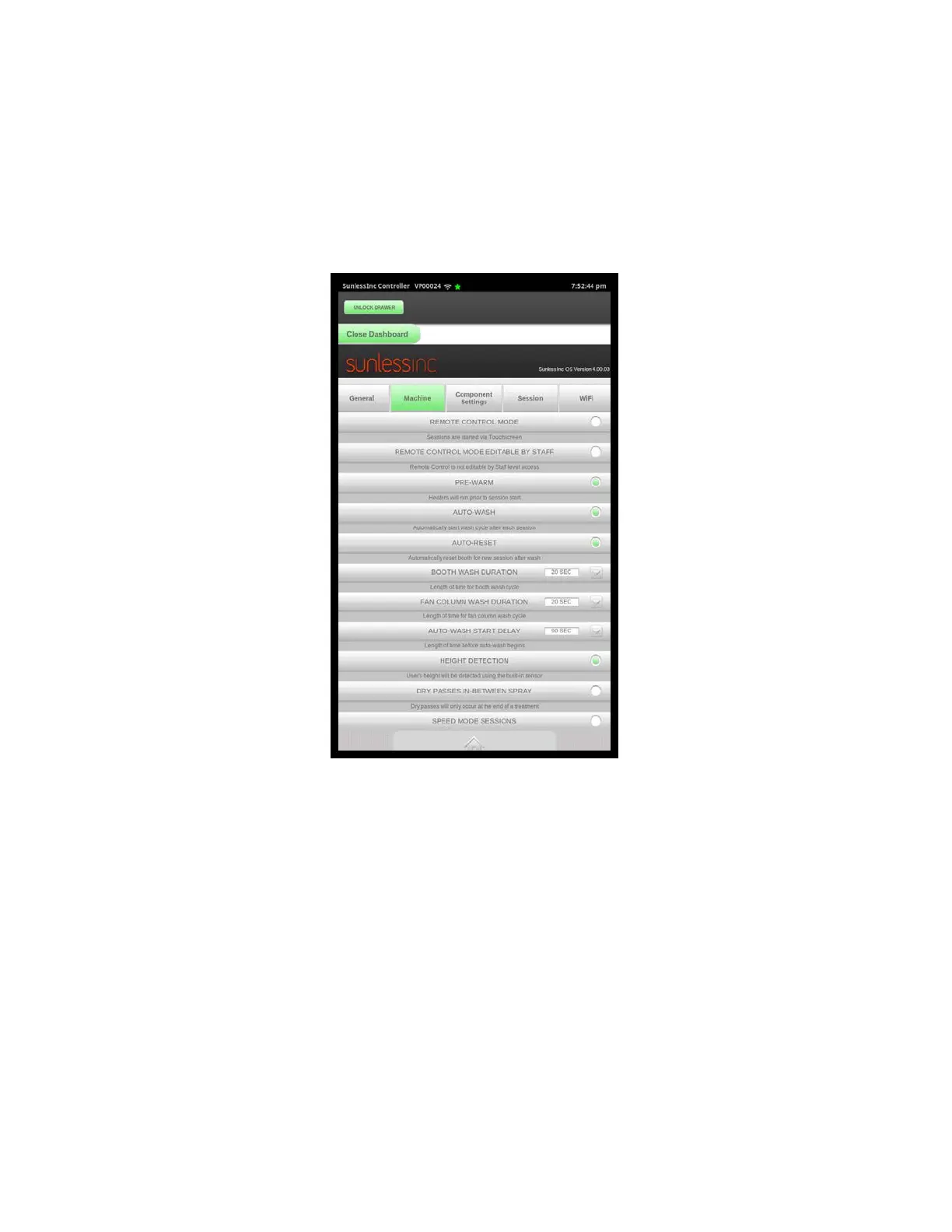
3.8 Customizing Machine Settings
Basic Machine Settings can be viewed and modified in the Machine Settings tab of the
Salon Setup Screen. Below is a view of the Machine Settings Screen and a list of each
setting and its description:
• Remote Control Mode: If Remote Control mode is turned off, sessions can be
created and enabled from the touchscreen. If Remote Control mode is turned on,
sessions can be initiated using a remote timer in one of two ways. The first option isto
use the included TMax 3a that is modified to work with the Versa6SDPro
TM
. When
usingTmax, a time in seconds is sent from the Tmax manager between 1 and 99
seconds.The VersaVSDPro
TM
has an array stored on the SD Media card in the
controller. The arrayis divided into two sections, one for all single sessions, and one
for all Favoritesessions. As you modify Favorite sessions from your touchscreen to
suit your salon’sneeds, the corresponding Tmax code will be modified as well.
Appendix A at the endof this manual lists the various default Tmax codes and their
corresponding sessions.The second option is to use it in Hybrid Timer Mode.
Section 3! Setup
25



 To Next Page