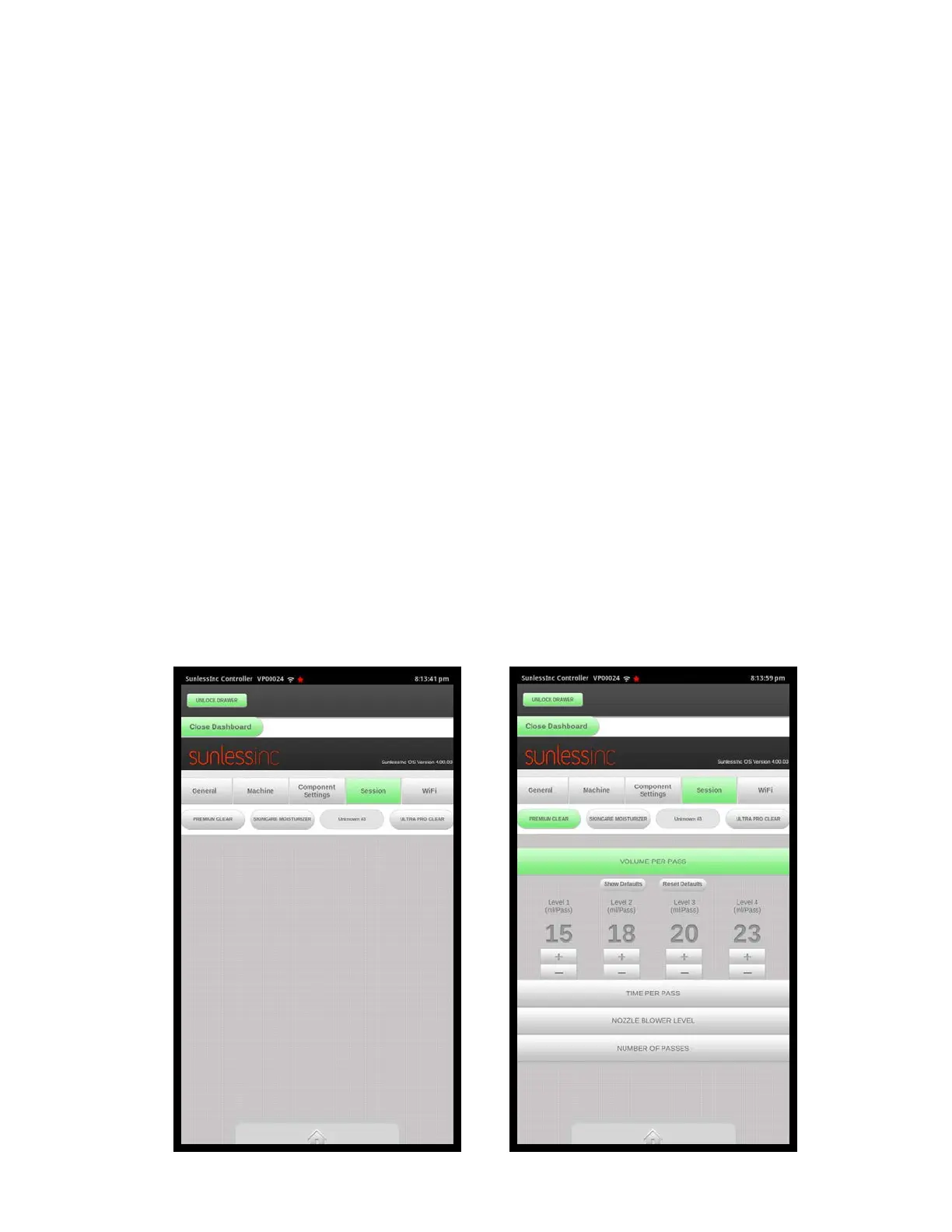
• Volume Per Pass: This is the amount of solution in milliliters that will be sprayed in
one full pass from top to bottom. If a solution is set to 4 passes, and the volume
per pass is 20ml, the complete session will spray 80ml of solution.
• Time Per Pass: This is the amount of time it will take the nozzles to move from the
complete top to the bottom while spraying this solution. Increasing the Time Per
Pass will slow down the nozzle movement while decreasing the Time Per Pass will
speed up the nozzle movement. The Time Per Pass can be adjusted individually
for Level 1, Level 2, Level 3, Level 4, and Dry Pass.
• Nozzle Blower Level: This will adjust how fast the nozzle blower runs and
modifies the spray and atomization of the solution. The Nozzle Blower Level canbe
adjusted individually for Level 1, Level 2, Level 3, and Level 4. Use care when
adjusting the nozzle blower levels as it can affect the tanning results.
• Number of Passes: This controls how many spray or dry passes per session are
desired for each solution. For example, tanning solutions such as Pro Bronzer and
Pro Clear will be a 4 pass session and Pro Moisturizer and Pro Prep will be a 2
pass session. Also in this section, the number of dry passes can be set. There are
two ways to set the dry passes in the Versa6SDPro
TM
. The recommended way is
forthe nozzles to spray solution on the way down and while the user remains in
thatposition, it will dry on the way up. It will do this for each pass. The other way is
forall spray passes to be completed, then all dry passes to be completed. For the
firstway where dry passes are after each spray pass, the number in this setting will
equal the number of additional dry passes at the end of the session. For the
second way, it will equal the total number of dry passes that follow all of the
consecutive spray passes. The setting to control how dry passes are configured
are in the Machine Settings Tab of the Salon Setup page.
Section 3! Setup
24



 To Next Page