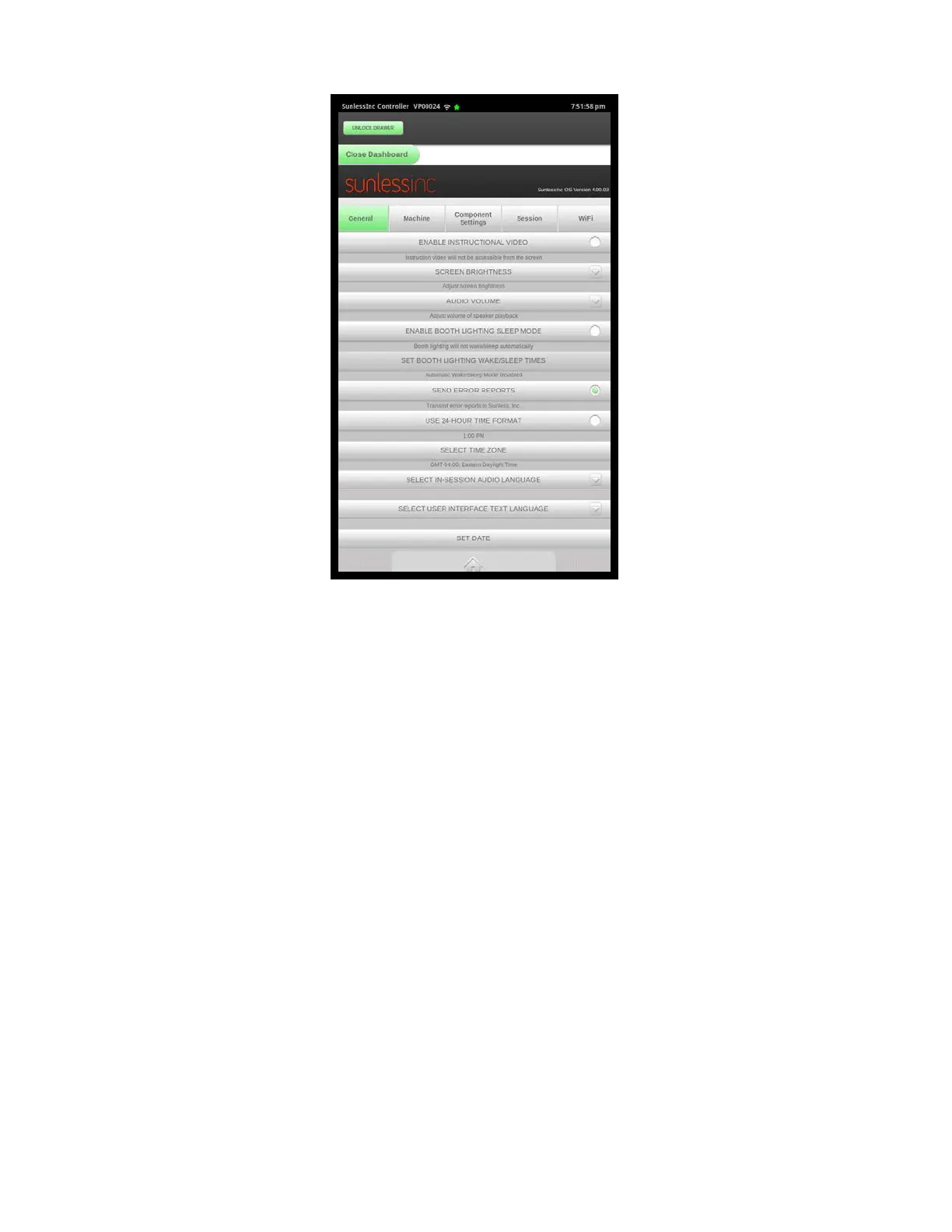
7.3.1 General Settings:
•
Allow WiFi Access: Turning this on will enable WiFi connectivity. To connect to your
WiFi network, go to the WiFi tab at the top of this screen.
•
Enable Smart Container System: If there is an issue with your smart container
system and you need to temporarily disable it, it can be disabled here. You will need
to follow the instructions to receive a password from Sunless Inc. in order to disable
this feature. All of the functions that rely on the Smart Container System will no longer
be available with this disabled.
•
Screen Brightness: Adjusts the brightness of your touchscreen.
•
Audio Volume: Adjusts the volume of the audio system. This will affect all voice
prompts and other messages played through your speakers.
•
Enable Booth Lighting Sleep Mode: To conserve energy and increase the life of
your LED lighting, Sleep Mode can be enabled so that the lights will turn on and off at
specified times while still leaving the machine powered on. The times can be set in
the next option.
•
Set Booth Lighting Wake/Sleep Times: This is the area to set the wake/sleep times
of your lighting system. For example, you can set your lights to turn off at 10:00 PM
and turn back on in the morning at 9:00 AM.
•
Send Error Reports: Enabling this option will allow your machine to automatically
send error reports to the Sunless, Inc. Tech Department. This will allow for much
Section 7! Advanced Touchscreen Functions
5
Salon Setup General Tab



 To Next Page