Advanced Touchscreen Functions are outlined in Section 7 of this manual.
2.5 TMax and Salon Timer Systems
Your Versa6SDPro
TM
can be set to run sessions in various ways. The Session Builder
and Favorites method can be accessed from the Home Screen only if Remote Control
Mode is disabled in the Dashboard Machine Settings section. If Remote Control Mode
is enabled, the unit will only operate when it receives a signal from the remote timer
system. There are two options for running sessions with a remote timer. The first option
is to use the included TMax 3a that is modified to work with the Versa6SDPro
TM
. When
using Tmax, a time in seconds is sent from the Tmax manager between 1 and 99
seconds. The Versa6SDPro
TM
has an array stored on the SD Media card in the
controller. The array stores all singles sessions and all multi-sessions as Favorites. As
you modify Favorite sessions from your touchscreen to suit your salon’s needs, the
corresponding Tmax code will be modified as well. Appendix A at the end of this
manual lists the various default Tmax codes and their corresponding sessions.
To use your Tmax manager system to control the unit, make sure your installer connects
the included, custom Tmax 3A to the machine and to your Tmax network. If you are
using a wireless Tmax network, you will need to provide the Wireless module. Once it is
connected and communicating with your Tmax manager, simply send the time code that
corresponds to the desired treatment session (See Appendix A). If you have modified
the Favorite sessions on the unit in any way, write these down in a list to reference
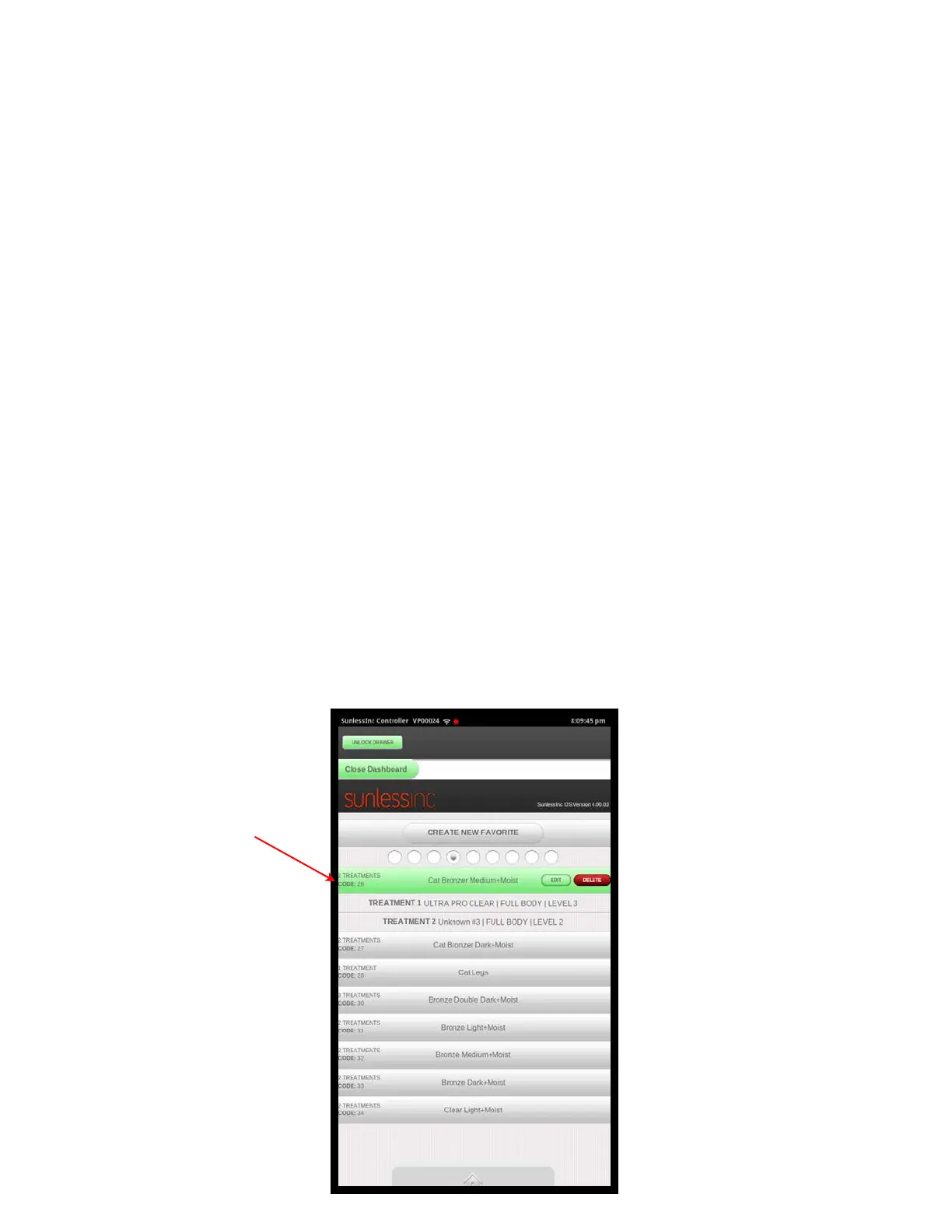
when setting up your salon management software. Each Favorite session will have a
Tmax code associated with it as shown in the image below:
Section 2!
Getting to Know Your Versa6SDPro
TM
16
Tmax Code
shown here



 To Next Page