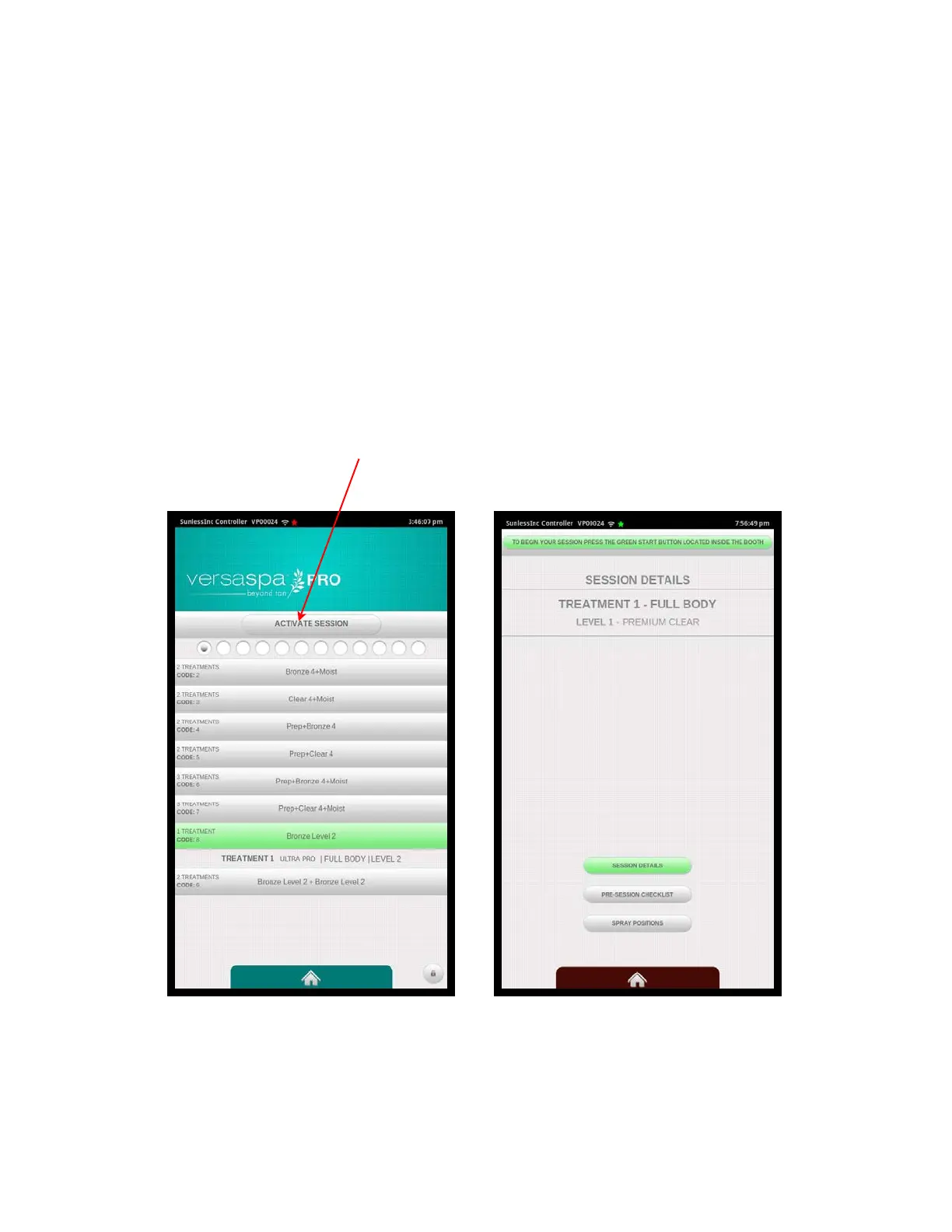
4.3 Starting a Session Using Favorites
If you are not using a remote timer such as TMax, select the Favorites Button from the
Home Screen. There will be 6 Favorites listed per screen and you can swipe left or
right to navigate through the different Favorite screens. Locate the Favorite Session
you wish to perform and select it. After selecting the Favorite, it will expand to show the
details of the Favorite for your review. When ready to begin, select the Activate Session
button at the top and the unit will go into ready mode. When the user is ready they can
enter the booth and press the flashing green button to begin their session.
Also on the touchscreen at this time are options for the user to view the Session Details,
view the Pre-Session Checklist, review the spray positions, or watch the Instructional
Video.
Section 4!
Using Your Versa6SDPro
TM
36
Activate
Session
Button
Favorite Selected Pre-Session Screen



 To Next Page