•
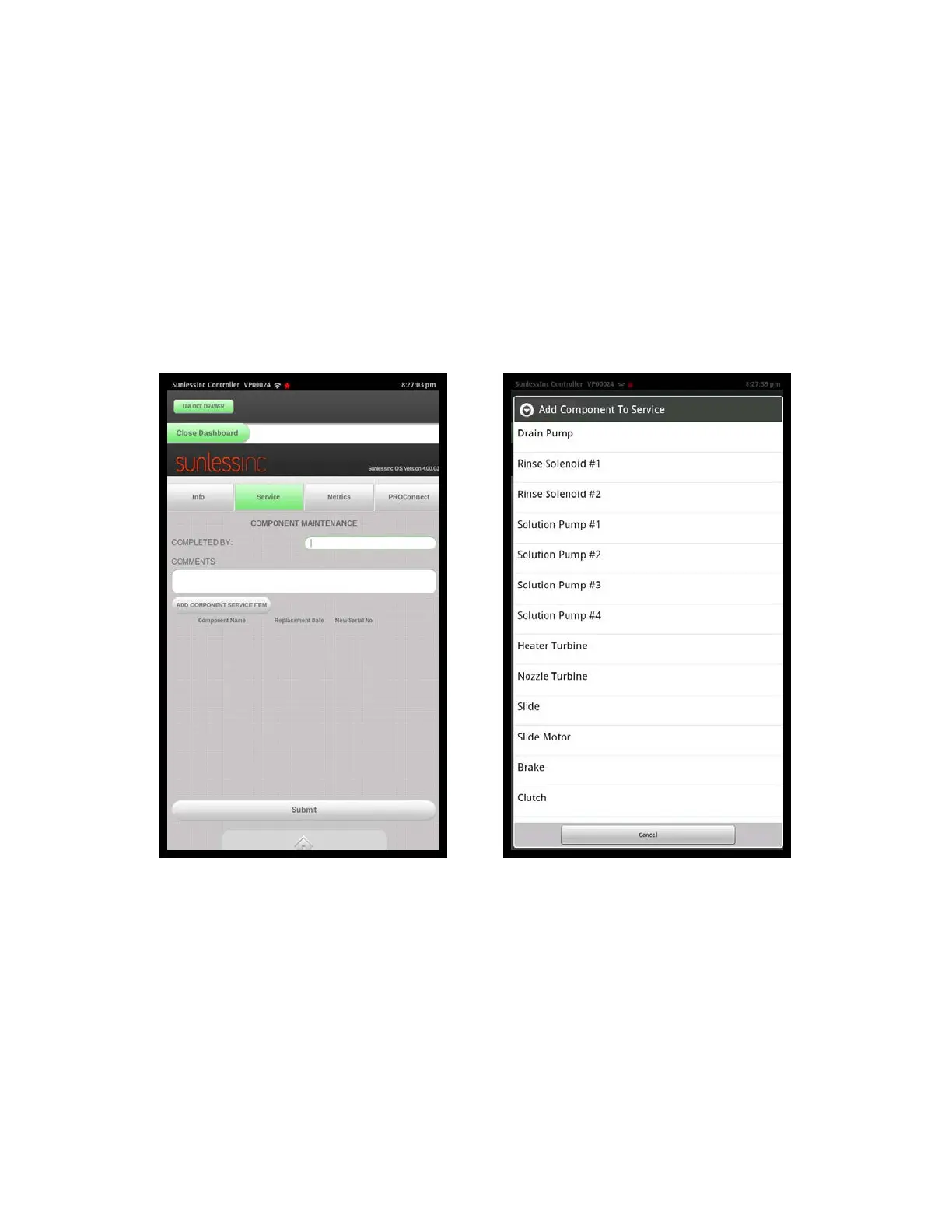
Admin Service Tab: In this area, any service done to your machine should be
entered and logged. This is helpful for future troubleshooting and to keep track when
key components have been replaced. When entering a service event, fill in the
Completed By section with name of the person performing the service, enter any
custom comments about this event, and select a component that was serviced or
replaced by pushing the Add Component Service Item button and selecting the
component from the list that appears. When all information is entered, press the
Select button at the bottom of the screen to log this event. A history of logged events
will be shown in this screen as they are entered.
Section 7! Advanced Touchscreen Functions
6
Admin Service Screen Add Component Screen



 To Next Page