Description of calibration settings炷see chapter 7 for details炸
Press and simultaneously to see the last calibration information. Then press if you
would like to make a new calibration or modify setting of calibration. Press keypad according to
index of keypad on the screen.
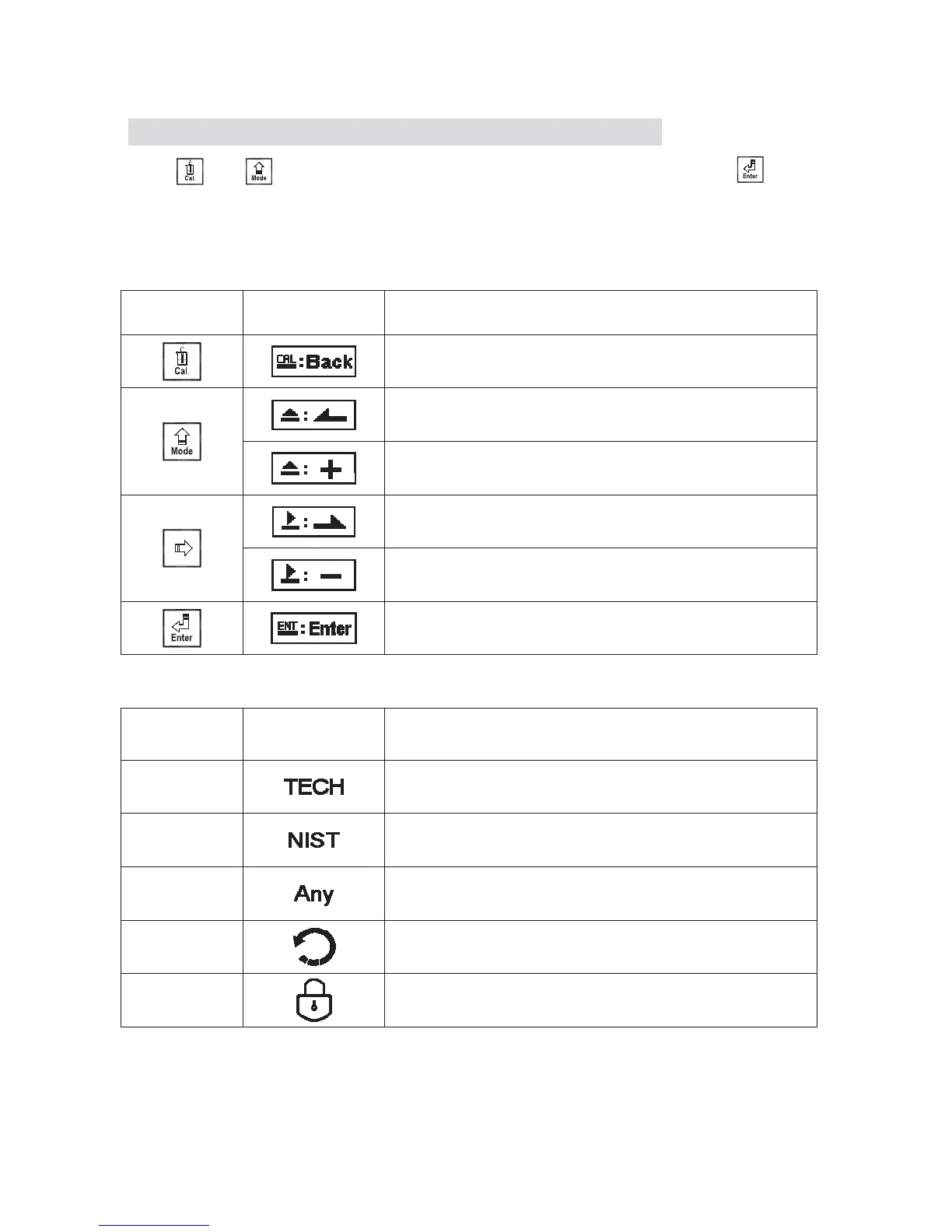
Index of keypad烉
keypad Accordingly item Description
back to upper layer
Choose leftward of change to left page
Increase digit
Choose rightward of change to right page
Decrease digit
Confirm settings after modifications and then go through
next step
Selection of calibration settings
keypad Accordingly item Description
TECH Use TECH buffer as standard solution for calibration
NIST
Use NIST standard buffer (DIN 19266) as standard
solution for calibration
Any Use any buffer solution by users’ definition for calibration
Return
Time interval setting of returning to the measurement
mode
Code Security code of calibration mode.
м


 To Next Page