OPERATION & MAINTENANCE MANUAL SWDE120B-3
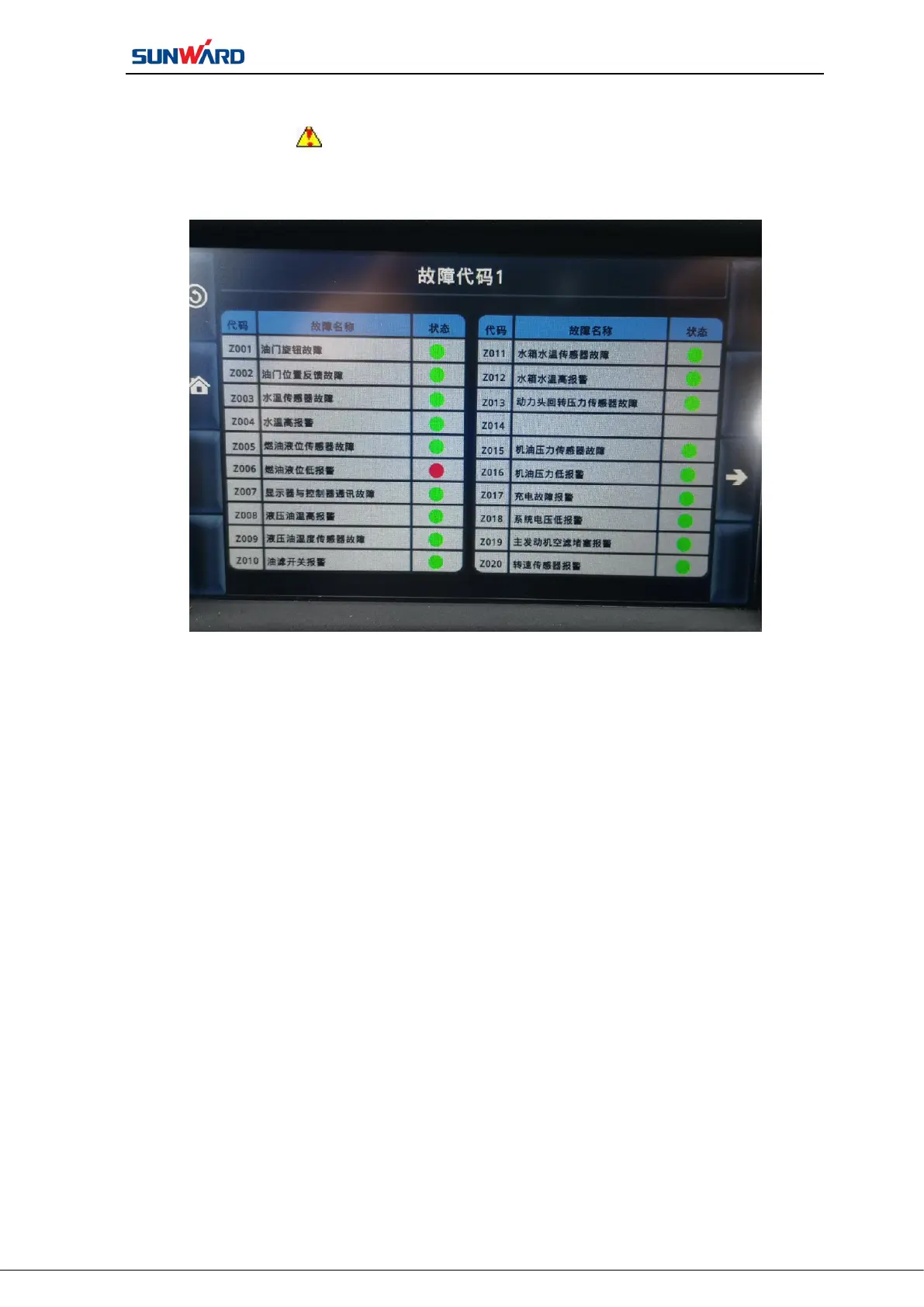
2.4.5 Fault Code Interface
The alarm icon will flash when a fault or alarm signal occurs, you can click
“Fault Code” to enter monitoring interface to check the detailed alarm.
Figure 3.7 Fault Code Interface
Press “Fault Code”on main operating interface (figure 3.2) to enter the “Fault
Code Interface”. Click the corresponding button on the interface to perform corresponding
operation:
In the page status of “Fault Code”,the bright red icon indicates the failure, and the
bright green icon indicates the normal state.
Find fault information with corresponding fault code. See figure“Z003 Water
temperature sensor failure”, you shall check the main engine water temperature sensor and
its circuit. See figure“Z004 Water temperature alarm”, you shall check the main engine
cooling water and cooling system.



 To Next Page