- 10 -
When the track is finished the PSD300 will
automatically pause, cued to music, at the
beginning of the next track.
9 A-B button
While a CD is playing push and release to start
point A to point B repeat play.
Point A (starting point) is set when the A-B button
is pushed and released. The next push and
release of the A-B button sets point B (ending
point). Play repeats between A and B. Example
display:
Controls, Display (top) continued
PUSH
BASS
MID
TREBLE
TEXT VR PROG REPEAT
MENU/STORE
DISP SINGLE
A-B
CANCEL/DELETE
REC MODE
CD-RW PLAYBACK
CD RECORDING SYSTEM PSD300
MIC
PLAY
OPEN
REC/PLAY
ERASE FINALIZE
REC
SELECT
PUSH ENTER
POWER KEY TEMPOSTANDBY
CD TEXT
TRACK
CD TEXT
TRACK
REPEAT
A-B
R
L
dB-50 -30 -22 -16 -12 -8 -4 0
During A-B repeat push and release the A-B
button. Point B becomes the new A point and the
next push and release of the A-B button sets a
new B point.
OR
During A-B repeat push and hold the A-B button
for one second to keep the A point. Push and
release the A-B button to set a new B point.
To exit A-B repeat press the REPEAT button, play
continues, or the Stop button, play ends.
10 CANCEL/DELETE button
Push and release to delete tracks from a program,
to delete text when entering CD text, or return to a
higher level in the Menu.
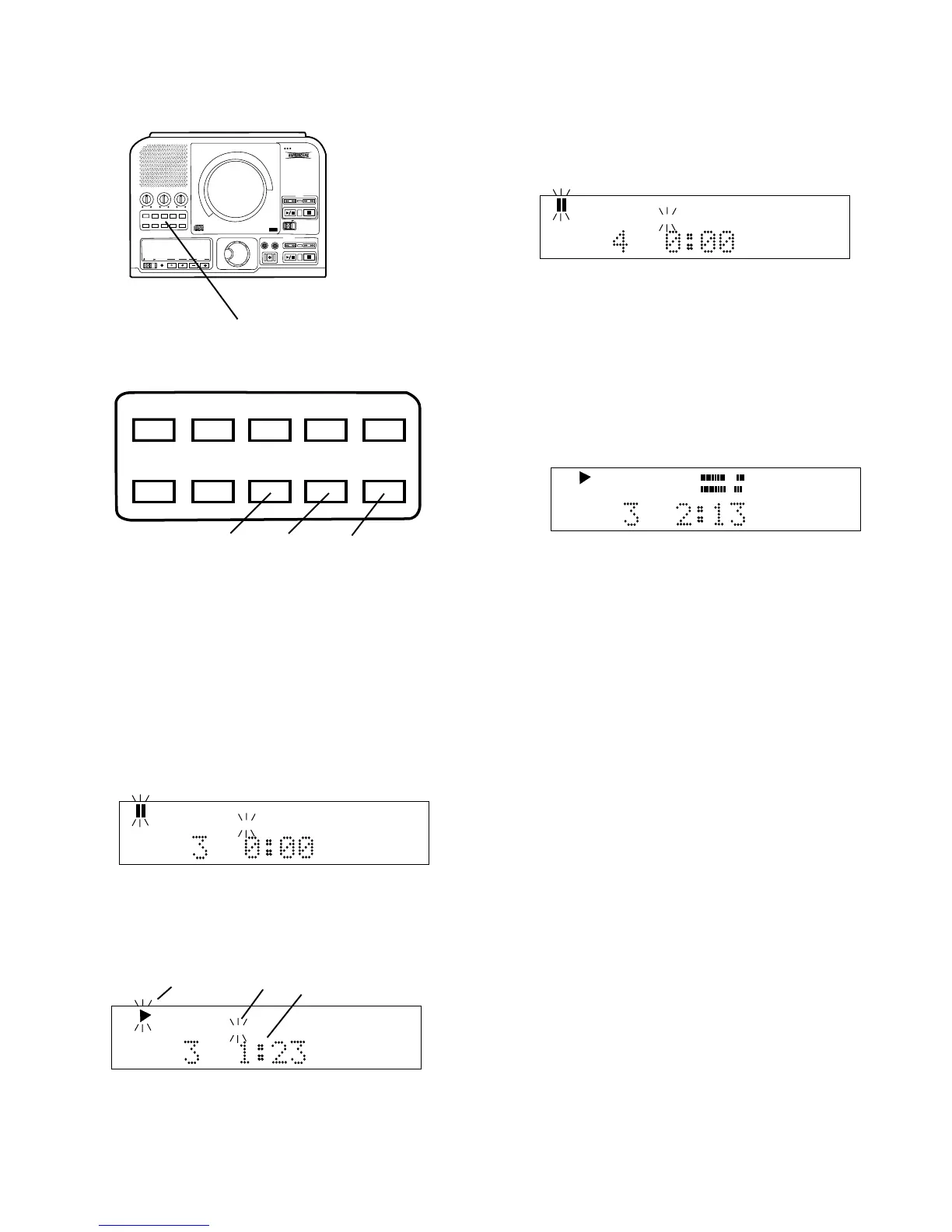
6
6 Control buttons continued
TEXT VR PROG REPEAT
MENU/STORE
DISP SINGLE
A-B
CANCEL/DELETE
REC MODE
8 9 10
8 SINGLE button
Push and release to toggle Single Track Play on
or off.
While in Single Track Play, when a track is
selected with the SELECT control, the track does
not automatically start playing but is paused and
cued up at the beginning of the audio (example
display follows), and the Play pause button
flashes.
CD TEXT
TRACK
CD TEXT
TRACK
While playing in Single Track Play the Play (a)
and TRACK (b) displays are flashing, and the time
counter (c) is counting up indicating elapsed time
(example display below).
a b c



 To Next Page