tape or rental CD label with paste protruding from
the edge or when a disc has a trace of such as
sticky object, do not attempt to play the disc. The
disc may be impossible to take out, or another
malfunction may result.
• Write only on the printed side of a CD-R or CD-
- 35 -
RW disc, and only with a soft
felt-tipped pen.
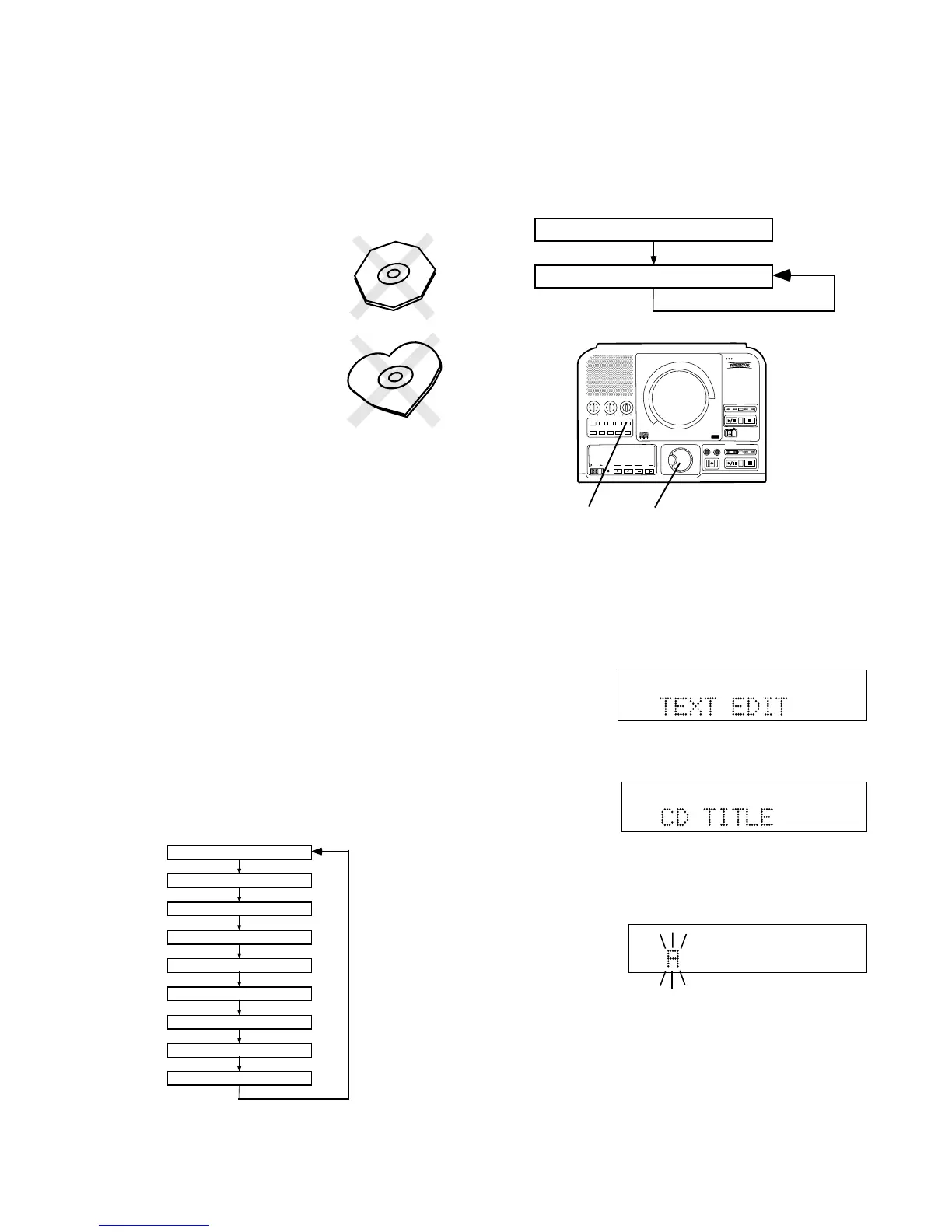
• Do not attempt to record a
disc with a special shape.
• Do not attempt to play a disc
with a special shape such as
an octagonal or heart shaped
disc. Equipment malfunction
may result.
CD text
CD text, when present, provides text information such
as the CD title, artist, track titles, and track artists.
The PSD300 can record text information on an
unfinalized CD-R or CD-RW that you record.
CD text during playback
When a disc is inserted in the CD drive or CDR drive
the PSD300 automatically detects if a disc has text
information and automatically displays the CD title.
The PSD300 can display 14 characters, if the text
information is longer than that the text automatically
scrolls from right to left.
Play
The following information, if available, is displayed
every time the TEXT button is pushed and released
while the PSD300 is playing. During Stop the track
information is unavailable.
CD Title
Track Title
Track Artist
Track Songwriter
Track Composer
Track Arranger
Track Message
CD ID
CD Genre
Recording CD text
Before finalalization of a CD you can enter text
information. Only the CD title and track titles can be
entered.
CD Title
Title of each track
PUSH
BASS
MID
TREBLE
TEXT VR PROG REPEAT
MENU/STORE
DISP SINGLE
A-B
CANCEL/DELETE
REC MODE
CD-RW PLAYBACK
CD RECORDING SYSTEM PSD300
MIC
PLAY
OPEN
REC/PLAY
ERASE FINALIZE
REC
SELECT
PUSH ENTER
POWER KEY TEMPOSTANDBY
1
2
With your unfinalized disc in the CDR drive and
stopped
1 push and release Menu/Store.
2 Turn the SELECT control so TEXT EDIT is
displayed.
Push and release the SELECT control to select.
CD TITLE is displayed.
(Turn the SELECT control to select editing track
titles.) Push and release the SELECT control to
select editing the CD TITLE or the Track title. The
first character of the title is flashing.
Turn the SELECT control to select the character.
Or from the remote with CDR selected, push and
release alphanumeric keys to select the character.
TOTAL TRACK
CD-R
R
L
dB-50 -30 -22 -16 -12 -8 -4 0
CD-RW
TOTAL TRACK
CD-R
R
L
dB-50 -30 -22 -16 -12 -8 -4 0
CD-RW
TOTAL TRACK
CD-R
R
L
dB-50 -30 -22 -16 -12 -8 -4 0
CD-RW



 To Next Page