- 9 -
Controls, Display (top) continued
PUSH
BASS
MID
TREBLE
TEXT VR PROG REPEAT
MENU/STORE
DISP SINGLE
A-B
CANCEL/DELETE
REC MODE
CD-RW PLAYBACK
CD RECORDING SYSTEM PSD300
MIC
PLAY
OPEN
REC/PLAY
ERASE FINALIZE
REC
SELECT
PUSH ENTER
POWER KEY TEMPOSTANDBY
6
TEXT VR PROG REPEAT
MENU/STORE
DISP SINGLE
A-B
CANCEL/DELETE
REC MODE
6 7
6 Control buttons continued
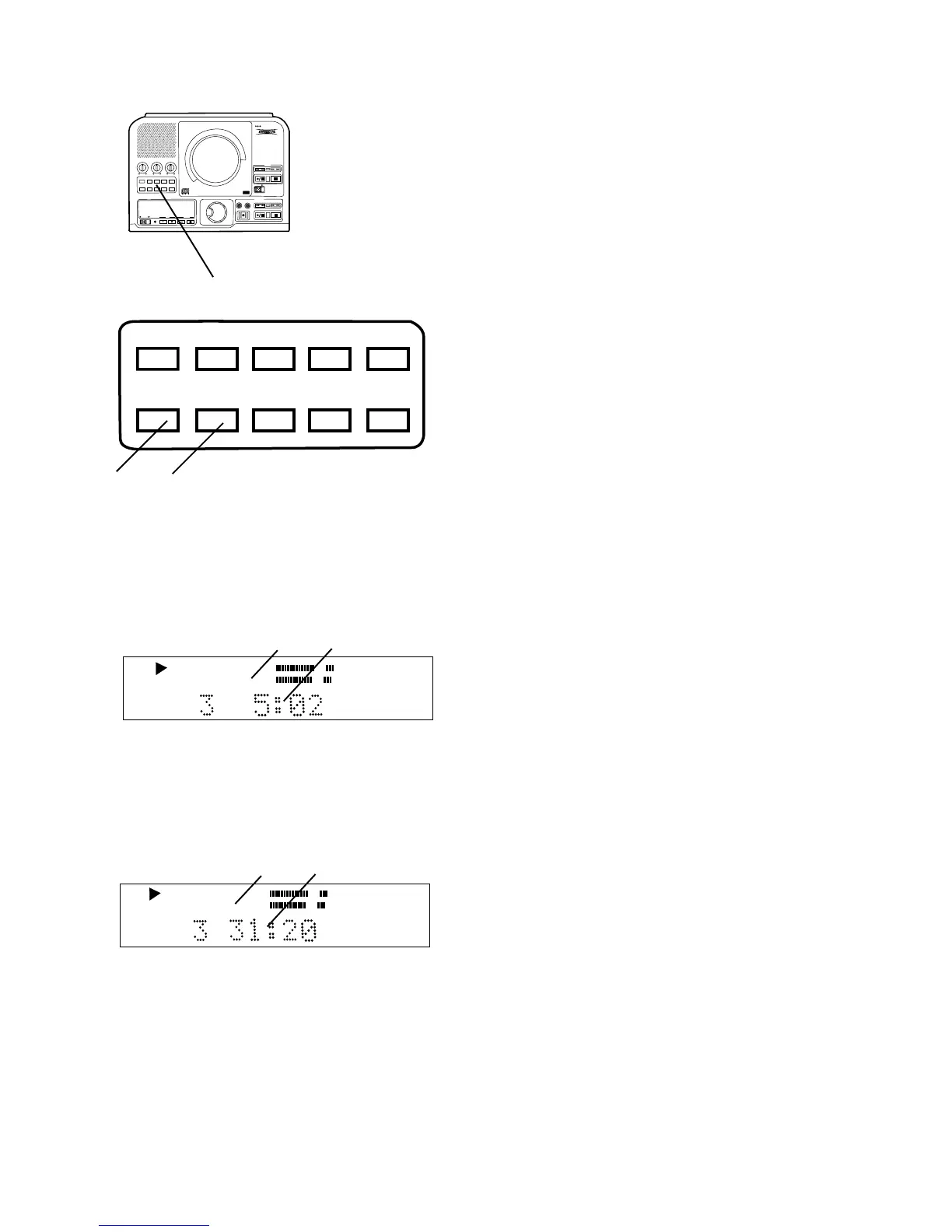
6 DISP button (display)
While playing a CD in either drive push and
release once to display the remaining play time
for the track.
CD
TRACK
a
b
a Only TRACK is lit and steady.
b The countdown time is for the track being played.
Push DISP and release a second time and the
remaining play time for the entire CD is displayed.
CD
TOTAL TRACK
c
d
c TOTAL TRACK is lit and steady.
d The countdown time is for the entire CD.
Push DISP and release again to return to the
default display showing elapsed track time.
7 REC MODE button
With a CD-R or CD-RW disc in the CDR drive,
push and release to enter recording mode. Turn
the SELECT control to select the recording mode.
Then push and release the SELECT control to
choose that mode.
Note: When recording from a CD in the CD drive
when tracks are programmed the recording follows
the program, if not the entire disc is recorded.
The 8 recording modes are:
REC with CD
This mode allows you to record along with a CD.
You can add your voice or instrument via the MIC/
LINE jacks, INT microphone, or AUX input. Moni-
tor the recording process using the headphone
jack, internal speaker, or LINE OUT.
RECORD
If no CD is present in the CD drive this is the first
REC mode that appears in the REC mode menu.
You can record using the INT mic, MIC/LINE
inputs and/or AUX inputs or DIGITAL input.
COPY + LISTEN
This mode is used to digitally copy a CD in real-
time while listening to it. This is an internal
recording function that allows no inputs from
outside sources.
COPY 2X
Digitally copy individual or programmed tracks or
an entire disc. This is an internal recording
function that allows no inputs from outside
sources.
COPY 2X +FINAL
This is the quickest way to digitally copy individual
programmed tracks or an entire disc. This is an
internal recording function that allows no inputs
from outside sources.
CONV HALFSPEED
This will record individual or programmed tracks at
half speed. The converted recording will play one
octave lower which provides a powerful new tool
for difficult music transcription.
SYNC RECORD
This REC mode is used to automatically engage
the recording process from an outside digital or
analog source including DAT, minidisk, cassette
tape or LP for example.
SYNC RECORD+FINAL
Use this REC mode to automatically start the
recording process from an outside digital or analog
source including DAT, minidisk, cassette tape or
LP for example.



 To Next Page