PUSH
BASS
MID
TREBLE
TEXT VR PROG REPEAT
MENU/STORE
DISP SINGLE
A-B
CANCEL/DELETE
REC MODE
CD-RW PLAYBACK
CD RECORDING SYSTEM PSD300
MIC
PLAY
OPEN
REC/PLAY
ERASE FINALIZE
REC
SELECT
PUSH ENTER
POWER KEY TEMPOSTANDBY
Controls, Display (top) continued
- 14 -
15
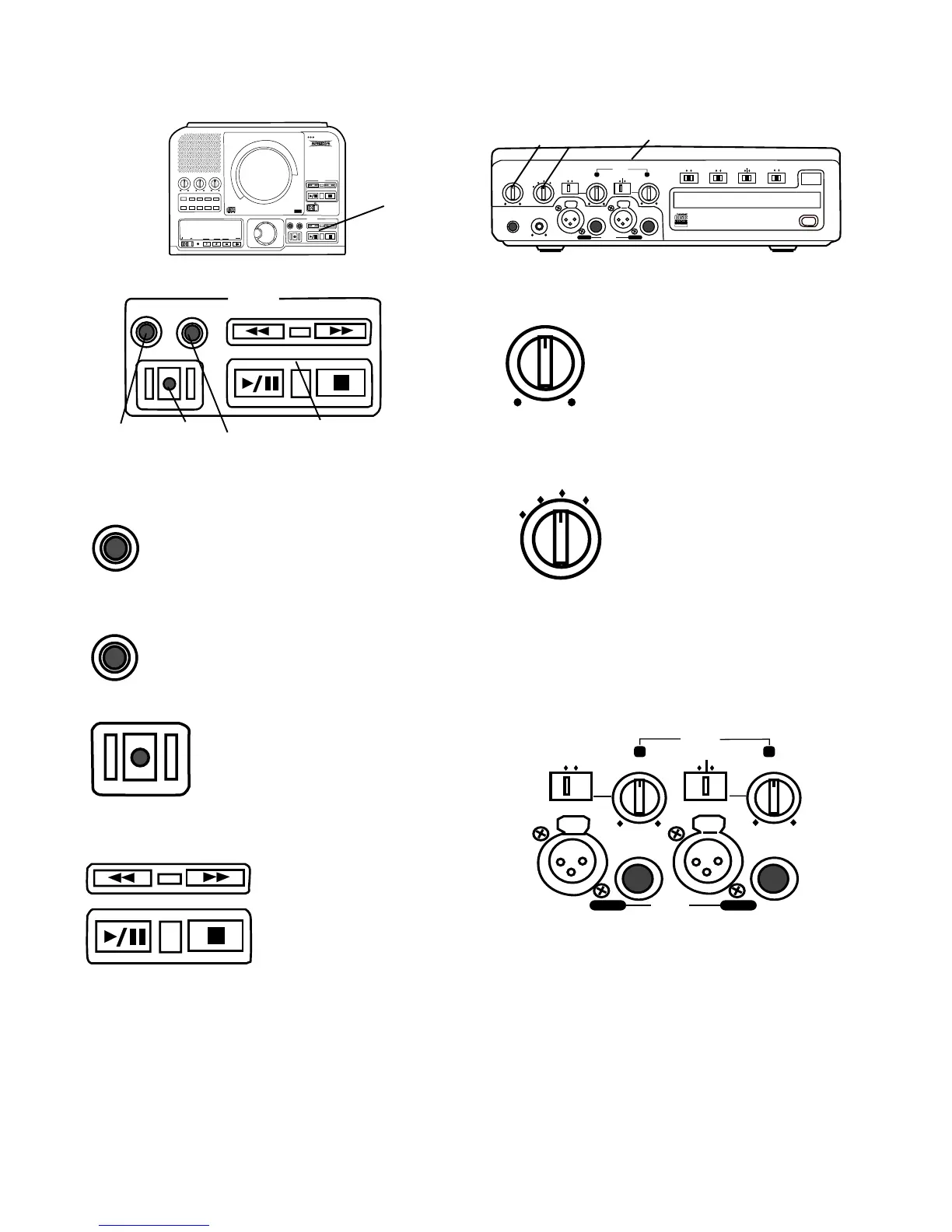
15 REC/PLAY controls
1 ERASE button light
Push and release to enter ERASE
mode. See How to erase.
ERASE
FINALIZE
2 FINALIZE button light
Push and release to enter FINALIZE
mode. See How to finalize.
REC/PLAY
ERASE FINALIZE
REC
1 2 3 4
REC
3 REC (record) button light
When flashing and prompted by the
display to PUSH REC KEY, push and
release to start recording. See How
to Record for recording modes.
Also used when finalizing.
4 PLAY controls
CDR drive controls
work the same as the
play controls for the
CD drive. See PLAY
controls.
Controls, Connections (front)
PHONE/SPEAKER
LEVEL
PHONE SELECTOR
MIC/LINE
CD
LINE OUT AUX
PHONES
LINE OUT
ReWritable
Recordable
CD PLAY / RECORD
OPEN/CLOSE
MIX
SPLIT
MIC
STEREO
ONOFF
ALC
DIGITAL
ANALOG
INPUT
ONOFF
SPEAKER
MIC
LINE
INT
LINE
MIC
MIC/LINE
L
PUSH
R
MIC/LINE RIGHT
PUSH
LEFT
1 2 3
PHONE/SPEAKER
LEVEL
1 PHONE/SPEAKER LEVEL
control
Turn to adjust the level (volume) of
the built-in speaker and head-
phones plugged into the PHONE
jack. (To listen to headphones
only turn the SPEAKER OFF/ON
switch to OFF.)
PHONE SELECTOR
MIC/LINE
CD
LINE OUT AUX
2 PHONE SELECTOR
Turn to select the audio input to
the PHONE jack and internal
Speaker.
CD – CD drive.
LINE OUT – Audio available at
the LINE OUT output jacks.
MIC/LINE – Audio being input via the MIC/LINE/INT
input jacks.
AUX – Audio being input to the AUX IN jack.
MIC
LINE
INT
LINE
MIC
MIC/LINE
L
PUSH
R
MIC/LINE RIGHT
PUSH
LEFT
3 MIC/LINE/INT controls and input jacks
Left and right microphones or instruments via phone
jacks or via XLR connectors are input here. LINE/MIC
switches on each input channel permit, for example,
input of an instrument on the left channel (LINE) and a
mic level input on the right channel (MIC).



 To Next Page