- 20 -
How to play continued
Push and release Play/Pause.
CD TEXT
TRACK
R
L
dB-50 -30 -22 -16 -12 -8 -4 0
a b c
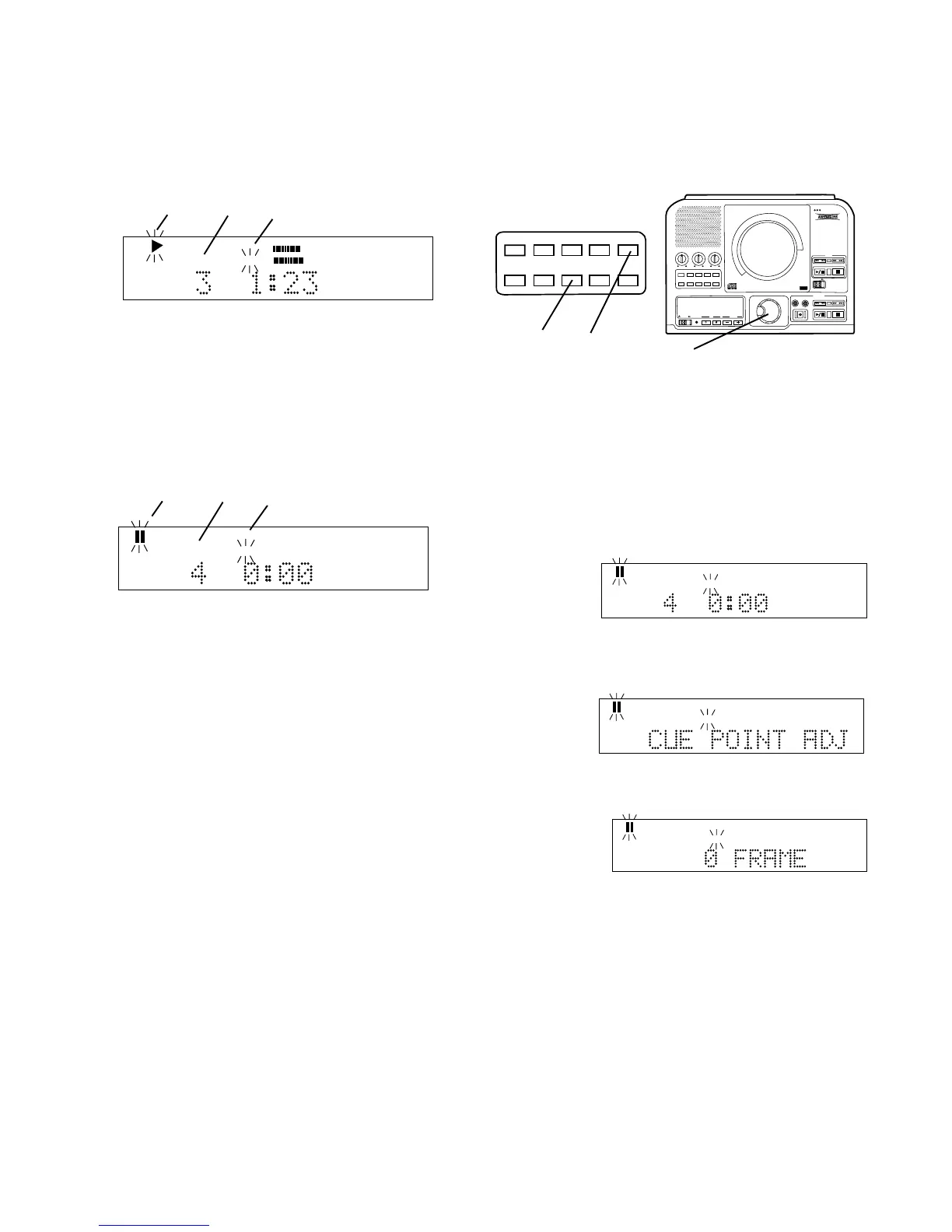
Example display:
a Play symbol flashing indicates track is playing.
b Example track #3 is playing
c Flashing "TRACK" indicates single track play.
When the track is completed the PSD300 remains in
Single track, paused at the beginning of the next track
and cued to music.
CD TEXT
TRACK
R
L
dB-50 -30 -22 -16 -12 -8 -4 0
a b c
Example display:
a Paused symbol flashing indicates track is paused.
b Example track #4 is cued.
c Flashing "TRACK" indicates single track play.
Push SINGLE to exit Single Track.
How to cue to music (cue to audio)
Normally there is some silence from beginning of a
track (track ID position) to the beginning of the music
(audio). Cue to music skips the silence so you can
directly switch to audio from Play/Pause mode.
In Single Track the PSD300 automatically turns cue to
music on. Push SINGLE to enter cue to music.
PUSH
BASS
MID
TREBLE
TEXT VR PROG REPEAT MENU/STORE
DISP SINGLE
A-B CANCEL/DELETE
REC MODE
CD-RW PLAYBACK
CD RECORDING SYSTEM PSD300
MIC
PLAY
OPEN
REC/PLAY
ERASE FINALIZE
REC
SELECT
PUSH ENTER
POWER KEY TEMPOSTANDBY
TEXT VR PROG REPEAT
MENU/STORE
DISP SINGLE
A-B
CANCEL/DELETE
REC MODE
3 Push and release MENU/STORE. The display
switches to CUE POINT ADJUST.
CD TEXT
TRACK
R
L
dB-50 -30 -22 -16 -12 -8 -4 0
4 Push and release the SELECT control. The
display shows O FRAME.
CD TEXT
TRACK
R
L
dB-50 -30 -22 -16 -12 -8 -4 0
Depending on the specific track, the FRAME
adjustment can be from 75 to -75 (75 frames = 1
second).
How to adjust the cue point
2, 4
1 3, 5
The cue point (start point of audio) is detected by the
PSD300 as volume exceeding a threshold of audio.
To adjust
1 With your CD in the CD drive, at Pause, and with
SINGLE track selected.
2 Turn the SELECT control to choose the track and
push and release the SELECT control to confirm.
CD TEXT
TRACK
Example
display.
Turn the SELECT control to change the audio start
position. Then push and release the SELECT
control to store the adjustment.
5 Push and release MENU/STORE to exit.



 To Next Page