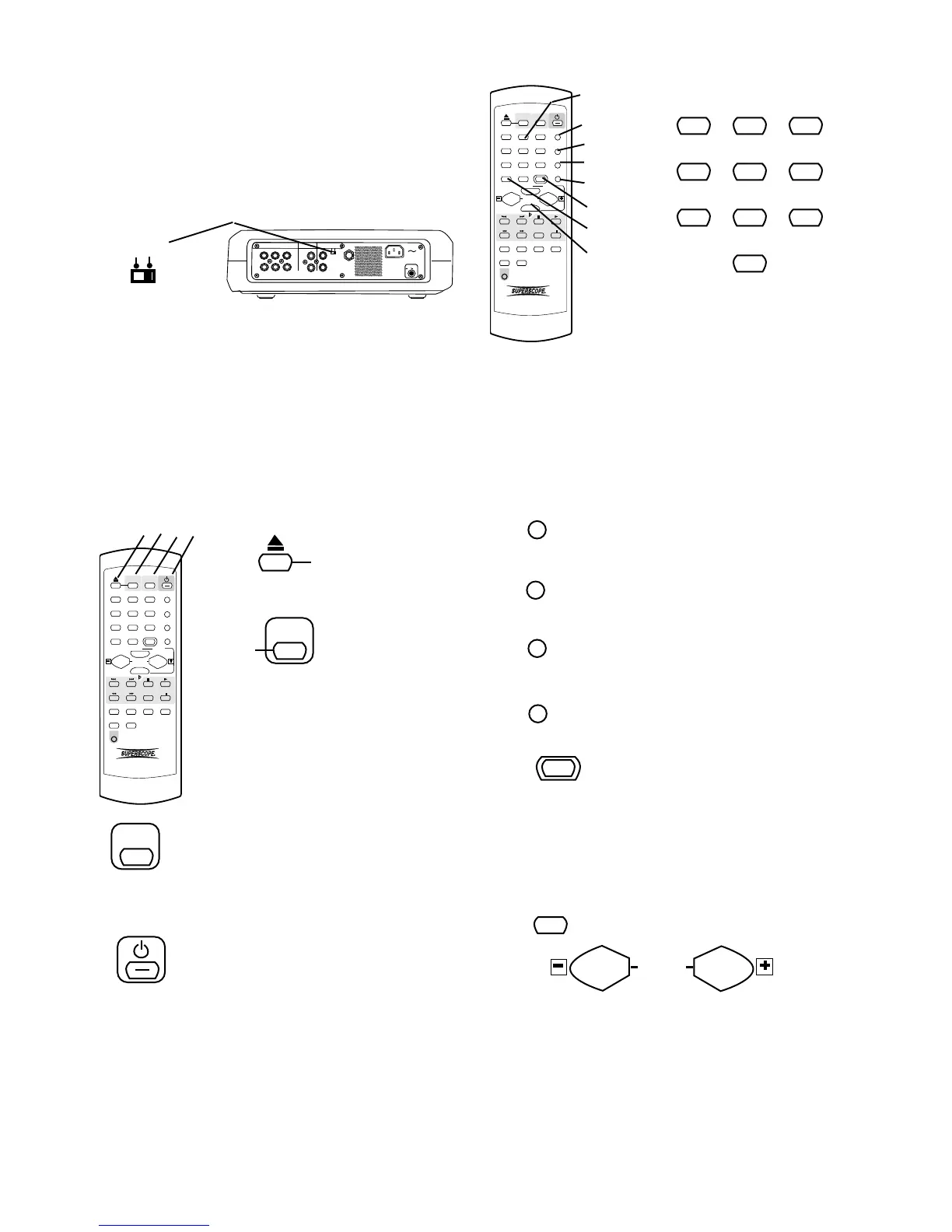
About the Remote
- 32 -
POWER
ON OFF
MIX LINE AUX DIGITAL
REMOTE
RC-5 EXT. INT.
FOOT
PEDAL
IN
OUT
IN
OUT
R
L
R
L
INOUT
OUT
REMOTE
EXT. INT.
The REMOTE EXT. INT. switch on the back of the
PSD300 must be at INT. for the infrared remote to
work.
Most of the controls on the remote work identically to
the control on the unit. The page number describing
identical functioning unit controls is given below.
Further instruction is supplied for controls that are on
the remote only or that function differently from con-
trols on the unit.
1
ABC
2
DEF
3
GHI
PROG
4
JKL
5
MNO
6
PQR TEXT
7
STU
8
VW
9
XYZ SINGLE
DISPLAY
0
SPACE
TEMPO RESET
VR
CDR CD
REPEAT CAN/DEL ENTER MEN/STO
A B
TR INC
REC
REMOTE CONTROL
RC300PSD
AMS
#
KEY
TEMPO
1 2 3 4
= OPEN/CLOSE
switch for the CDR
drive.
See page ............................... 16.
1
2
CDR
CDR select button.
Push to select the
CDR drive.
When selected buttons on this
remote such as Play, Pause,
Stop, and Search work on the
CDR drive rather than CD play-
back.
CD
When selected buttons on this remote such as Play,
Pause, Stop, and Search work on the CD drive rather
than the CDR drive.
CD select button. Push to select the CD
drive.
3
4
= Standby POWER switch.
See page ..................................... 11.
1
ABC
2
DEF
3
GHI
PROG
4
JKL
5
MNO
6
PQR TEXT
7
STU
8
VW
9
XYZ SINGLE
DISPLAY
0
SPACE
TEMPO RESET
VR
CDR CD
REPEAT CAN/DEL ENTER MEN/STO
A B
TR INC
REC
REMOTE CONTROL
RC300PSD
AMS
#
KEY
TEMPO
5
6
7
8
9
10
11
12
1
ABC
2
DEF
3
GHI
4
JKL
5
MNO
6
PQR
7
STU
8
VW
9
XYZ
0
SPACE
5
In Play and Program modes push and release a
number button to select the track. Then push ENTER
on the unit or remote to enter the selection.
When entering CD TEXT push a number button once
to select the first of the three letters, twice for the
second and three times for the third. Push ENTER on
the remote or unit to enter the selected number.
6
= PROG button. See page ............... 7.
7
= TEXT button. See page ................. 7.
8
= SINGLE button. See page ........... 10.
PROG
TEXT
VR
9
TEMPO RESET button
On the PSD300 resetting the Tempo
to 0% (normal speed) is done by
10
pressing both Tempo controls at the same time. The
TEMPO RESET button is the same as pushing both
Tempo controls at the same time.
See page ............................................................... 12.
= DISP button. See page.................. 9.
11
DISPLAY
12
TEMPO
= Tempo controls except for TEMPO RESET above.
See page ............................................................. 12.
Alphanumeric keypad
Performs some of the functions of
the SELECT control.
= VR button. See page ..................... 7.
The supplied infrared remote control permits most
functions of the PSD300 to be controlled remotely.
See Remote batteries for installing or changing remote
batteries.



 To Next Page