PLAY
- 11 -
Controls, Display (top) continued
PUSH
BASS
MID
TREBLE
TEXT VR PROG REPEAT
MENU/STORE
DISP SINGLE
A-B
CANCEL/DELETE
REC MODE
CD-RW PLAYBACK
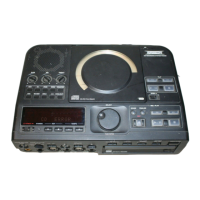
CD RECORDING SYSTEM PSD300
MIC
PLAY
OPEN
REC/PLAY
ERASE FINALIZE
REC
SELECT
PUSH ENTER
POWER KEY TEMPOSTANDBY
7a
7b
1 2
3 4
9 10 11 12 8
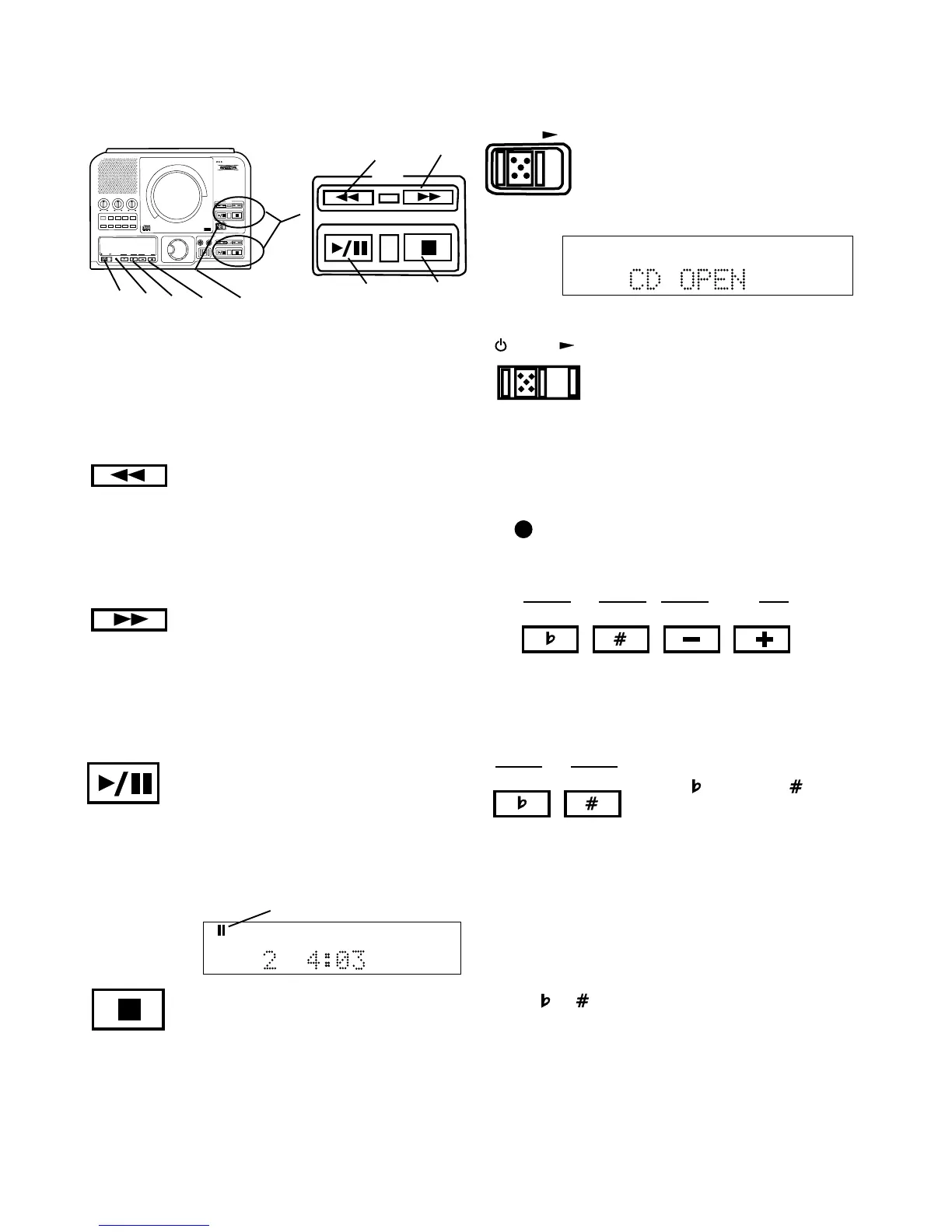
7 Play controls
Play controls 7a control playback of a disc in the
CD drive. Another set of play controls 7b control
playback of a disc in the CDR drive.
1 Fast backward search button
Push and hold during playback to search
backward. While searching samples of audio are
played to help you find the point you are searching
for. Returns to playing forward when the button is
released.
2 Fast forward search button
Push and hold during playback to search forward.
While searching samples of audio are played to
help you find the point you are searching for.
Returns to playing forward when the button is
released.
3 Play/Pause button
Push and release to start play of a stopped or
paused disc. Push and release during play to
pause. Button lit during play, flashing during
pause.
CD TEXT
TRACK
R
L
dB-50 -30 -22 -16 -12 -8 -4 0
paused symbol
Example
display during
pause.
4 Stop button
Push and release to stop play of a playing or
paused disc. When a disc is not playing or
paused, push and release to clear a program.
Button lit when drive is selected and stopped.
8 OPEN switch
Slide the OPEN switch to the right
to open the CD drive. A CD playing
automatically stops. CD OPEN is
displayed.
OPEN
POWER
9 Standby POWER switch
Slide the Standby POWER switch
to the right to turn power on or off.
POWER button on rear of unit
must be ON (the red STANDBY
STANDBY
10 STANDBY light
STANDBY light (red) is lit when power
is switched off by the Standby
POWER switch on the unit or remote.
KEY TEMPO
11, 12 Control of KEY and TEMPO
The PSD300 allows control of key (musical pitch) and
tempo (CD playback speed). The CD drive must be
selected to allow control of KEY and TEMPO.
KEY
11 KEY controls
Press to lower or to raise
the key (musical pitch).
KEY control can change the CD
sound by up to plus or minus
one octave.
The KEY control system works on the following
musical principles:
100 cents = 1 half step
2 half steps = 1 whole step
12 half steps = 1 octave
Press or once to start KEY control. Then press
once to change the key by a 12.5 cents increment.
The display shows the increment rounded to 0.13
cents. Press and hold to quickly decrease or increase
the key. Press both buttons at the same time to return
to 0.00 position.
light must be lit).


 To Next Page