- 22 -
How to play continued
How to Program Tracks continued
PUSH
BASS
MID
TREBLE
TEXT VR PROG REPEAT
MENU/STORE
DISP SINGLE
A-B
CANCEL/DELETE
REC MODE
CD-RW PLAYBACK
CD RECORDING SYSTEM PSD300
MIC
PLAY
OPEN
REC/PLAY
ERASE FINALIZE
REC
SELECT
PUSH ENTER
POWER KEY TEMPOSTANDBY
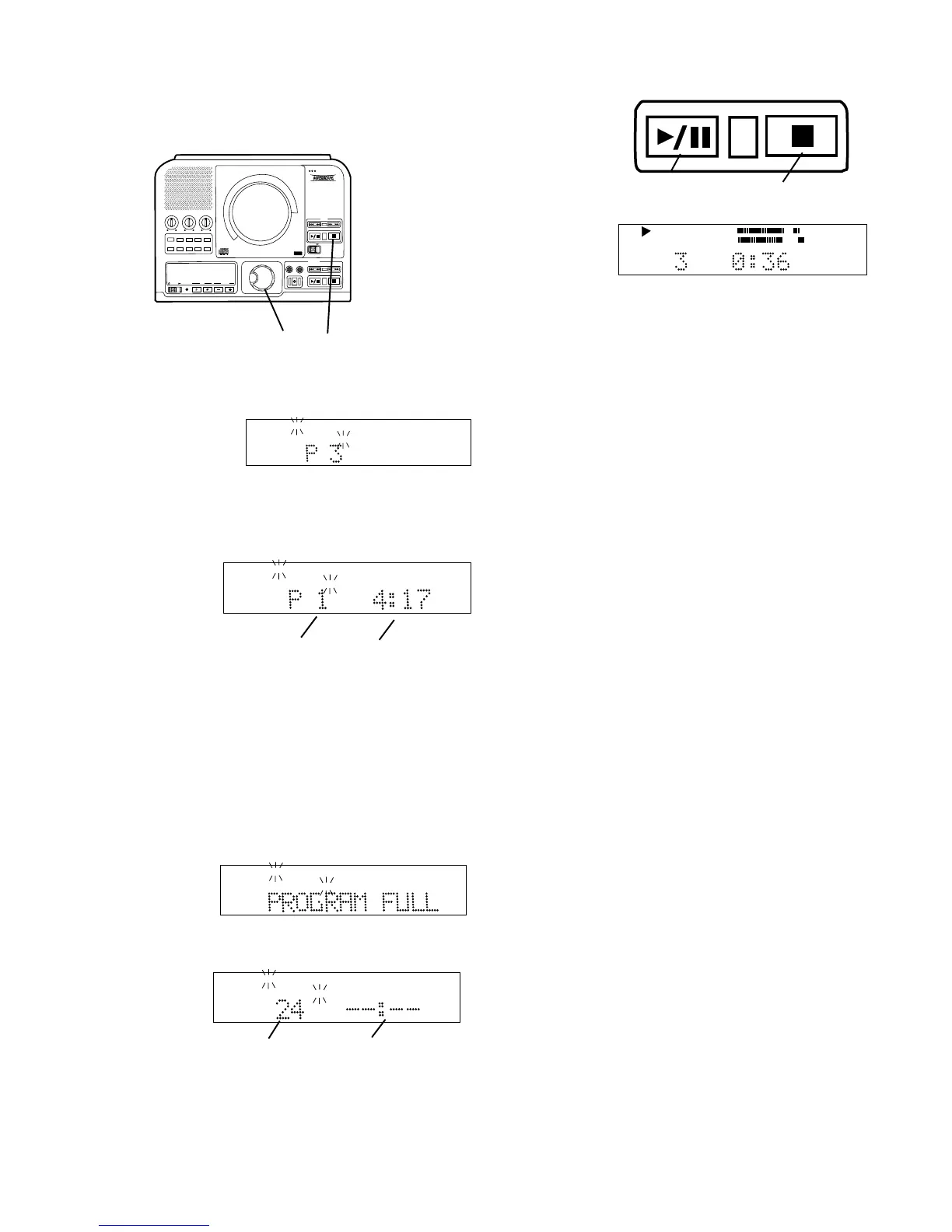
2 Turn the SELECT control to display the track
desired.
Example display
shows track 3
selected.
PROG
TOTAL TRACK
Push and release the SELECT control to enter the
selected track, or wait 1.5 seconds and the track is
automatically entered.
The
display
changes
to:
PROG
TOTAL TRACK
a b
a 1 track is programmed. (In the example track 3 is
the first track to be programmed.)
b The total playing time programmed in the example
is 4 minutes and 17 seconds.
Repeat step 2 to program tracks in the order you
desire. Up to 30 tracks can be programmed.
When you try to program a 31st track, this display
appears:
PROG
TOTAL TRACK
If the total time programmed exceeds 99 minutes
and 59 seconds the display changes to:
PROG
TOTAL TRACK
a b
a Number of tracks programmed (example).
b Total time given as dashes.
a b
3
Push Play/
Pause (a) to
play the pro-
gram.
TOTAL TRACK
CD
R
L
dB-50 -30 -22 -16 -12 -8 -4 0
CD
PROG
Example
display
shown.
a Push Play/Pause to pause, push again to resume
play from that point in the program.
b Push Stop to stop. Push Play/Pause to resume
play from the beginning of the program.
1 In Stop mode push and release PROG to enter
Program mode.
2 Turn the SELECT control to select the track to be
erased.
3 Push and release CANCEL/DELETE to erase the
track.
How to erase a programmed track
How to clear a program
Push Stop b twice to clear the program and exit
program mode.
How to program tracks for recording
2 3
Pause, Stop: While playing the program:
1 Follow steps 1 and 2 of How to program tracks
(above). You can check your program by playing
and/or pausing it. With your program at stop:
2 Insert a blank recordable CD or CD with space for
recording in the CDR drive.
3 Select the CDR drive by pressing the Stop button
on the CDR drive.
4 Push and release REC MODE. REC with CD,
COPY+ LISTEN, COPY 2X, or COPY 2X+FINAL
are suggested recording modes.
5 You will most likely want AUTO TRACK and AUTO
STOP ON so your programmed tracks are auto-
matically included. Push and release MENU/
STORE to check or change those menu settings.
See AUTO TRACK and AUTO STOP for full
instructions.



 To Next Page