396-4412Y1 QuickDraw 3000 Operator’s Manual 31 Revised 02/20/2020
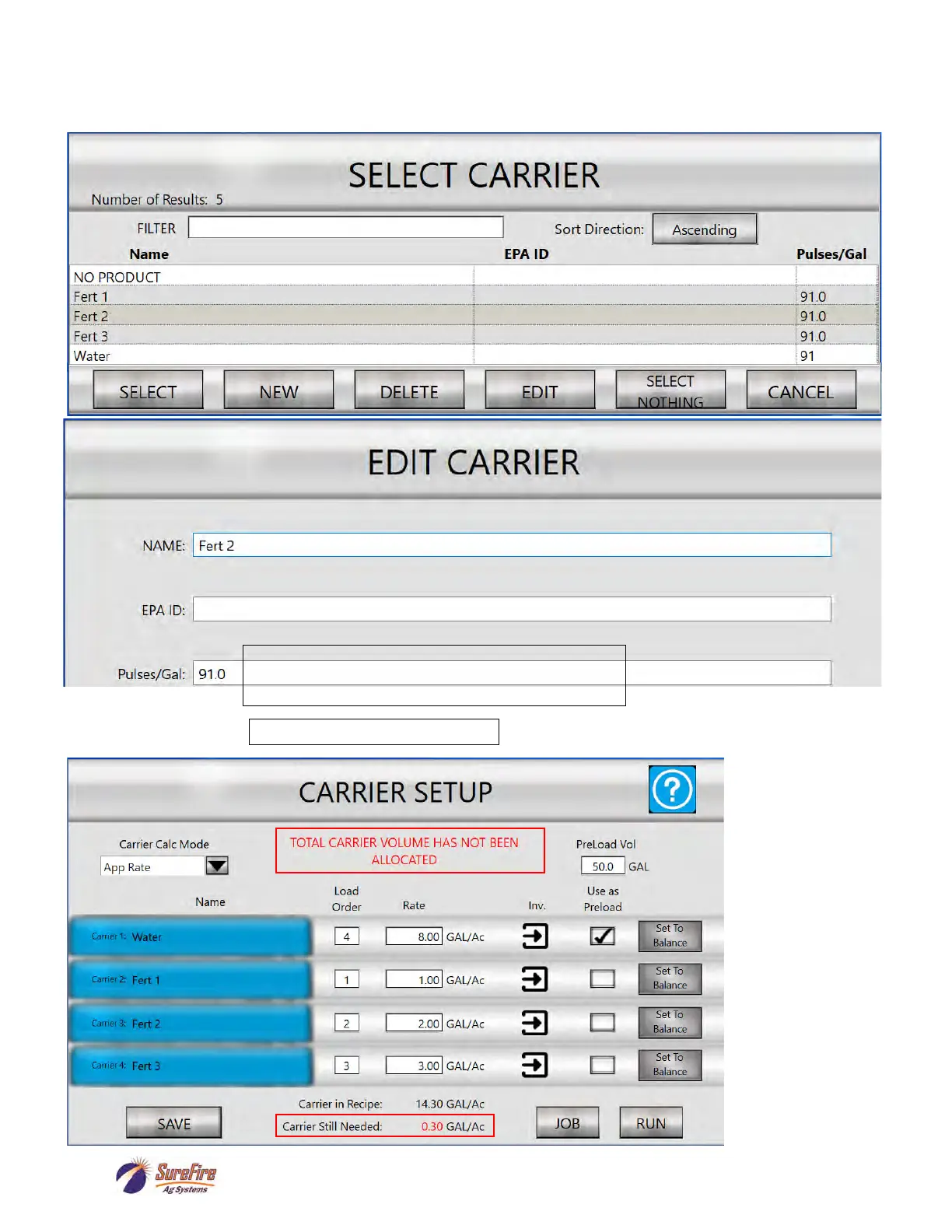
Press on a blue Carrier tab to bring up this screen to Select / Edit / or Create a New carrier. Press on a
Carrier Name, then Press EDIT to change the Name, EPA ID, or Pulses/GAL.
Press SAVE to save any changes
Carrier Still Needed
does not equal 0.
Add amounts to one
or more Carriers or
press “Set to Bal-
ance” to allocate
carrier needed to
that Carrier.
Adjust Pulses/GAL if necessary for better accuracy.
INCREASE this number if more product is needed.
DECREASE this number if less product is needed.



 To Next Page