396-4412Y1 QuickDraw 3000 Operator’s Manual 26 Revised 02/20/2020
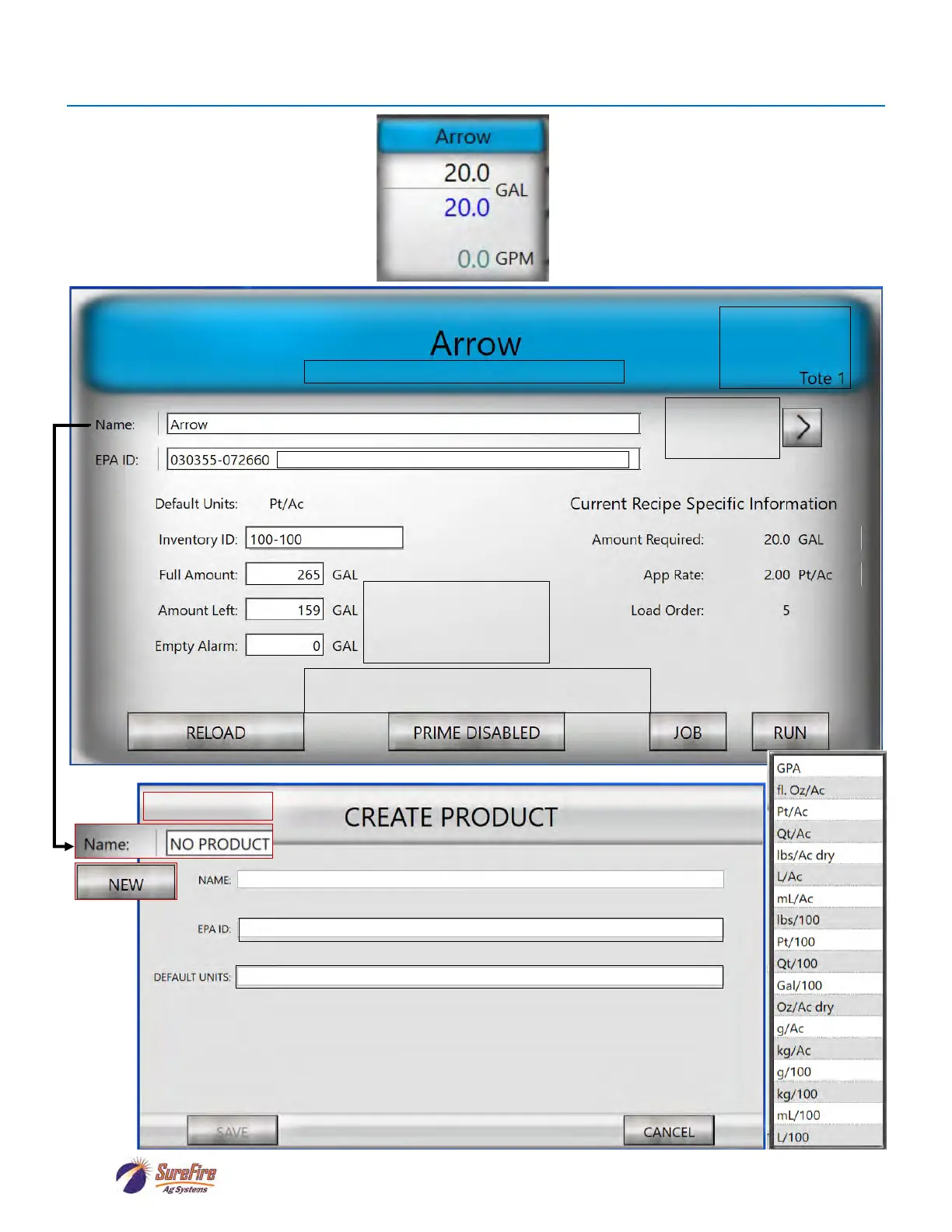
Tote Setup Screen (Product Setup)
Press Arrow to
move to other
tote.
Verify that this
tote and product
are connected to
this valve.
Set Amount Left in Tote
when connecting a tote.
Set Empty Alarm to get a
warning when tote gets low.
Press Prime Disabled to change to Prime Enabled
when a new tote is connected or a tote has run empty.
Press on a white box to enter the information.
Enter EPA ID here for batch history report.
On the Run Screen, press on the Tote
to be set up.
Select units from the pull-down menu.
Enter EPA ID here and it will be recorded in the batch history report.
NAVIGATION



 To Next Page