396-4412Y1 QuickDraw 3000 Operator’s Manual 37 Revised 02/20/2020
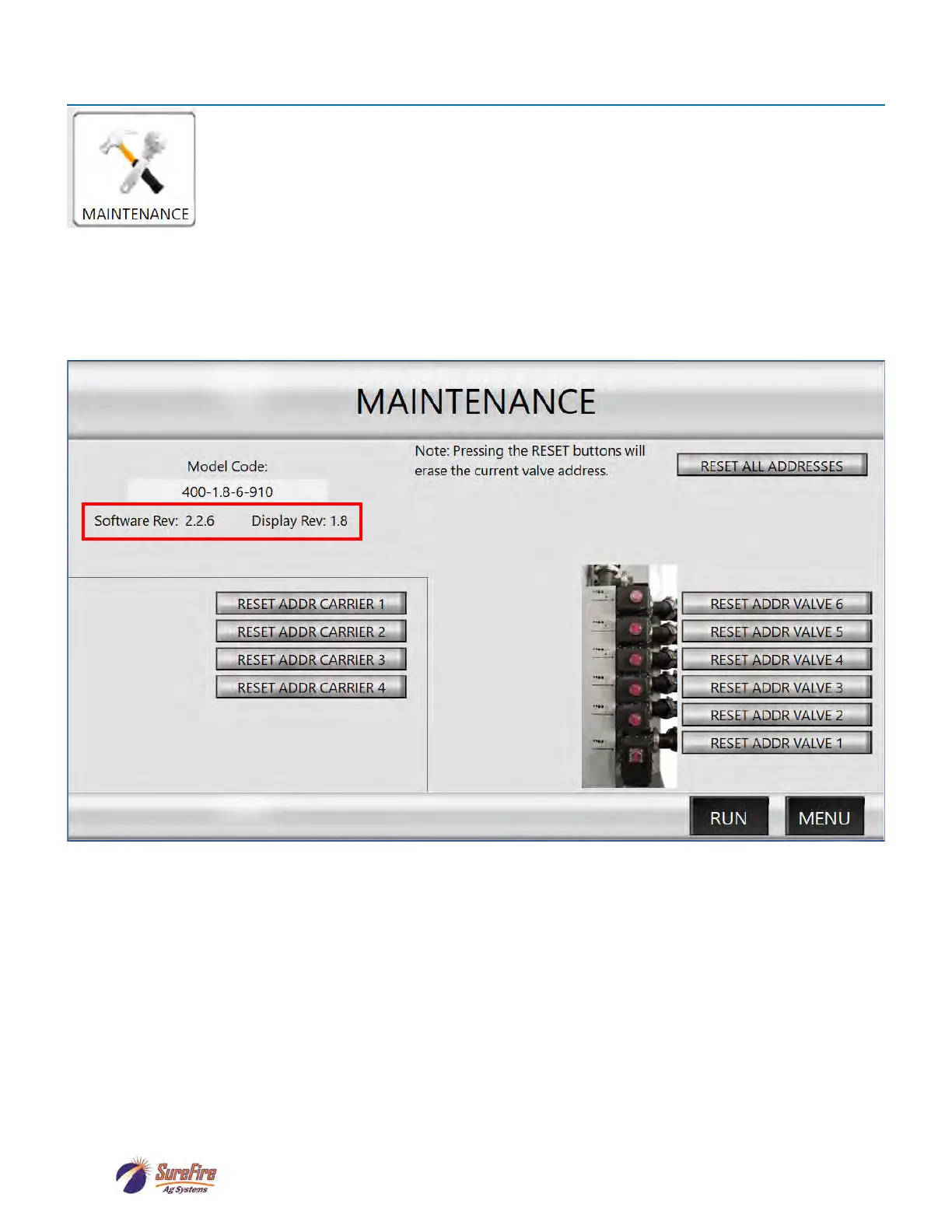
If a valve is replaced or moved, it is necessary to reset the valve address, so the control-
ler knows which valve it is communicating with.
DO NOT RESET A VALVE ADDRESS UNLESS A VALVE HAS BEEN REPLACED OR
MOVED.
This screen also shows the Software and Display Rev that are on the QD controller.
Check these periodically with the versions found at support.surefireag.com to keep your QuickDraw up to
date. See further Software Update instructions on pages 65-67 of this manual.
Maintenance



 To Next Page