396-4412Y1 QuickDraw 3000 Operator’s Manual 22 Revised 02/20/2020
Creating a New Recipe
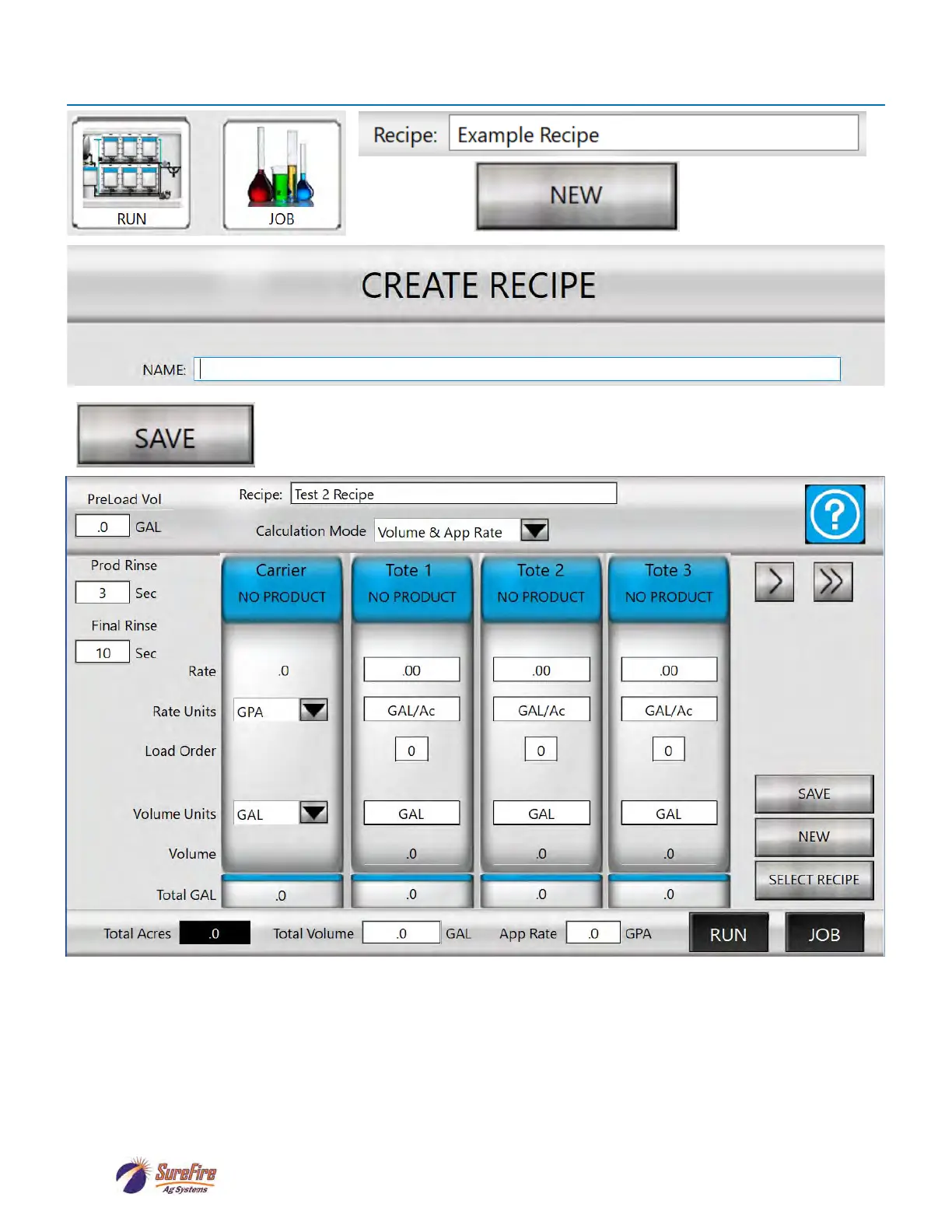
Enter RECIPE Name
OR
From here, creating a RECIPE is similar to editing a recipe, as shown on the following pages. Click on
a blue tote to enter or select a product for that tote. Enter the RATE, RATE UNITS, LOAD ORDER, etc.
Use the arrows to right (or left) of the blue tote buttons to move to other totes (and manual products).
Press SAVE to save the recipe.



 To Next Page