396-4412Y1 QuickDraw 3000 Operator’s Manual 20 Revised 02/20/2020
Manual Products
Manual Products are products in a batch that are not added through one of the automatic valves.
These products are added through the optional Swing Down eductor or through the sprayer’s
inductor or are added directly to the sprayer tank. Manual products (up to 5) are included in the
recipe and appear in the historical batch record. Manual products may be dry or powder products, or
they may be liquid products that do not come in bulk containers or that will have less than 0.5
gallons (1.0 gal on Pump Suction model) in a batch. (Liquid products that are in a tote connected to
one of the valves, but which are scheduled to have less than 1 gallon in a batch, may be run through
the automatic product part of the recipe, but it is recommended they be added as a manual product.)
As the recipe is put together, the Order of the manual product(s) is entered. The manual product(s)
can be set up to load in whatever order the operator desires. When the batch is being run, the
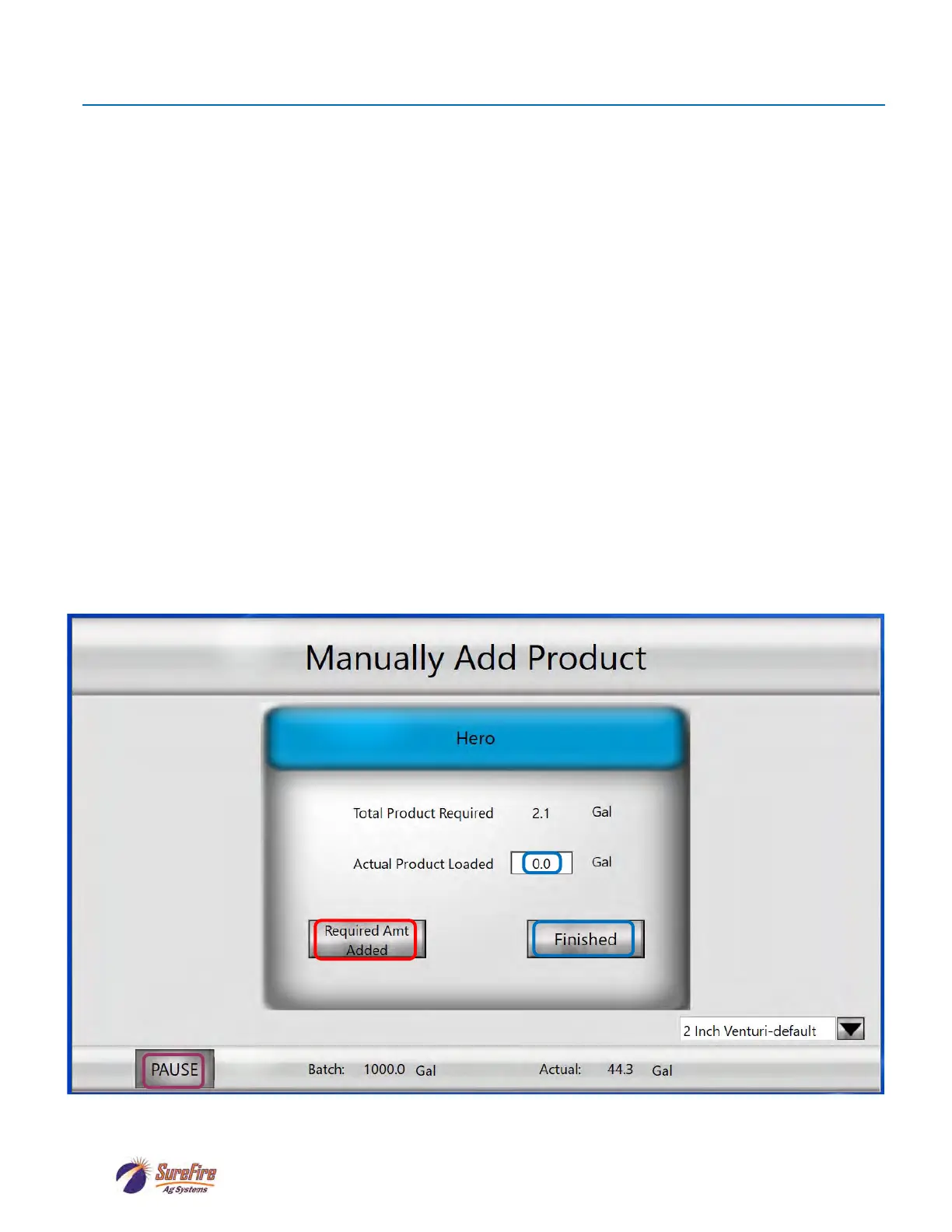
message shown below will appear on the controller screen and on the iPad QuickDraw App. The
carrier will continue to be pumped at 40 GPM while the manual product is added.
Add the amount of product called for in the recipe, and then press Required Amt Added. The
QuickDraw will continue to complete the batch after the operator presses Required Amt Added. If
an amount different than the Total Product Required is used, enter that amount in Actual Product
Loaded and press Finished.
If, for some reason, there is going to be a substantial delay in adding the manual product, press
PAUSE on this screen to stop the carrier flow until the manual product can be added. Then, the
batch can be RESUMED.



 To Next Page