396-4412Y1 QuickDraw 3000 Operator’s Manual 34 Revised 02/20/2020
Remote Communications Setup
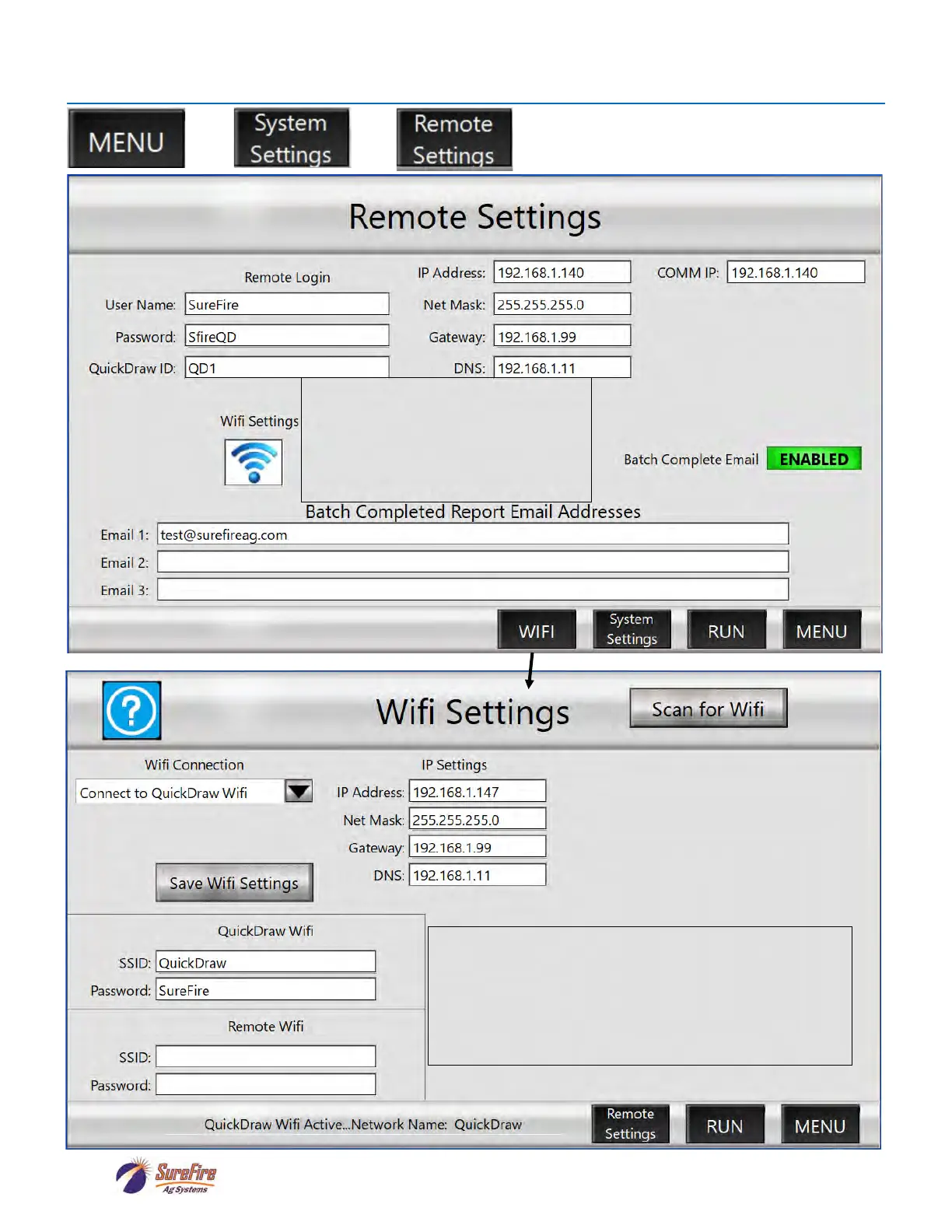
This IP Address must be entered in the iPad
app: SETTINGS > REMOTE SETTINGS >
WIFI IP
QuickDraw Wifi
SSID:
PASSWORD:
These can be changed by the user, if desired.
On the iPad, go to SETTINGS > Wi-Fi > Choose a Network >
Select the network shown in the SSID box. Enter the Password
shown in the Password box.
User Name:
Password:
QuickDraw ID:
These must be entered on the iPad app >
SETTINGS > REMOTE SETTINGS.
At least one of these must be changed from
the Default Settings (for better security).



 To Next Page