396-4412Y1 QuickDraw 3000 Operator’s Manual 45 Revised 02/20/2020
Carrier Flowmeter (Arag Orion X)
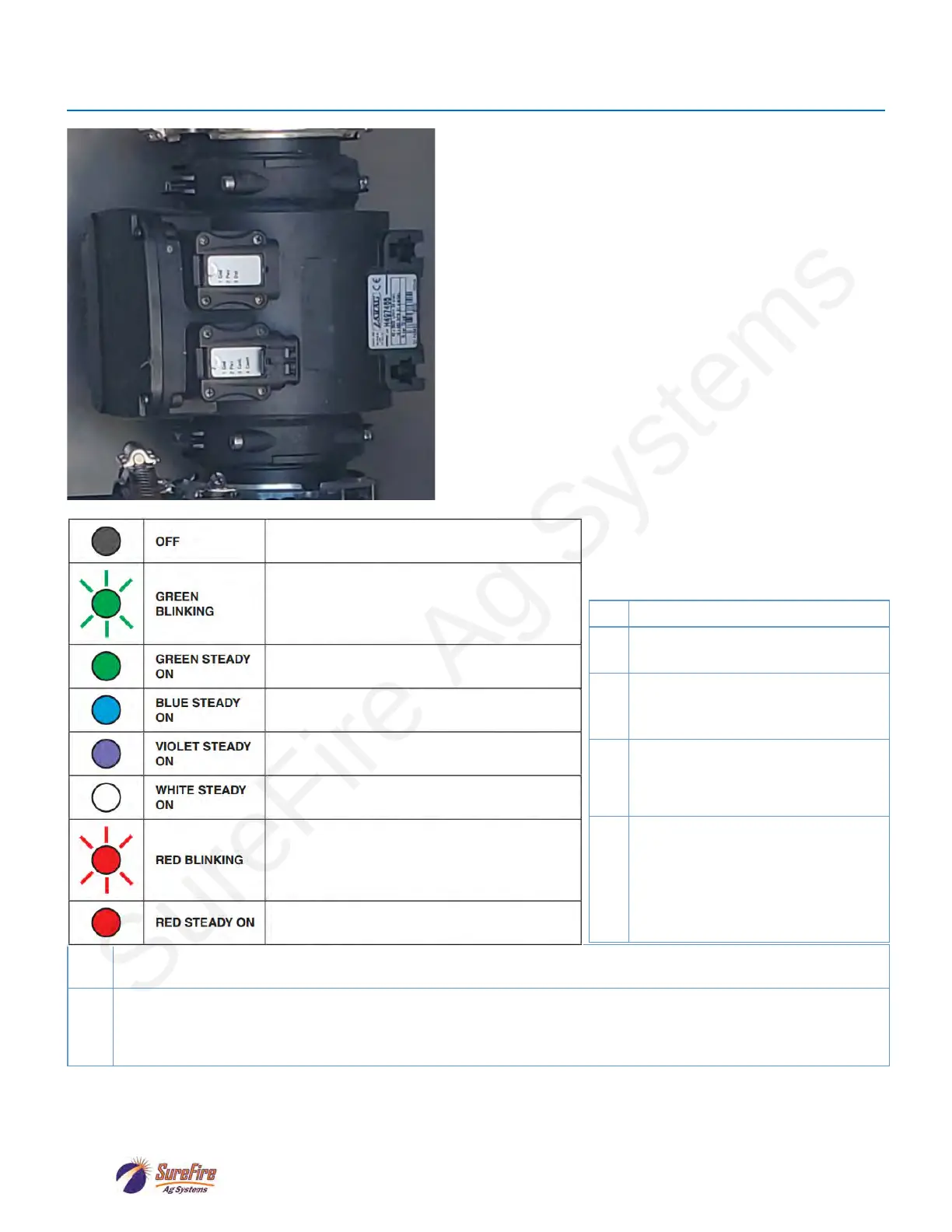
The standard carrier flowmeter is a 3” Arag Electro-
magnetic flowmeter. The flowmeter calibration can be
adjusted as needed to increase the accuracy of the
carrier measurement.
The ORION X flowmeter is able to detect only the
passage of conductive liquids with a conductivity
equal to or greater than 300 μS/cm.
The chart below explains the meaning of the various
light patterns that may be shown on the meter.
Red Blinking Lights
2 Hardware Error—Contact ARAG
3
Corrupted Calibration Data—
Contact ARAG authorized Service
4
Power supply voltage too high or
too low—Check the power supply
voltage and restore the correct val-
5
Unstable reading—Check that the
flow is normal and make sure to
have complied with the hydraulic
connection instructions (position,
pipe dimensions, straight sections
6
Too high temperature has been detected—Check ambient temperature and, if outside the specified limits, turn
off the device and, before turning it on again, wait for the temperature to fall within the specified ones.
7
Setting data are corrupted and the default ones have been restored—Contact an ARAG authorized Service
Center to check data integrity and to restore correct operation.
Check that all settings are as required, validate data by accessing the “New notifications” menu and press OK
(the operation can be performed only by skilled technical staff).
The flowmeter is not powered.
The flowmeter is waiting to acquire an
address on the CAN line to which it is
connected.
Presence of STILL liquid inside the flowmeter.
The flowmeter is reading the passage of the
liquid inside.
No liquid has been detected inside the
flowmeter.
Cleaning of the reading electrodes in
progress.
RED: Error. The error codes are indicated
through blinks, which are described in the
table below.
SEVERE ERROR: Contact a service center.



 To Next Page