396-4412Y1 QuickDraw 3000 Operator’s Manual 51 Revised 02/20/2020
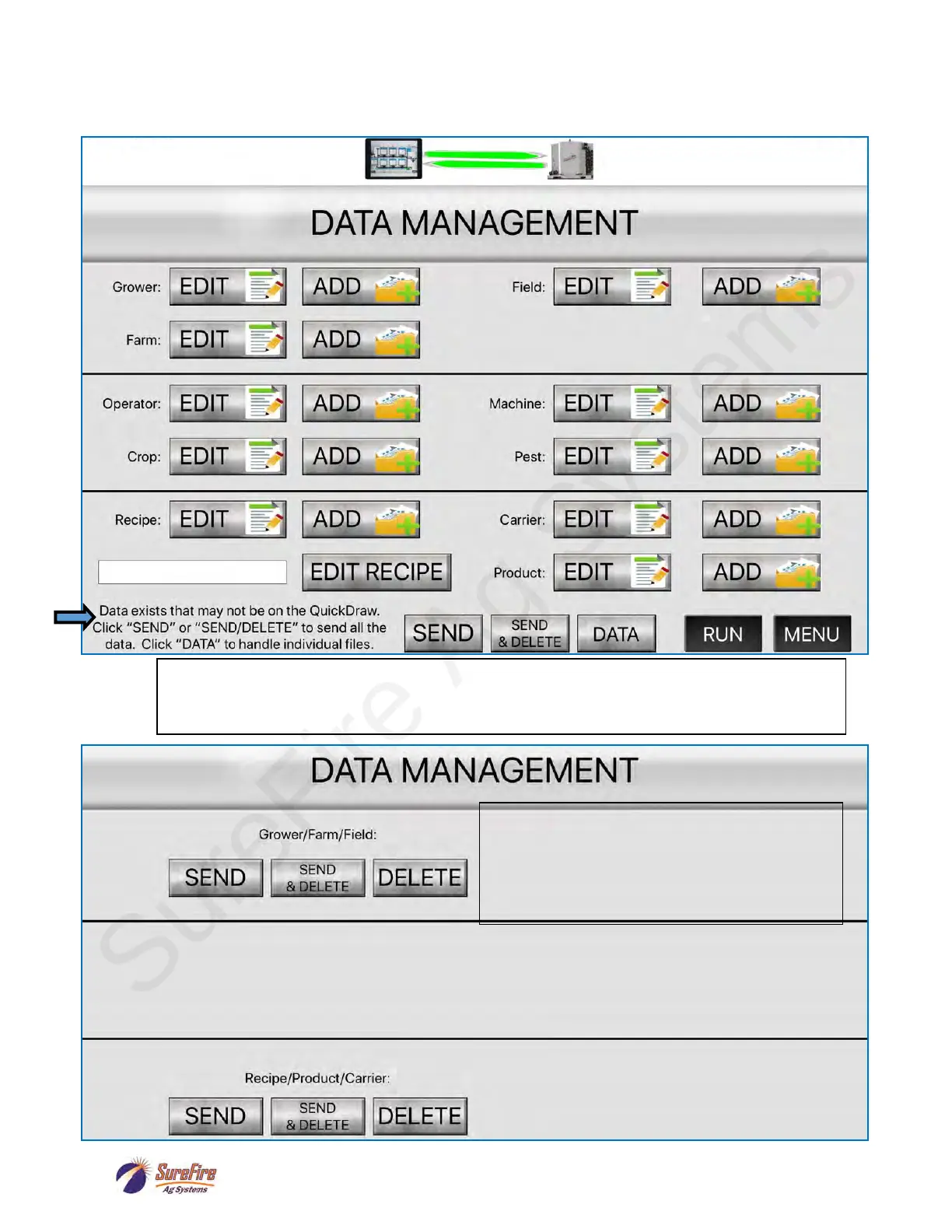
When information has been entered on the iPad App while the iPad is not connected to the QuickDraw
controller, there will be a message at the bottom of the Data Management screen when the iPad is
connected.
Press SEND to send all the new data to the QD, and still leave the data on the iPad.
Press SEND & DELETE to send all the data to the QD, and also to delete that data from the iPad.
Press DATA to go to the next screen, where you can transfer individual parts of the new data.
Press SEND to send all the new data to the QD,
and still leave the data on the iPad.
Press SEND & DELETE to send all the data to the
QD, and also to delete that data from the iPad.
Press DELETE to delete any remaining new data
in this category.



 To Next Page