396-4412Y1 QuickDraw 3000 Operator’s Manual 63 Revised 02/20/2020
10. Valve communication failure (COMM FAIL)
• Be sure valve is connected to the wiring harness and that the connectors look good.
• Go to the Manual Controls from the Run Screen. Use the controls here to try to control the
valve.
• If valve does not operate, try unplugging another valve and plug the valve that is not work-
ing into that connector. If the valve works, then the valve is OK, but something is wrong
with the harness. If the valve is still not functional, most likely the valve has an issue and
needs to be replaced.
11. Replacing a valve
• First, make sure all of the valves are enabled on the System Settings screen. Plug in the
new valve. Once the new valve is detected the QuickDraw controller screen should
change to a valve commission screen. If the valve number shown on this screen matches
the valve that is missing, then hit continue to address the new valve. If it is not then enter
the correct valve number and press continue. This will configure the valve to the correct
valve number.
• After configuring a new valve go to the Manual Controls screen from the Run screen and
make sure all valves are operating and that they are operating in the correct position.
Make sure that valve 1 is 1 and 2 is 2 and so forth.
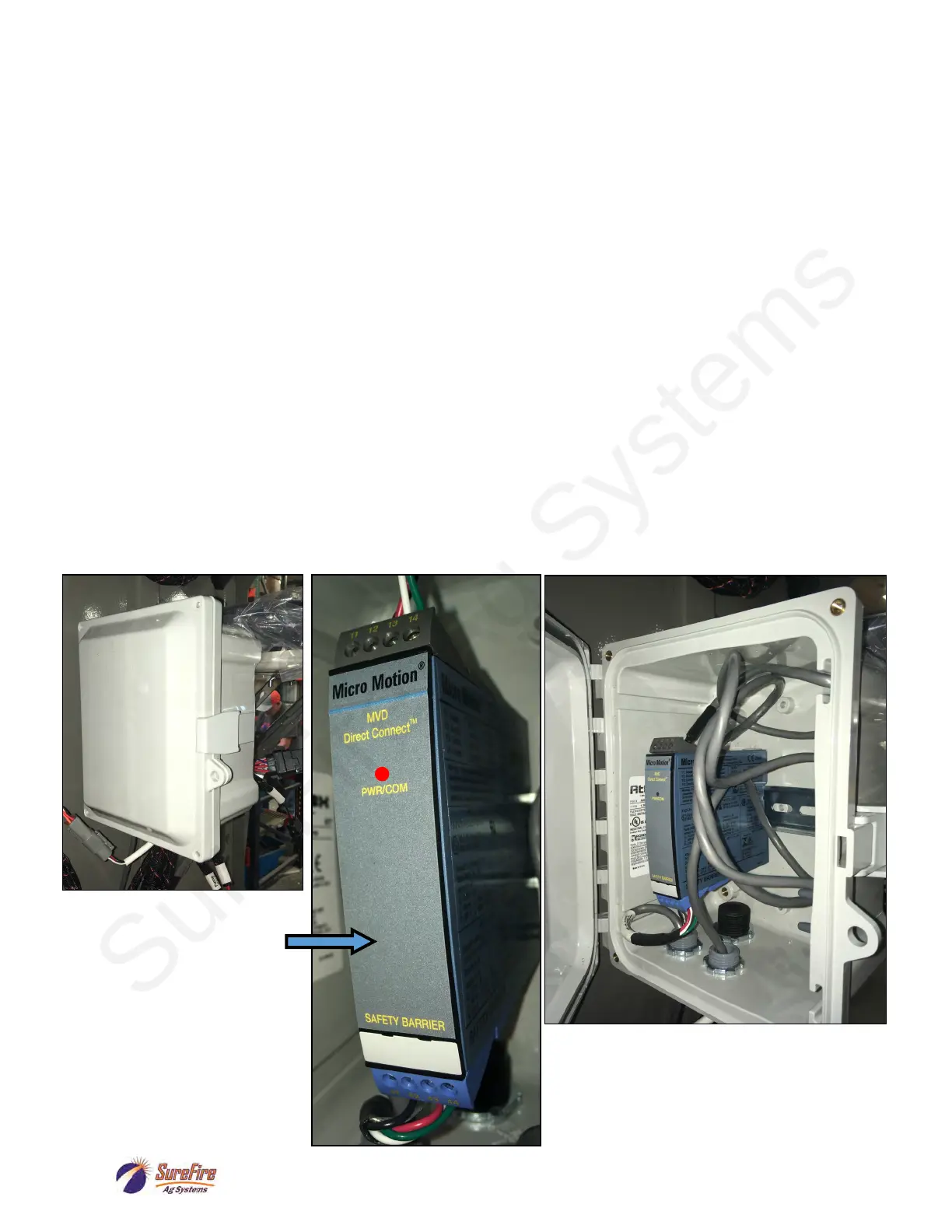
12. Mass Meter Power Conditioner / Safety Barrier Optional Modem goes in this box, also.
Front Red light should be ON.
Top (gray) terminal block:
Power from QD Controller:
Red to Black 24 volts
Bottom (blue) terminal block:
Power to the Mass Meter:
Red to Black 14 to 15 volts



 To Next Page