OPERATION OF THE MJB4
MJB4 - Operation Rev02 01-06 23
3
The mask aligner is in its initial state and ready for
use.
IMPORTANT NOTE:
• To switch on the mask aligner, select the start
page and press the Electronics ON/OFF button
on the upper right side of the front plate.
The exposure lamp in both the CIC1200 and
CPC200/CPC350 ballasts is also switched on.
Unload the mask before switching off
the machine!
Caution!
The microscope pivots upwards!
Only coarse focus the TSA microscope
when it is pivoted down or else the lens-
es may be set too low and collide with
the mask or the mask holder.
In case of danger, turn the main switch
to OFF!
3.3.2. Switching On and Calibrat-
ing the Exposure Lamp
(also refer to the operating manual of the respective
ballast)
CPC200/CPC350 Ballast
If the mask aligner is equipped with a CPC200/
CPC350 ballast, the lamp switches on as soon as
the Electronics ON/OFF button is switched on.
The lamp is also switched off using the Electronics
ON/OFF button.
CIC1200 Ballast
If the mask aligner is equipped with a CIC1200
ballast, the lamp is ignited as follows:
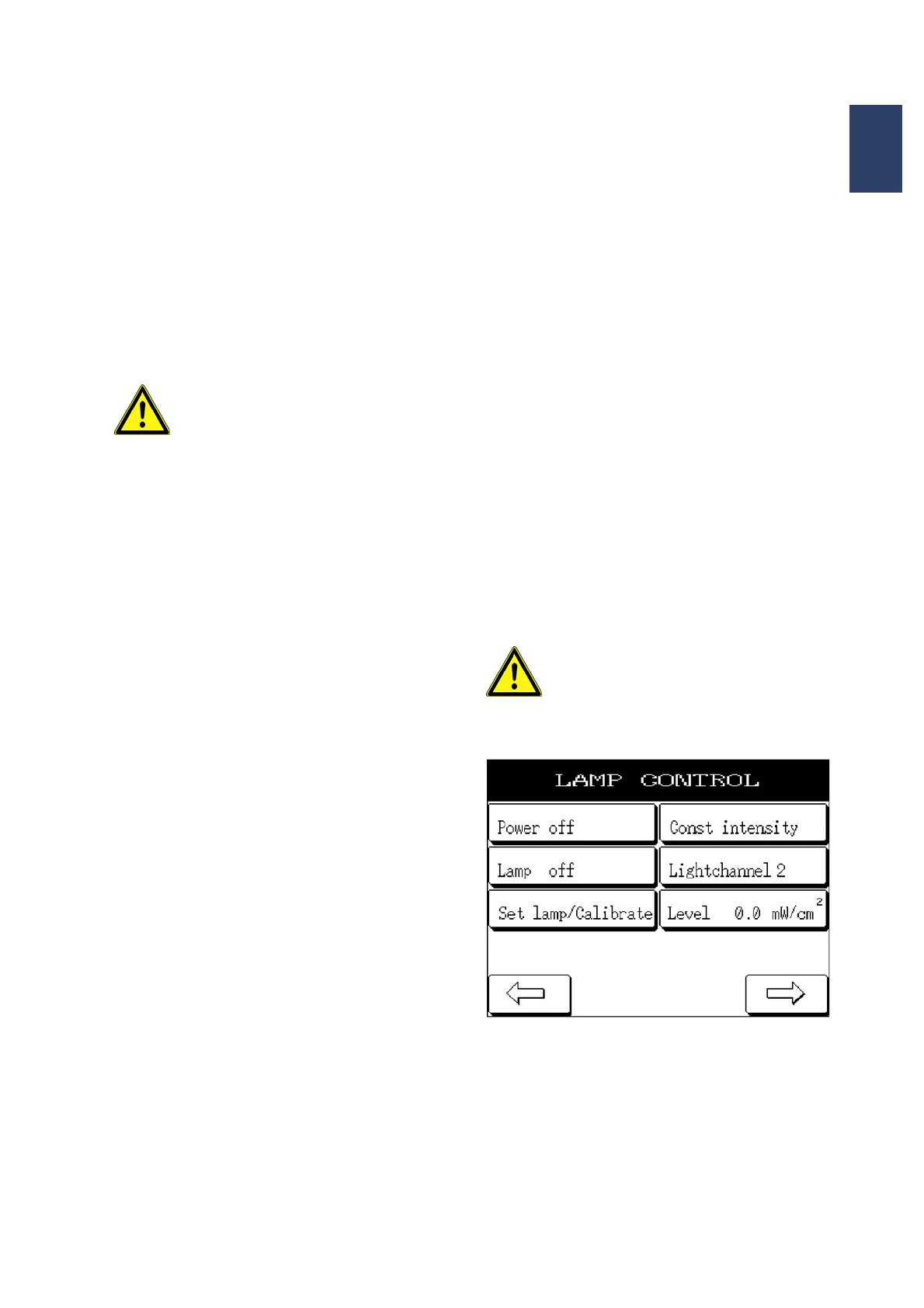
The lamp can only be switched on using the LAMP
VALUES menu in the display when the machine is
on.
To do so, the “CIC OFF” button must be pressed to
switch on the CIC1200. The label of the button
changes to “CIC ON”.
Afterwards the exposure lamp must be switched on
with the LAMP OFF button. The label of the button
changes to LAMP HEATING during the warm up
phase. Once the lamp is ready for use, the label of
the button changes to LAMP ON.
Pressing the LEVEL button opens the CONSTANT
POWER menu. Here you can enter the desired lamp
power and confirm it by pressing ENTER.
The left/right arrow buttons take you from the LAMP
SETTING menu back to the MAIN MENU.
The CIC1200 is calibrated directly on the CIC1200.
To do so, proceed as follows:
Select the CALIBRATE LAMP VALUES menu in the
display. The CIC1200 remote control is now off.
Switch on the lamp as described in the CIC1200
manual. The LAMP TEST process (see section
3.2.7) can be selected in the display and then
started by pushing the contact lever. The lamp can
now be calibrated using the CIC1200.
After the calibration, switch off the CIC1200 and
select the main menu in the display. The lamp can
now be switched on again as described above.
Warning!
The exposure lamp switches off auto-
matically via the CIC if there is nitrogen
loss for longer than 3 minutes (or de-
pending on lamp type)!
Lamp values
If problems occur with the power supply unit of the
exposure lamp, shut down the machine immediately
and inform service staff.
SUSS MicroTec assumes no liability for damages
resulting from the improper use of the mask aligner.



 To Next Page