20220323 Swegon reserves the right to alter specications.
11
WISE User Manual
Plan
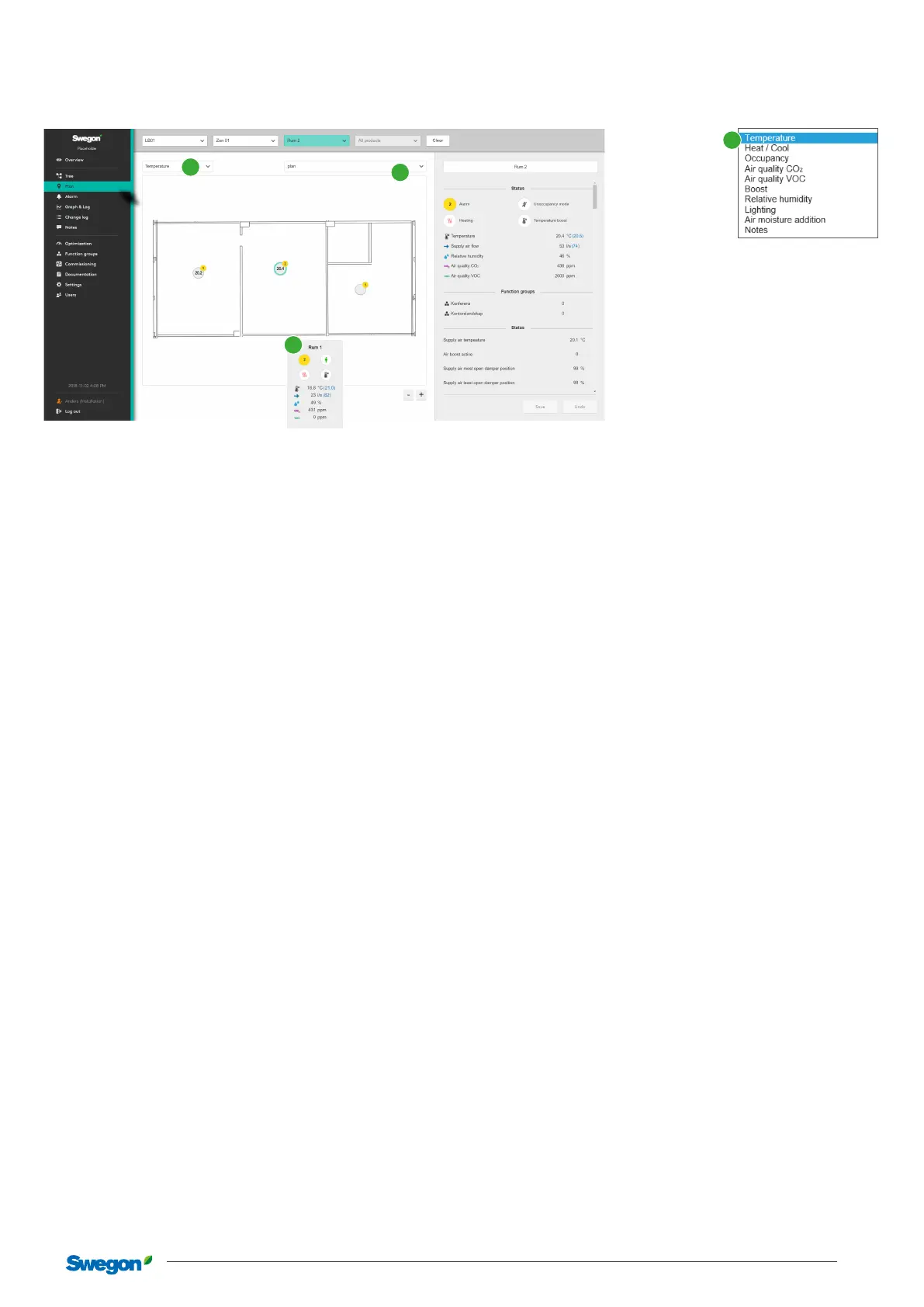
Dynamic plan views with information and setting options for each room and space.
1
2
3
Contains the system’s dynamic plan views. Click on the selected room to see detailed information, change settings, etc.
In the rst section menu (1), you can select which values are to be shown: Temperature, Heating/cooling, Occupancy, Air quality
CO
2
, Air quality VOC, Boosted air ow, Relative humidity, Lighting, Additional moisture or Notes. The choice made in the section
menu (1) determines what is shown in the rings in the dierent rooms. The second menu (2) is used to select which plan view is to be
shown.
Hovering with the mouse over a room’s position marker (3) displays a box with the information Temperature, Temperature-boost, Air
quality, Occupancy, Relative humidity and Air ow. Click on the position marker for detailed information and settings.
1



 To Next Page