20220323 Swegon reserves the right to alter specications.
69
WISE User Manual
1
2
3
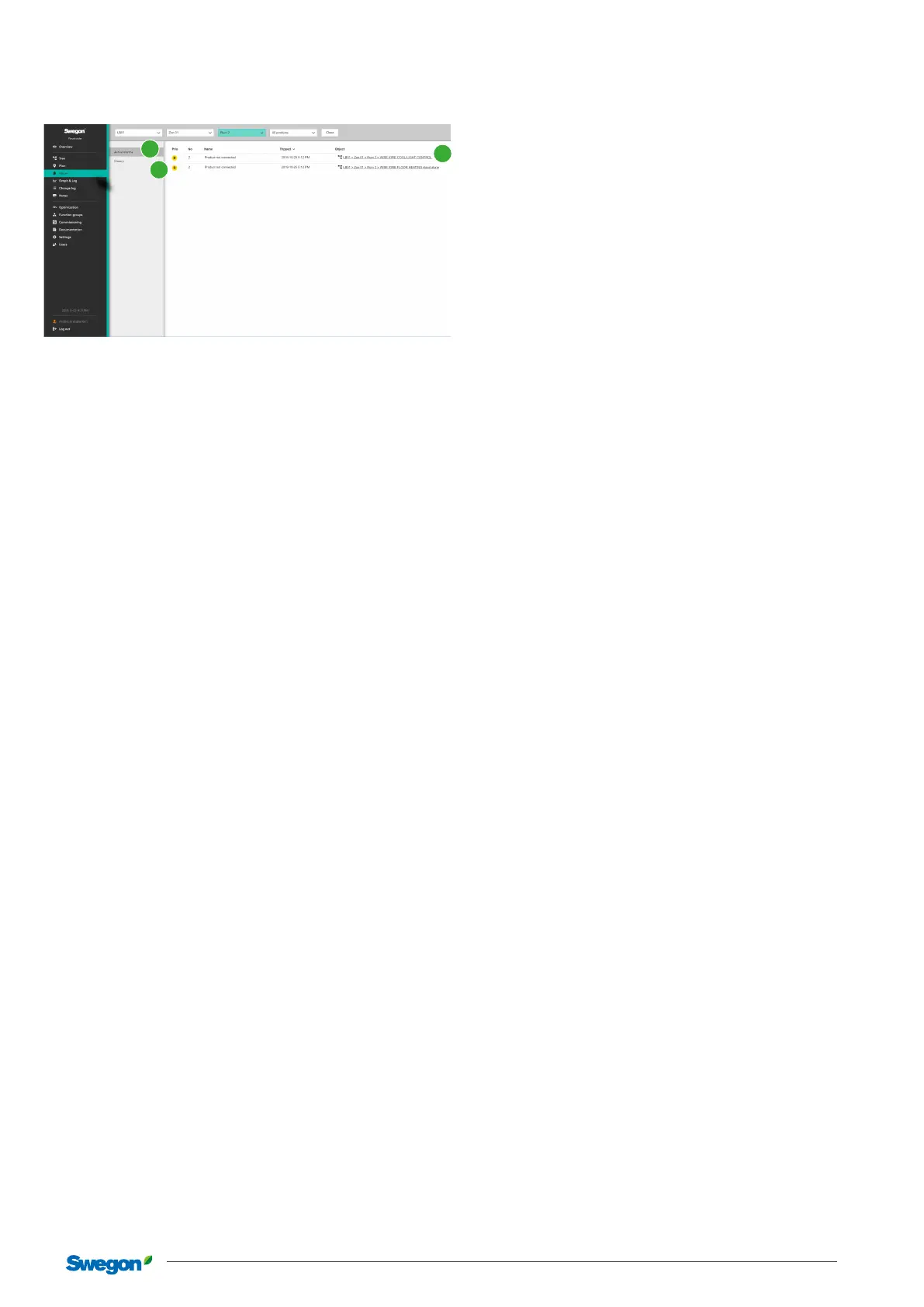
The two sections here show active alarms and system message
(1) as well as history (2). Both with links to the relevant object (3).
When an active alarm is triggered, there is a possibility to make
a setting so that an e-mail is sent to selected users. Seethe
Users section.
The system’s alarms are categorized in the categories A, B and
information.
Alarms in Category A are of such a character that the cause can
have a major eect on the WISE system’s function and on the
indoor climate.
Alarms in Category B are of such a character that may have
a long-term or temporarily eect on the function and on the
indoor climate.
Alarms in the Category information are of such a character
information and the cause are judged to have no or little eect
on the function or the indoor climate.
It is possible to make you own category group and change the
category of the alarms based on individual wishes or require-
ments under Settings - Alarms.
Summary alarms can be communicated via Modbus or BACnet,
and indicate whether there is any active alarm in category A or
B under an air handling unit in the WISE system.
When an active alarm is triggered, an e-mail is sent to all users
who have registered their e-mail address and requested notica-
tion for the alarm type. The setting is made under Users in Super-
WISE, and works for created unique users only. Swegon Connect
can be used as a mail server if it is a gateway in its own WISE
network. This setting is made under Settings -> Communications
-> E-mail.
Alarms in SuperWISE
Shows all active and historical alarms and system messages.
Generic alarms from third-party
products
Why generic alarms from third-party
products?
In projects where SuperWISE is the only interface used to monitor
the property, it may be desirable to collect all products which
can generate alarms under the same interface.
How do generic alarms from third-party
products work?
It’s possible to read a generic alarm from a third-party product
via a digital input signal to WISE IRE. An alarm is generated in
the SuperWISE interface when the input signal is active. The
alarm will be deactivated when the input signal becomes inac-
tive. The alarm is managed exactly as other alarms from the
WISE system, for example, group alarms and communication to
the BMS-system.



 To Next Page