Swegon reserves the right to alter specications. 20220323
8
WISE User Manual
2
1
3
4
Overview
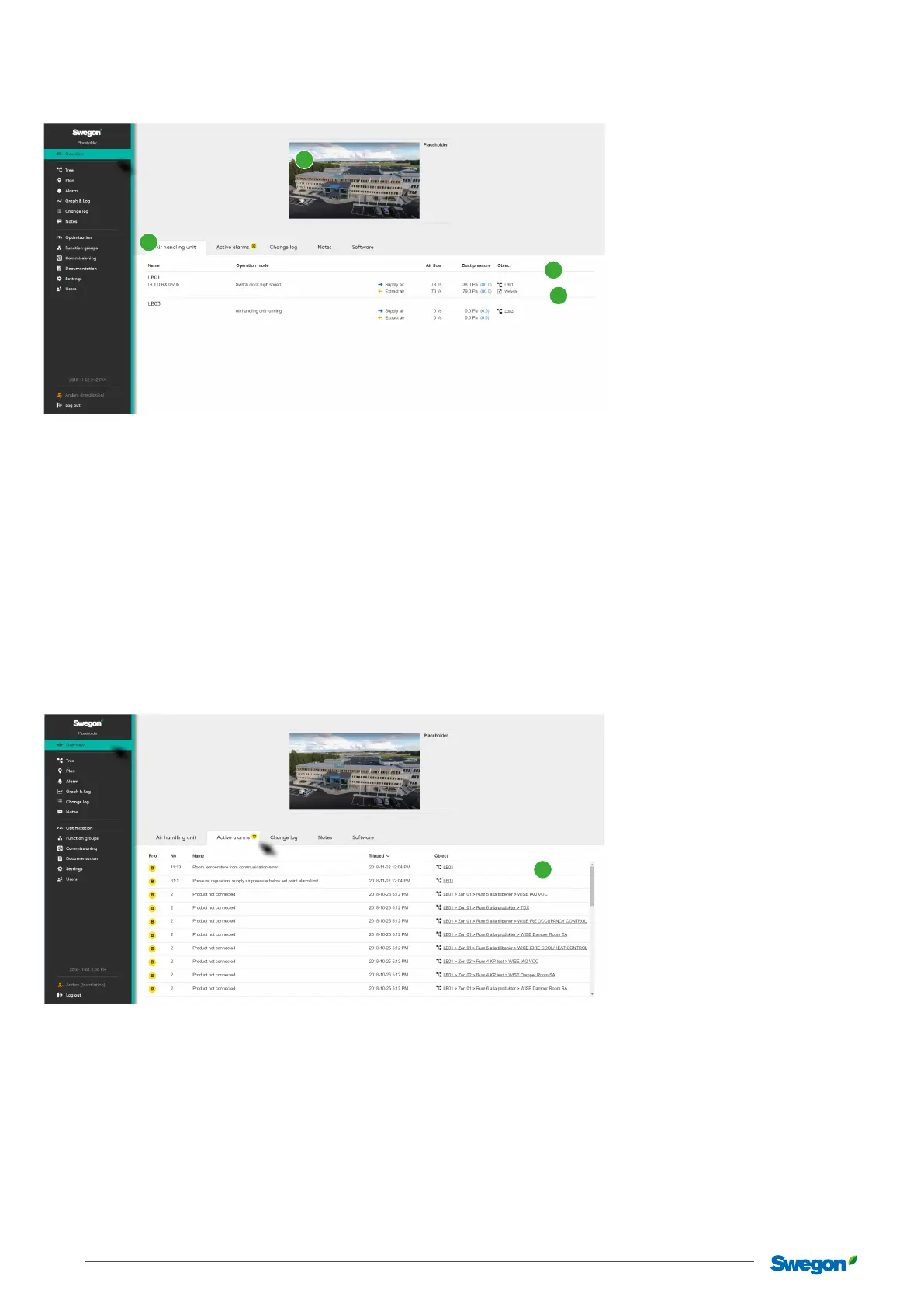
The display you rst see aer logging in to the system.
Initially a picture of the site is shown, if this has been added. To add or change the picture, click on Please add site picture (1). This opens
the same dialog reached via the main menu Settings and Site where you can enter basic information about the site.
The overview consists of ve tabs (2) - Air handling unit, Active alarm, Change log, Notes and Software. As commissioning mode
is enabled, an additional tab is displayed showing information about Commissioning. The same applies if there are products in the
installation that have not been paired in the system during commissioning, a tab is then displayed with information about this.
Air handling unit
Overview of the system’s air handling unit, with concise operating information and links to each air handling unit’s web page (3),
and its place in the tree view (4) with access to detailed information, settings, etc.
Active alarms
Shows active alarms and system messages from the WISE system and GOLD and COMPACT Air handling units.
Shows the link to the tree view (1) for additional information and management.
1



 To Next Page