Swegon reserves the right to alter specications. 20220323
22
WISE User Manual
Users
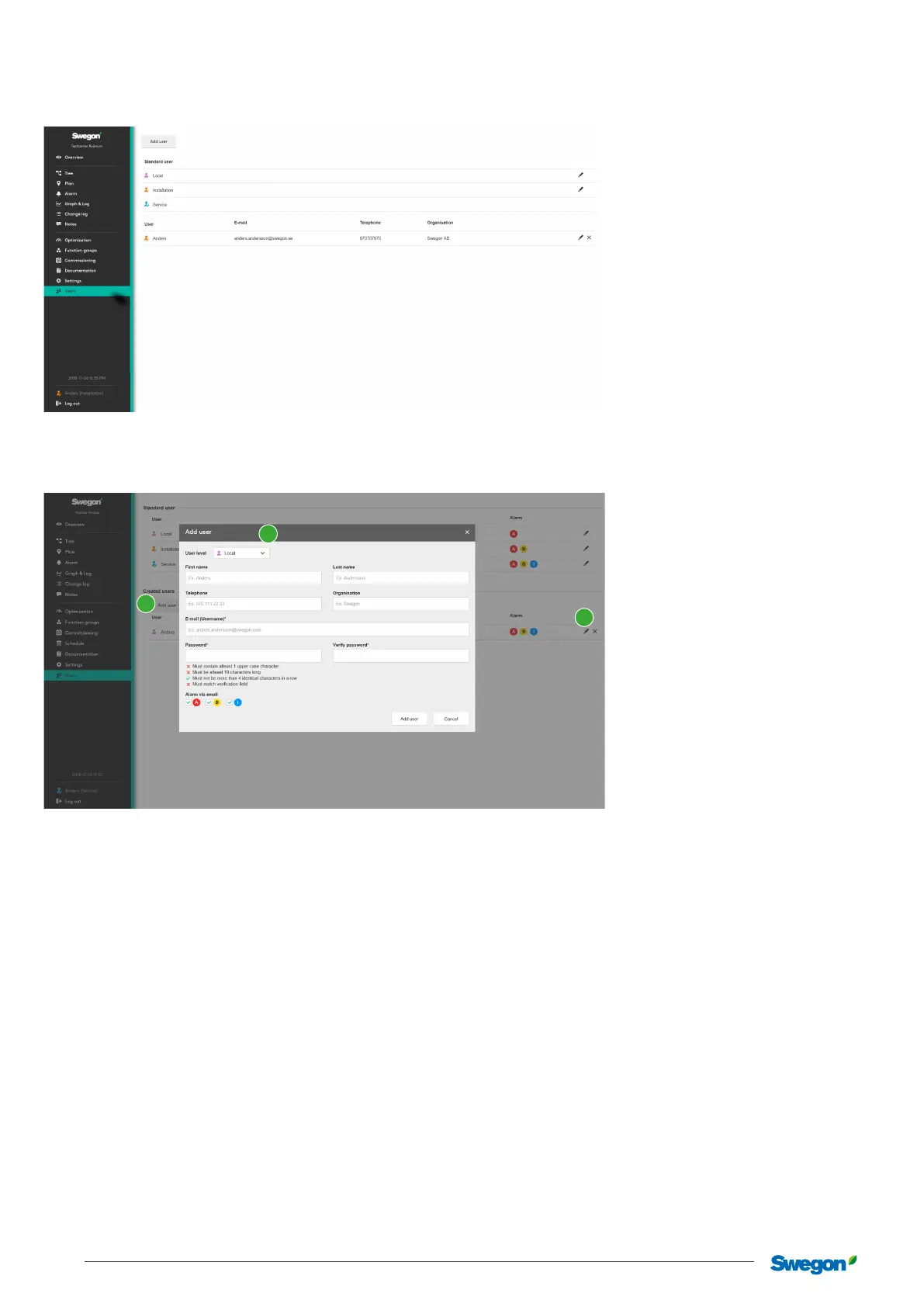
Management of users for authorisation in the system.
The system has three user levels - Local, Installation and Service as standard. These levels control authorisation in the system where
Local has the least authorisation and Service the highest.
Each user should be assigned their own log in, with their e-mail address and user name.
To add a new user:
Click on the Add user button (1). Select the required user level, state the user’s details where E-mail and Password are the details
used to log in to the system.
When a new user is added, it is also possible to set whether this user is to receive alarms via e-mail, and the type of alarms. This
setting is made by checking A-, B- or information alarms under Alarm via e-mail. This setting can also be made at a later date by
editing the relevant user. To edit a created user, click on the Edit user (2) button.
1
1
2



 To Next Page