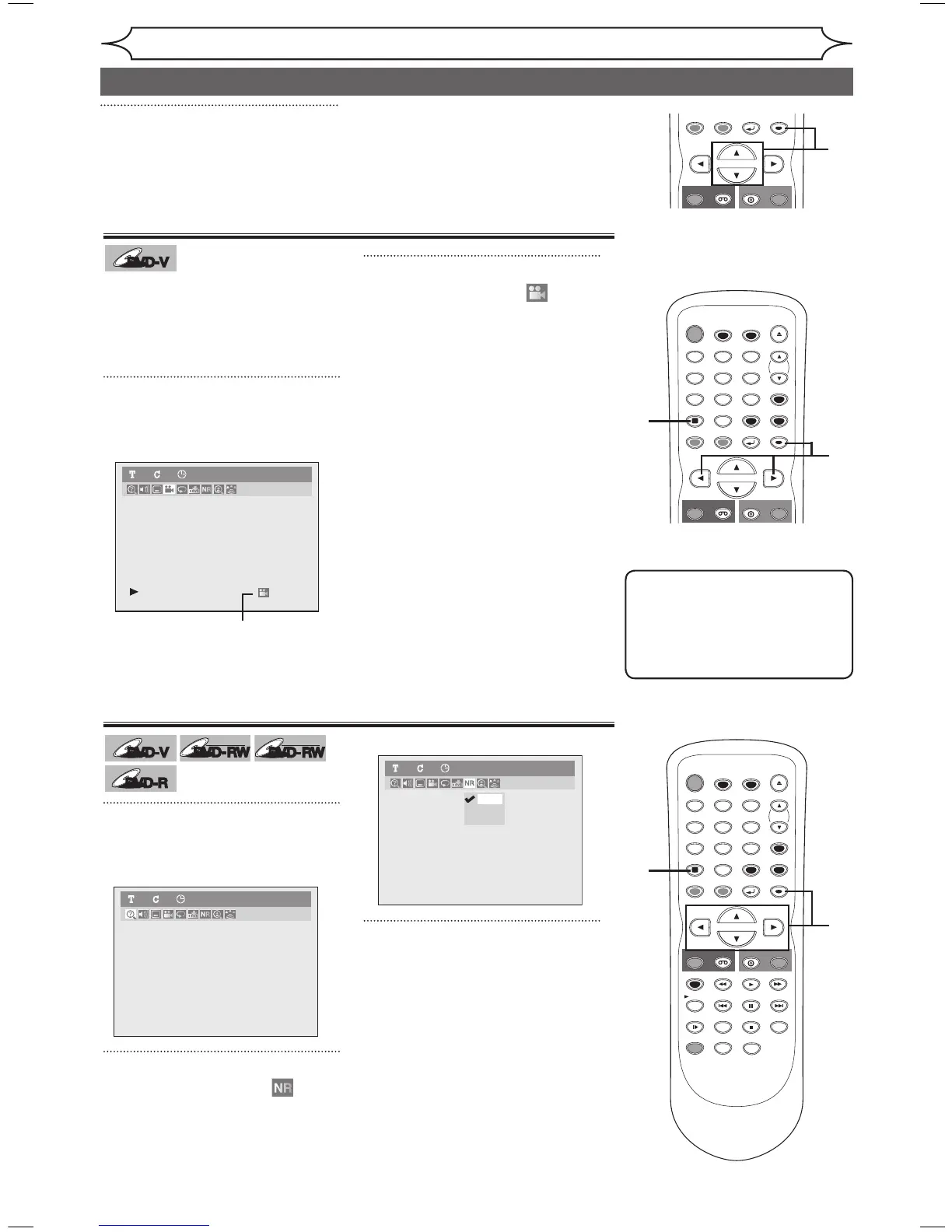
Some DVD-Video discs feature
scenes shot from two or more
angles. The disc package should
be marked with an angle icon if it
contains multi-angle scenes.
1
During playback, press
[DISPLAY].
The Display menu will appear.
Angle icon appears when different
camera angles are available.
2
Using [{ / B], select .
Press [ENTER].
Angle will switch each time you
press [ENTER].
1
During playback, press
[DISPLAY].
The Display menu will appear.
2
Using [{ / B], select .
Press [ENTER].
Noise Reduction menu will appear.
3
Using [K / L], select a desired
option. Press [ENTER].
Your setting will be activated.
This function reduces visual noise.
When playing back discs recorded
in long time mode such as SLP
or SEP mode, select “Type 1” or
“Type 2”.
(“Type 2” is more effective.)
When playing back discs with a
few noises such as DVD-Video
discs, select “OFF”.
Note
Angle icon does not appear on
the screen in a case you have
selected Angle as “OFF” in the
Display setting.
Refer to pages 70-71.
3
Using [K / L], select “OFF”,
“Type1” or “Type2”.
Press [ENTER].
• OFF: no effect
• Type1: Natural effect
• Type2: Emphasised effect



 To Next Page