You can put chapter markers on
each title and can use them for the
chapter search feature.
You can put a chapter marker
anywhere you want until the total
number of the markers reaches
999.
First:
1
Follow steps 1 to 3 on page 64
to display Original or Playlist
menu.
2
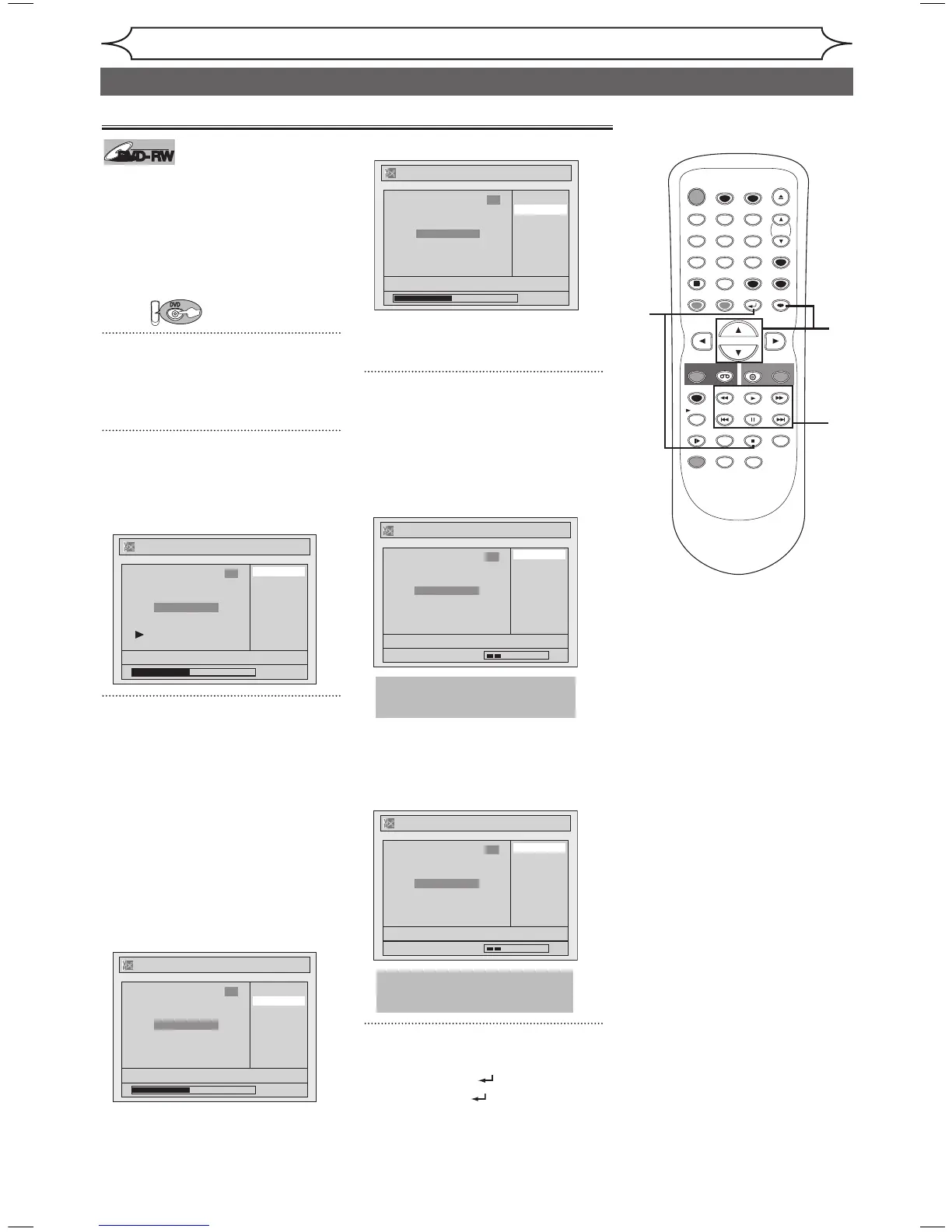
Using [K / L], select “Chapter
Mark”. Press [ENTER].
Option window will appear.
<Playlist>
3
Use [SKIP H / G],
[E], [D], [PLAY B] and
[PAUSE F] to decide the point
at which you will create a new
chapter marker.
Or, use [SKIP H / G] to
decide a chapter marker that
you will delete. Select “Add” or
“Delete” accordingly using
[K / L] . Press [ENTER].
Confirmation window will appear.
<Playlist :Add>
<Playlist :Delete>
• You cannot delete the first
chapter of each title.
4
Using [K / L], select “Yes”.
Press [ENTER].
When you select “Add” at step 3, a
new chapter marker will be created
at the point you have decided.
<Playlist :Add>
When you select “Delete” at step
3, the chapter marker you have
selected will be deleted.
<Playlist :Delete>
5
After this operation is completed,
press [RETURN ] twice and
then [RETURN ] or [STOP C]
to exit.
Data will be written onto the disc
momentarily.
Setting or clearing chapter markers
This operation may take
a while to be completed.



 To Next Page