Yes
Note
• Press [CLEAR] to erase numbers entered incorrectly.
• Do not use
4, 7, 3, 7 as password.
• When you forget the password or you want to clear all settings in Parental lock, enter
4,7,3,7 using the
Number buttons in input window at step B. Password will be cleared and parental levels will be set to “All”.
B
Settings for Parental lock level (cont’d)
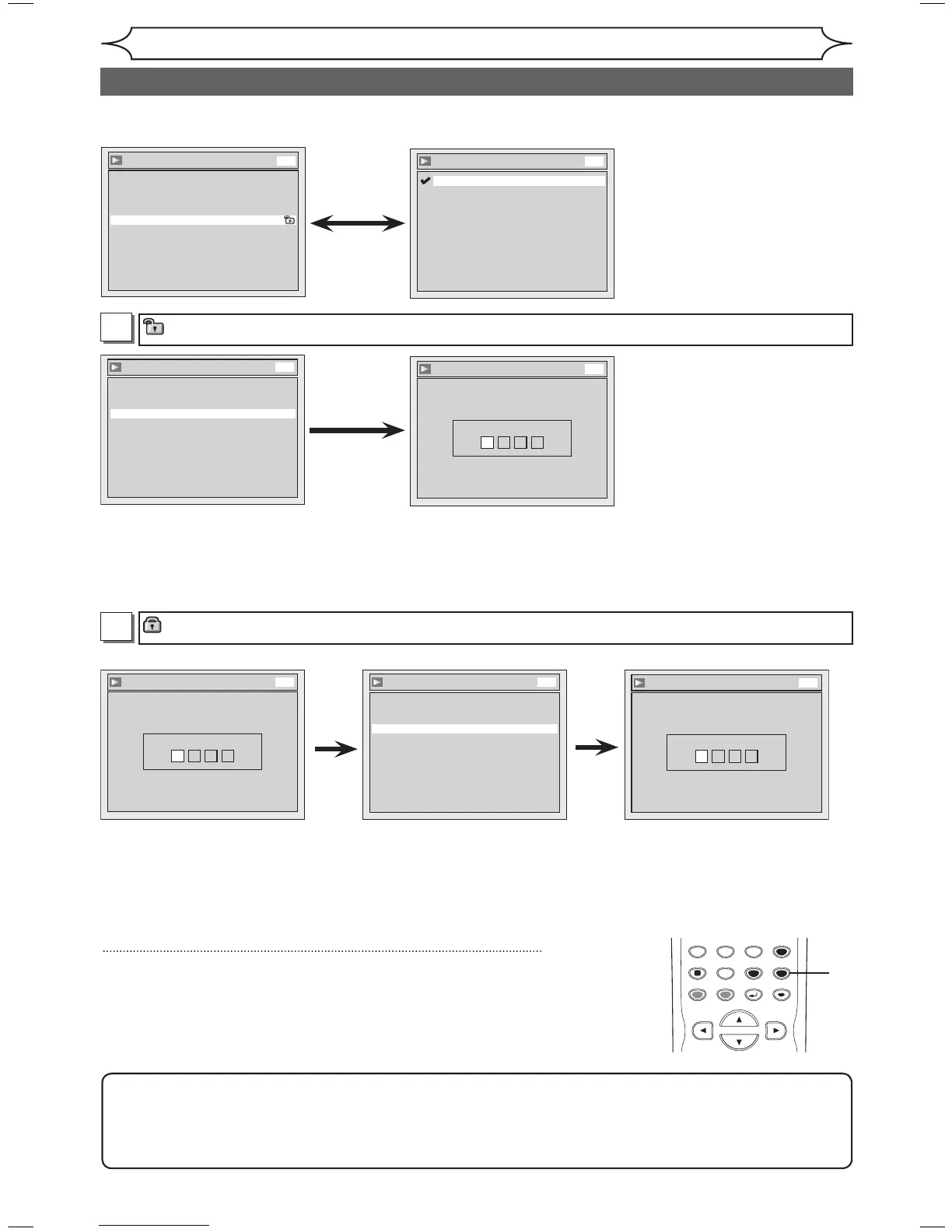
Parental Lock (Default : All)
Set the Parental Lock level.
• Using [
K / L], change
the parental level. Press
[ENTER].
Option window will appear
Proceed to step A or B.
• Using the Number buttons,
enter a new password. Press
[ENTER].
Your setting will be activated.
• Using [
K / L], select “Yes”.
Press [ENTER]. If you select
“No”, proceed to step 5.
• Using the Number buttons,
enter a new password. Press
[ENTER].
Your setting will be activated.
5
Press [SETUP] to exit.
• Using [
K / L], select “Yes”.
Press [ENTER]. If you select
“No”, proceed to step 5.
• Using the Number buttons,
enter the current password.
<Change the password>



 To Next Page