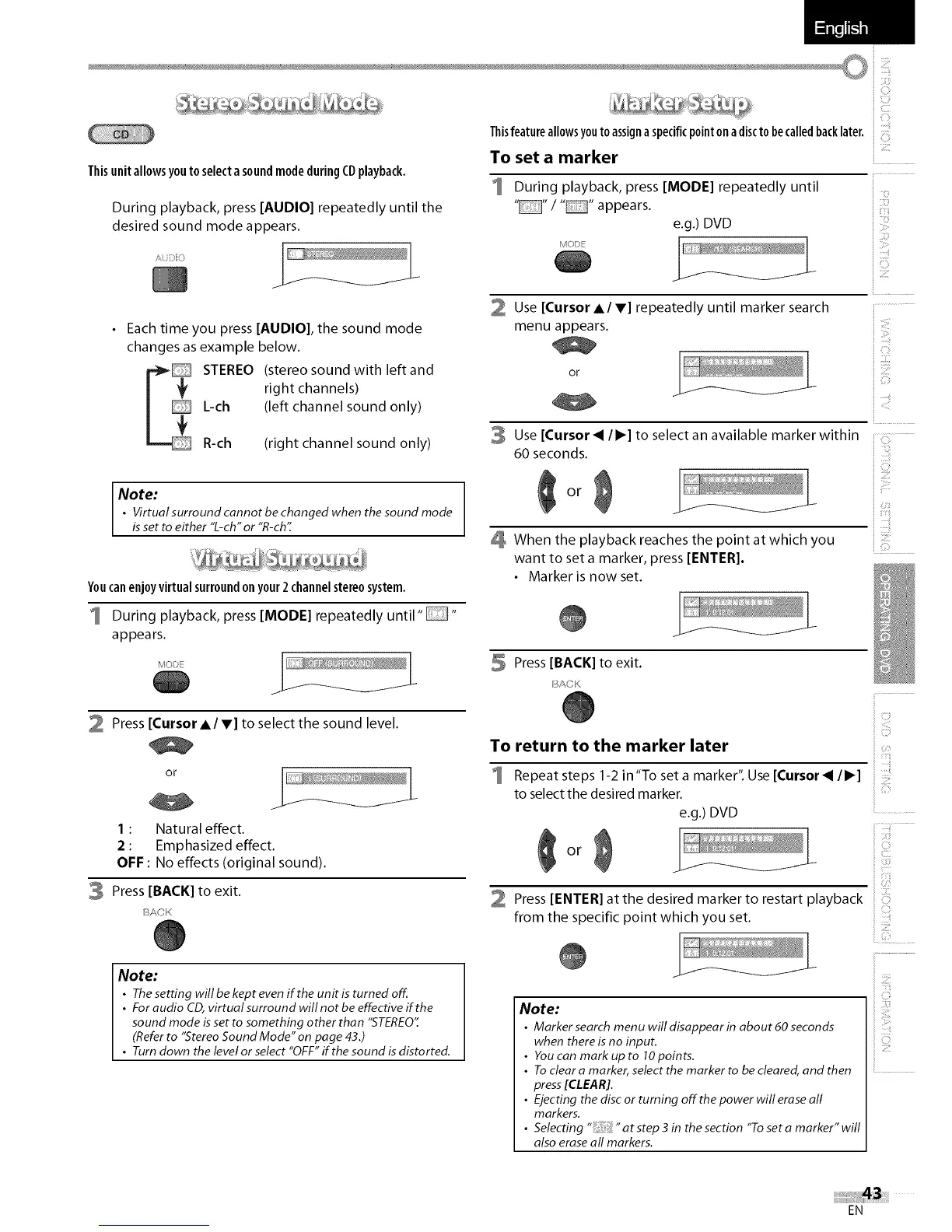
ThisunitallowsyoutoselectasoundmodeduringCDplayback.
During playback, press [AUDIO] repeatedly until the
desired sound mode appears.
_/ii}HC/ /
Each time you press [AUDIO], the sound mode
changes as example below.
STEREO (stereo sound with leftand
right channels)
L-ch (left channel sound only)
R-ch (right channel sound only)
Note:
• Virtual surround cannot be changed when the sound mode
isset toeither "L-ch" or "R-ch'[
Youcanenjoy virtual surroundon your 2channelstereosystem.
1 During playback, press [MODE] repeatedly until ....
appears.
2 Press [Cursor A/V] to select the sound level.
or
1 : Natural effect.
2 : Emphasized effect.
OFF : No effects (original sound).
3 Press [BACK] to exit.
ACK
Note:
• Thesetting will be kept evenif the unit is turned off..
• For audio CD,virtual surround will not be effective if the
sound mode isset to something other than "STEREO"
(Referto "StereoSound Mode" on page 43.)
• Turn down the level or select "OFF"if the sound isdistorted.
Thisfeatureallowsyoutoassignaspecificpointonadisctobecalledbacklater.
To set a marker
During playback, press [MODE] repeatedly until
.... / .... appears.
e.g.) DVD
1\,_0/)
(}
}
Use [Cursor AI V] repeatedly until marker search
menu appears.
Or /
:ii!iii!i
i i,,{_:,_
Use [Cursor< ll_] to select an available marker within
60 seconds.
Or
When the playback reaches the point at which you
want to set a marker, press [ENTER]•
• Marker is now set.
iZ
5 Press [BACK] to exit.
BA©K
To return to the marker later
I Repeat steps 1-2 in"To set a marker". Use [Cursor< 11_]
to select the desired marker.
e.g.) DVD
or
}
i }}ii_!i
i i:,_:_
i i'_'!}i_'iil
i Y
Press [ENTER] atthe desired marker to restart playback
from the specific point which you set.
i}_,_i!{ill
Note:
• Markersearch menu willdisappearin about@seconds
when there is no input.
• Youcan mark up to 10points.
• Toclear a marker, select the marker to be cleared,and then
press[CLEAR].
• Ejecting the disc or turning off the power will erase all
markers.
• Selecting "at step 3 in the section "To set a marker" will
also eraseall markers.
EN















 To Next Page