Getting Started 1 - 3
Setting Up the Scanner
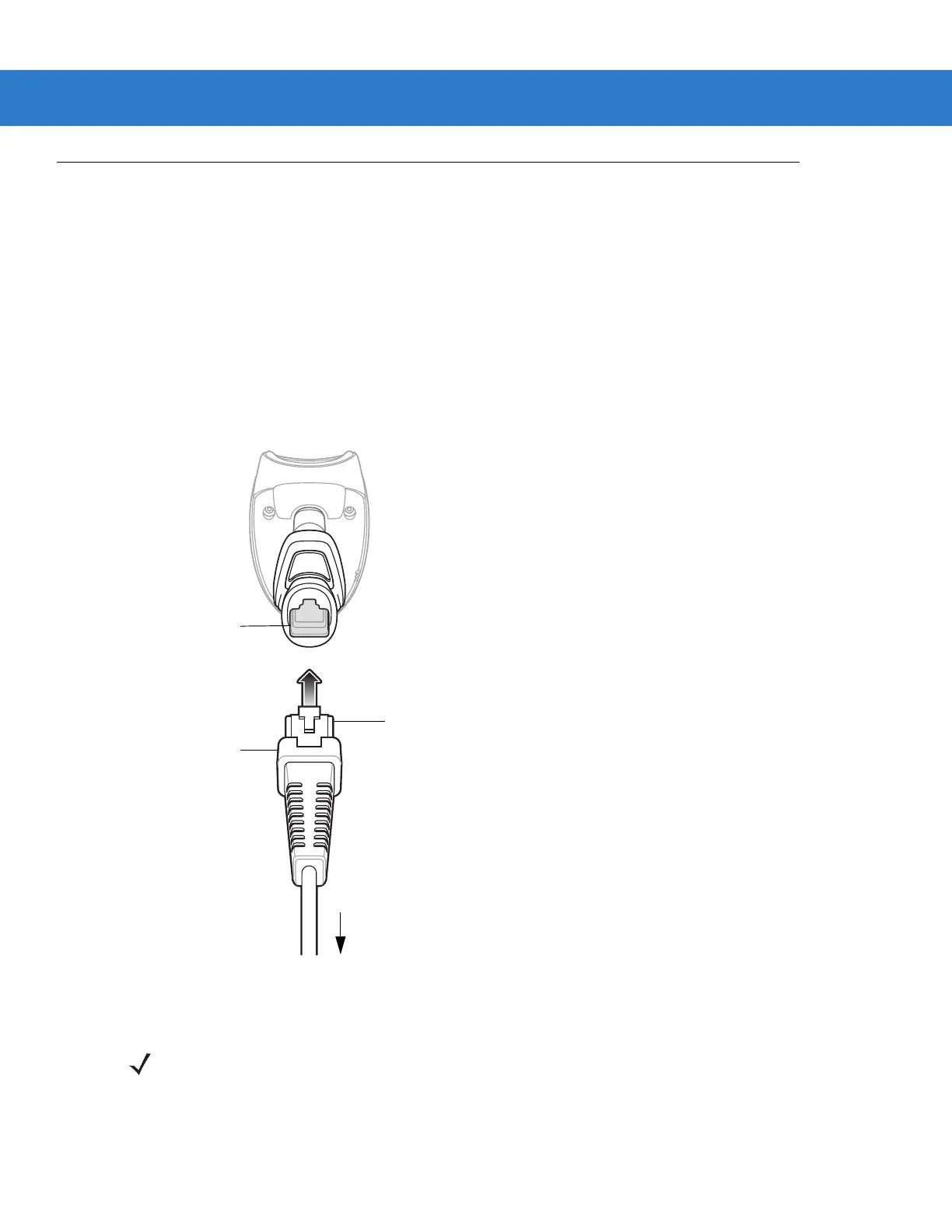
Installing the Interface Cable
To connect the interface cable:
1. Insert the interface cable’s modular connector clip into the cable interface port on the bottom of the scanner
handle. (See Figure 1-2.).
2. Gently tug the cable to ensure the connector is properly secured.
3. Connect the other end of the interface cable to the host. (See the specific host chapter for information on host
connections.)
Figure 1-2
Installing the Cable
Interface cable
modular connector
To host
Cable interface
port
Interface cable modular
connector clip
NOTE Different hosts require different cables. The connectors illustrated in each host chapter are examples only.
Actual connectors may be different than those illustrated, but the steps to connect the scanner are the
same.



 To Next Page