Scanning 2 - 5
Scanning Modes
The Symbol LS4208 accommodates both hand-held and hands-free modes. In hand-held use, you pull the trigger
to activate the scan pattern and decode the bar code. In hands-free mode, the scanner sits in the Intellistand and
automatically decodes a bar code presented in its field of view.
Scanning in Hand-Held Mode
Install and program the scanner (see Setting Up the Scanner on page 1-3). For assistance, contact Motorola
Enterprise Mobility Support. See page xv for contact information.
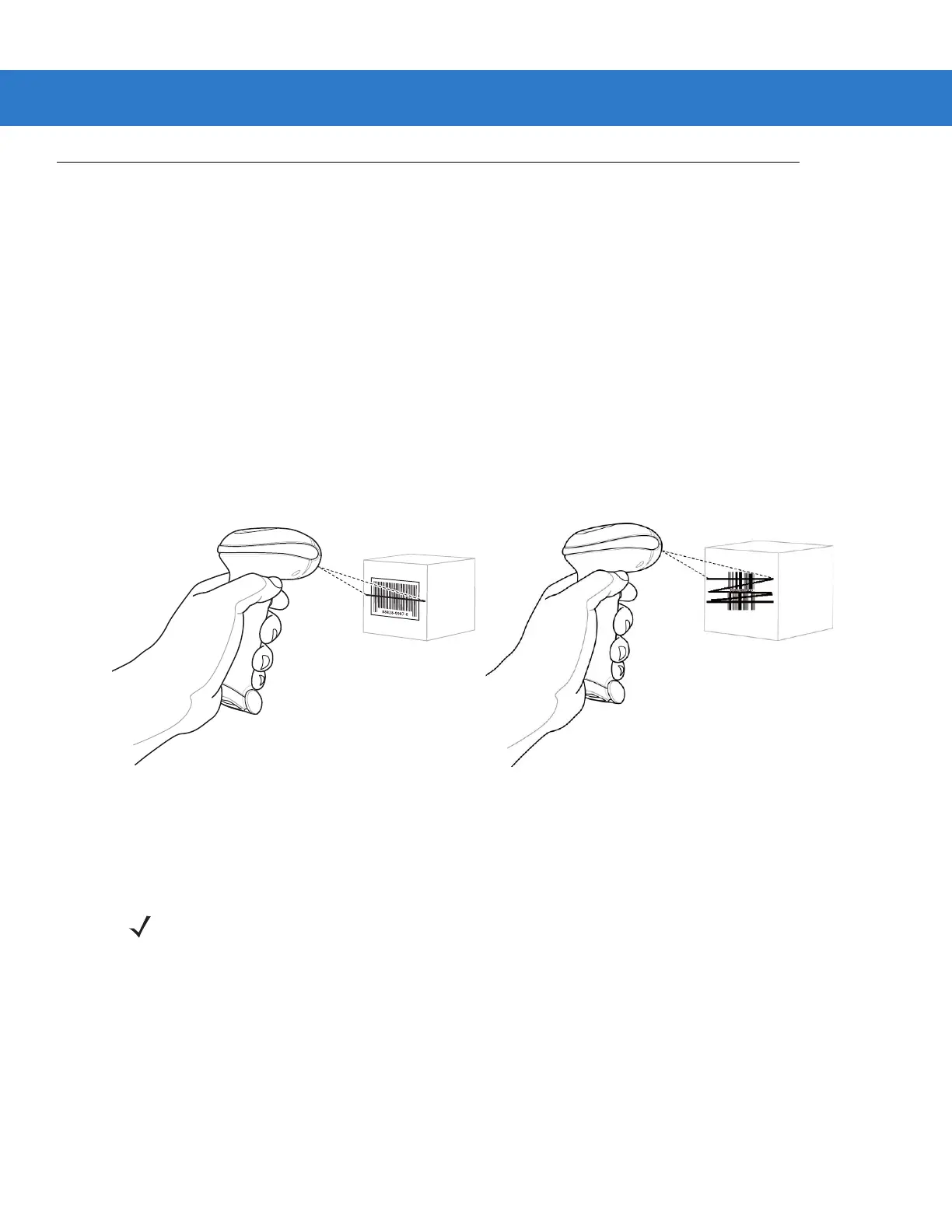
To scan in hand-held mode:
1. Ensure all connections are secure. (See the host chapter for the scanner.)
2. Aim the scanner at the bar code.
3. Press the trigger.
Figure 2-5
Scanning in Hand-Held Mode
Upon successful decode, the scanner beeps and the LED turns green. For more information about beeper and
LED definitions, see Table 2-1 and Table 2-2.
Single-Line Mode
Multi-Line Raster Mode
NOTE Scan line lengths vary depending on the scan line width selected (see Scan Line Width on page 4-7). A full
scan line width is the default. Medium and short scan line widths are useful for scanning menus or
pick-lists.



 To Next Page