MC1000 User Guidexii
Features
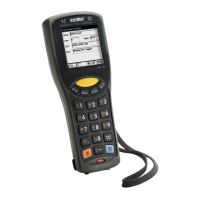
The MC1000 includes the following features:
• Operating System: Microsoft Windows CE .NET 4.2 Core
• Memory Configuration: 32 MB RAM/32 MB Flash
• Screen: monochrome 240 x 240 pixel, 2.2” diagonal, non-touch
• Expansion: User accessible Secure Digital (SD) slot
• Keypads: 21-key keypad
• Data Capture: 1-dimensional bar code laser scanning.
Chapter Descriptions
Topics covered in this guide are as follows:
• Chapter 1, Getting Started, provides information on getting the mobile computer up and running for the first time.
• Chapter 2, Operating the MC1000, explains how to use the mobile computer. This includes instructions for powering on and
resetting the mobile computer, entering and capturing data.
• Chapter 3, Accessories, describes the accessories available for the mobile computer and how to use the accessories with
the mobile computer.
• Chapter 4, Maintenance & Troubleshooting, includes instructions on cleaning and storing the mobile computer, and provides
troubleshooting solutions for potential problems during mobile computer operation.
• Appendix A, Technical Specifications, includes a table listing the technical specifications for the mobile computer.


 To Next Page