MC1000 User Guide3-8
Cable Connection
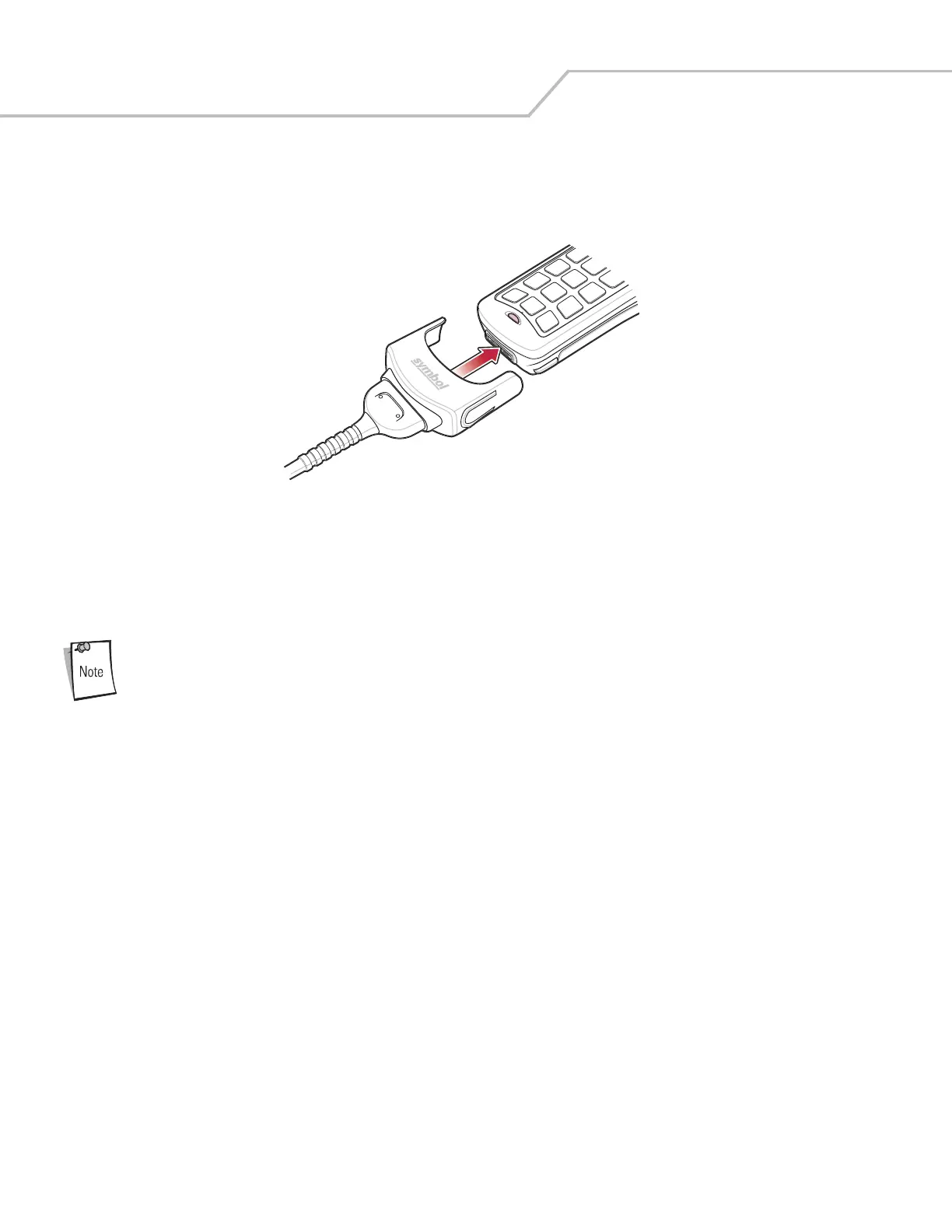
1. Slide the bottom of the mobile computer into the cable cup and gently press it down until it is firmly seated in the cable cup.
Figure 3-3. Cable Connection
2. Connect the other end of the cable to the appropriate host device.
3. For the RS-232 Serial Charge cable, connect the power supply.
Battery Charging
To charge the battery for your mobile device, battery and charger temperatures must be between +32° F and
+104° F (0° C to +40° C).
The Serial Charge cable and the USB Charge cable can charge the mobile computer’s Li-ion battery. Connect the cables as described
above. The mobile computer’s Charge LED blinks amber to indicate that the battery is charging and turns solid amber when the battery
is completely charged. The Li-ion battery usually charges in less than four hours. See Table 3-1 on page 3-5 for charging indication
information.


 To Next Page