xiii
Notational Conventions
The following conventions are used in this document:
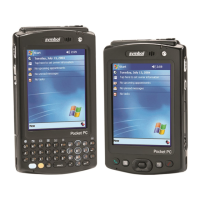
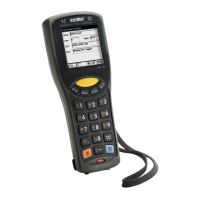
• “Mobile computer” refers to the Symbol MC1000 mobile computer.
• Italics are used to highlight the following:
• Chapters and sections in this and related documents
• Dialog box, window and screen names
• Drop-down list and list box names
• Check box and radio button names
• Icons on a screen.
• Bold text is used to highlight the following:
• Key names on a keypad
• Button names on a screen.
• Bullets (•) indicate:
• Action items
• Lists of alternatives
• Lists of required steps that are not necessarily sequential.
• Sequential lists (e.g., those that describe step-by-step procedures) appear as numbered lists.
Related Documents and Software
The following documents provide more information about the MC1000 mobile computers.
• MC1000 Quick Start Guide (poster), p/n 72-69838-xx
• MC1000 Licensing, Patent and Regulatory Information, p/n 72-69839-xx
• MC1000 Integrator Guide, p/n 72E-69841-xx
• Symbol Applications Guide for Symbol Devices, p/n 72-68901-xx
• Microsoft Applications Guide for Symbol Devices, p/n 72-68197-xx
• Symbol Mobility Developer Kit (SMDK) Help File, p/n 72E-38880-02
• Symbol Mobility Developer Kit for eMbedded Visual C++ v4.0 (SMDK for eVC4), available at:
http://www.symbol.com/MC1000
• Device Configuration Package for MC1000 (DCP for MC1000), available at:
http://www.symbol.com/MC1000.
• ActiveSync software, available at: http://www.microsoft.com.
For the latest version of this guide and all guides, go to: http://www.symbol.com/manuals.


 To Next Page