Operating the MC1000 2-9
Start Button
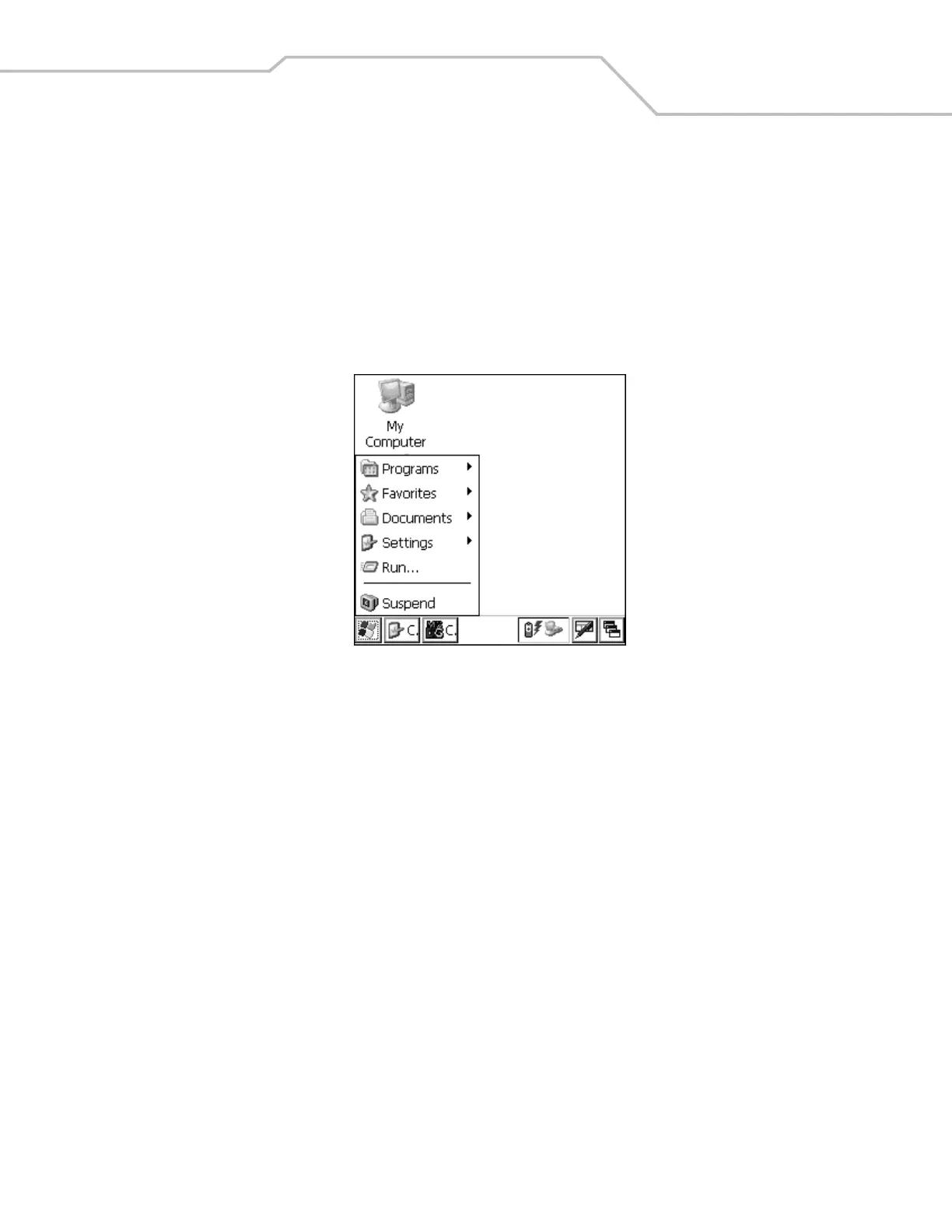
Press F - CTRL - F - ESC to launch the Start menu.
• Programs: Use to access available programs
• Favorites: Displays files in the Favorites directory
• Documents: Displays files in the Documents directory
• Settings: Accesses the Control Panel, the Network and Dial-up Connections, and the Taskbar and Start menu properties
• Run . . . : Runs a program or application
• Suspend: Suspends the mobile computer.
Figure 2-5. Start Menu
Use the scroll keys to navigate to a specific entry and then press the ENT key to select it.


 To Next Page