MC1000 User Guide1-14
Handstrap
Install the optional handstrap on either the right or left tether point. To install the handstrap:
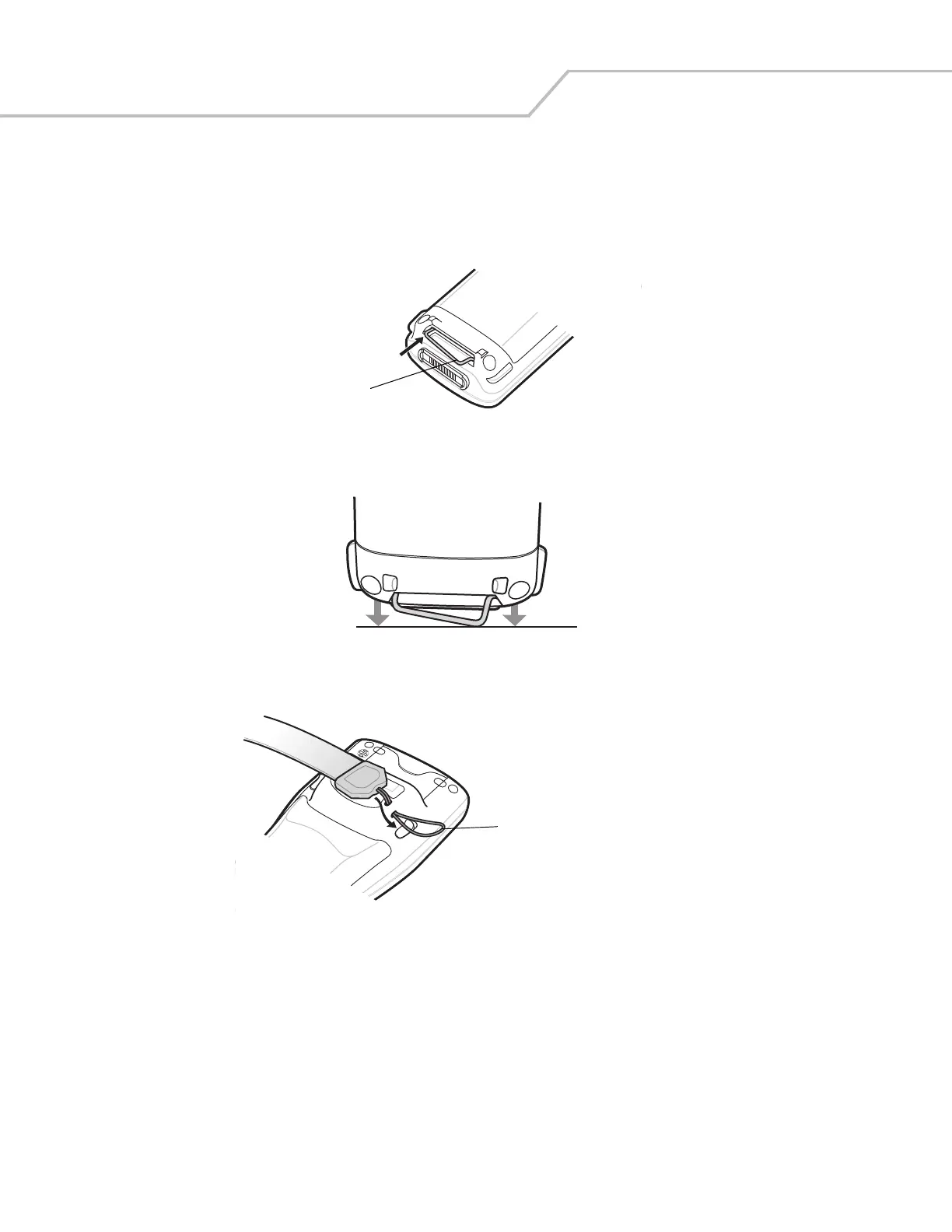
1. Insert the handstrap clip into the slot at the bottom of the mobile computer.
Figure 1-13. Insert Handstrap Clip
2. Press the mobile computer down to force the handstrap clip into place.
Figure 1-14. Press Mobile Computer Down
3. Thread the handstrap loop through the tether point.
Figure 1-15. Insert Loop into Tether Point
Handstrap Clip
Handstrap Loop



 To Next Page