MC1000 User Guide2-12
Contact the Symbol Support Center if persistent scanning difficulties develop. Decoding properly printed bar
codes should be quick and effortless.
Laser Decode Ranges
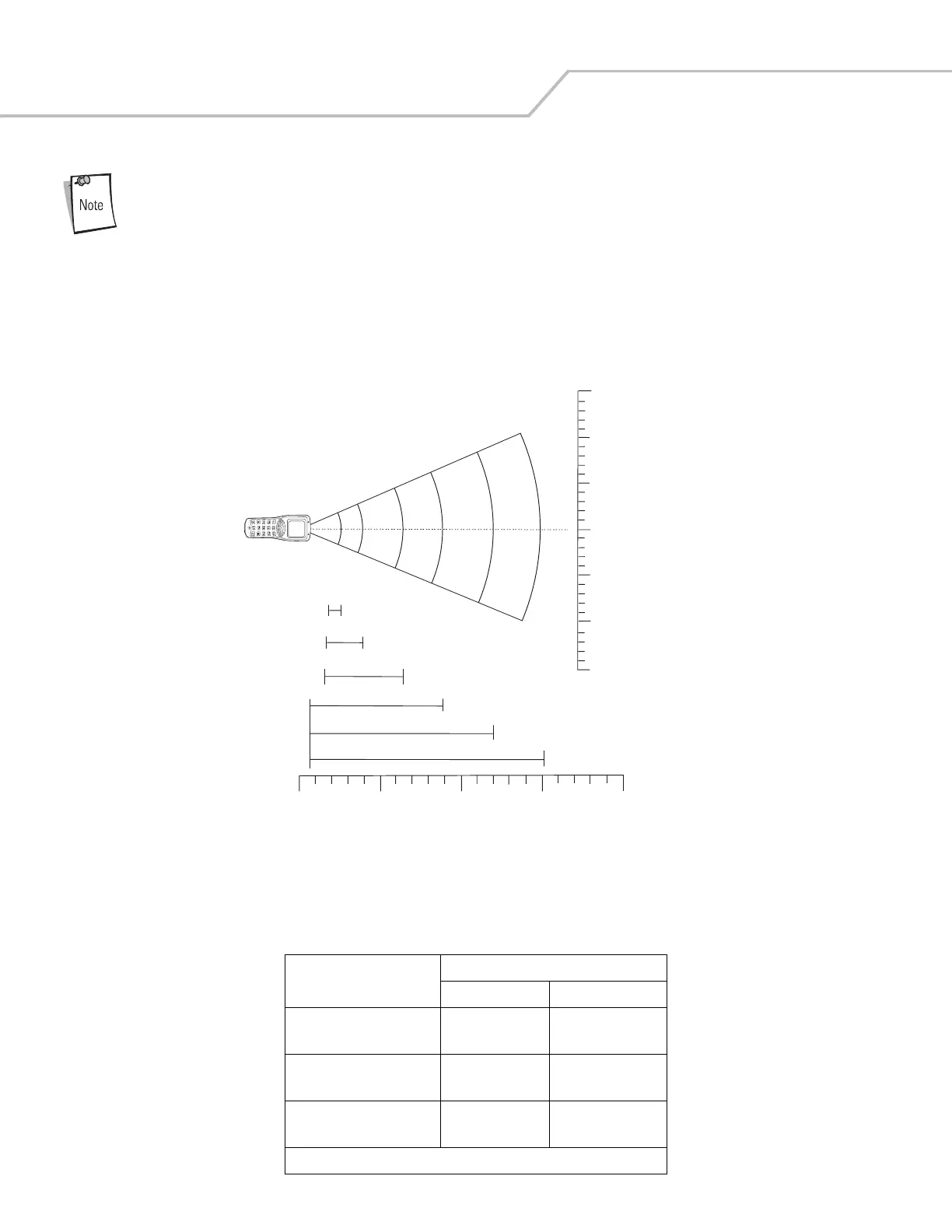
Figure 2-9 shows the laser decode ranges and Table 2-5 on page 2-12 lists the decode ranges for the selected bar code densities. The
minimum element width (or “symbol density”) is the width in mils of the narrowest element (bar or space) in the symbol. The maximum
usable length of a symbol at any given range is shown below.
Figure 2-9. MC1000 Laser Decode Ranges
Table 2-5. MC1000 Laser Decode Ranges
Bar Code Density
Ranges
Near Far
5.0 mil 2.6 in
6.60 cm
4.9 in
12.45 cm
7.5 mil 2.2 in
5.59 cm
7.9 in
20.07 cm
10 mil 1.9 in
4.83 cm
10.8 in
67.95cm
Note: Minimum distance determined by symbol length and scan angle.
in.
cm
5 mil
4.9
7.5 mil
7.9
100% UPC
12.7
17.9
24.1
20 mil
40 mil
30.6
55 mil
*Minimum distance determined by symbol length and scan angle
0
6
12
0
15.3
30.5
45.7
15.3
30.5
45.7
6
12
Depth of Field
0
0
10
25.4
20
50.8
30
76.2
18
2.1
2.2
2.6
40
101.6
18
*
Note: Typical performance at 73° F (23° C)
on high quality symbols.



 To Next Page