Getting Started 1-11
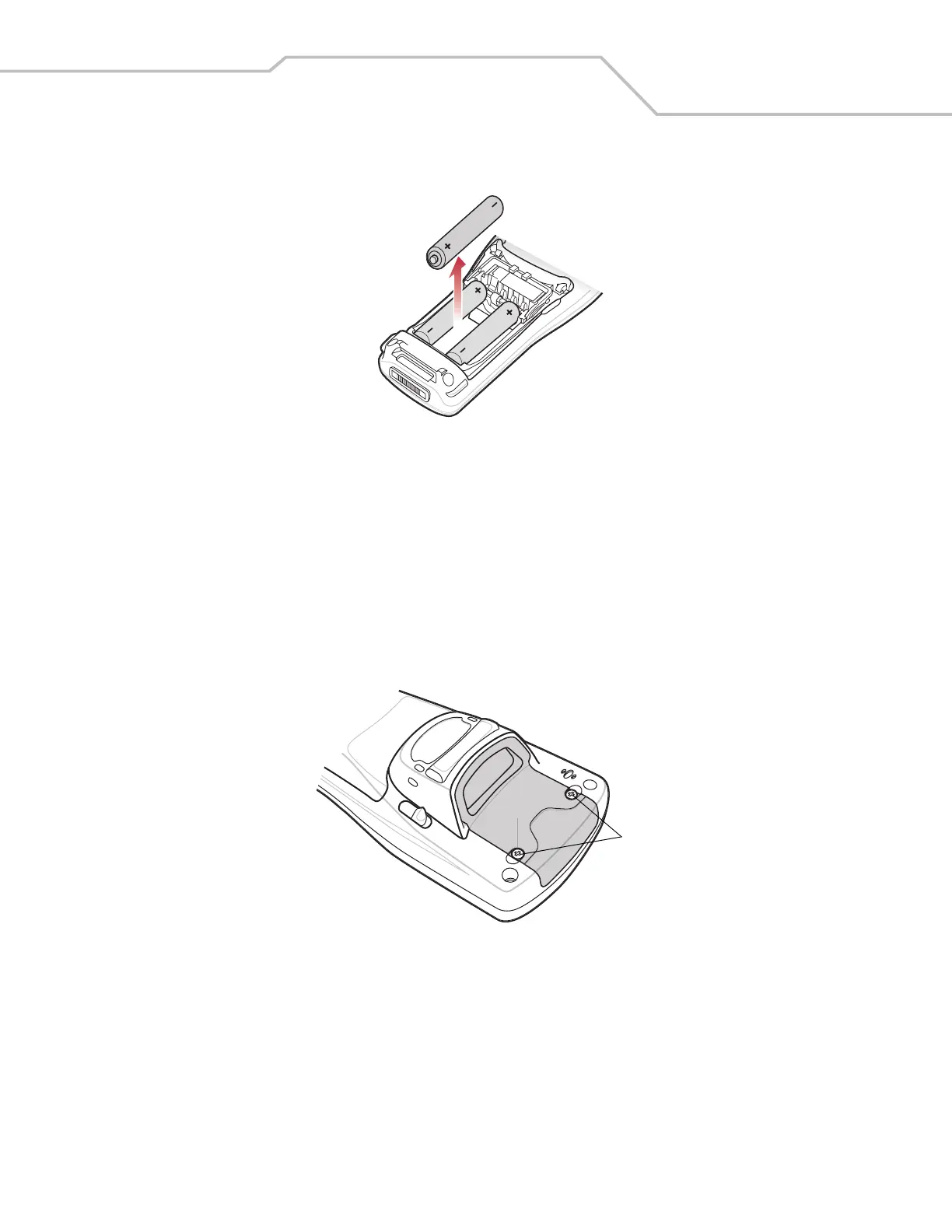
4. Remove the three AAA batteries from the mobile computer.
Figure 1-7. AAA Battery Removal
Spare Battery Charging
Use one of two accessories to charge spare Li-ion batteries. See to Chapter 3, Accessories for more information on spare battery
charging.
SD Memory Card
Use a Secure Digital (SD) memory card to store application data. To install an SD memory card:
1. Press the red Power button to turn off the screen and place the mobile computer in suspend mode.
2. Loosen the two captive screws securing the SD card cover.
Figure 1-8. SD Card Cover Screw Removal
Captive Screws


 To Next Page