MC1000 User Guide1-12
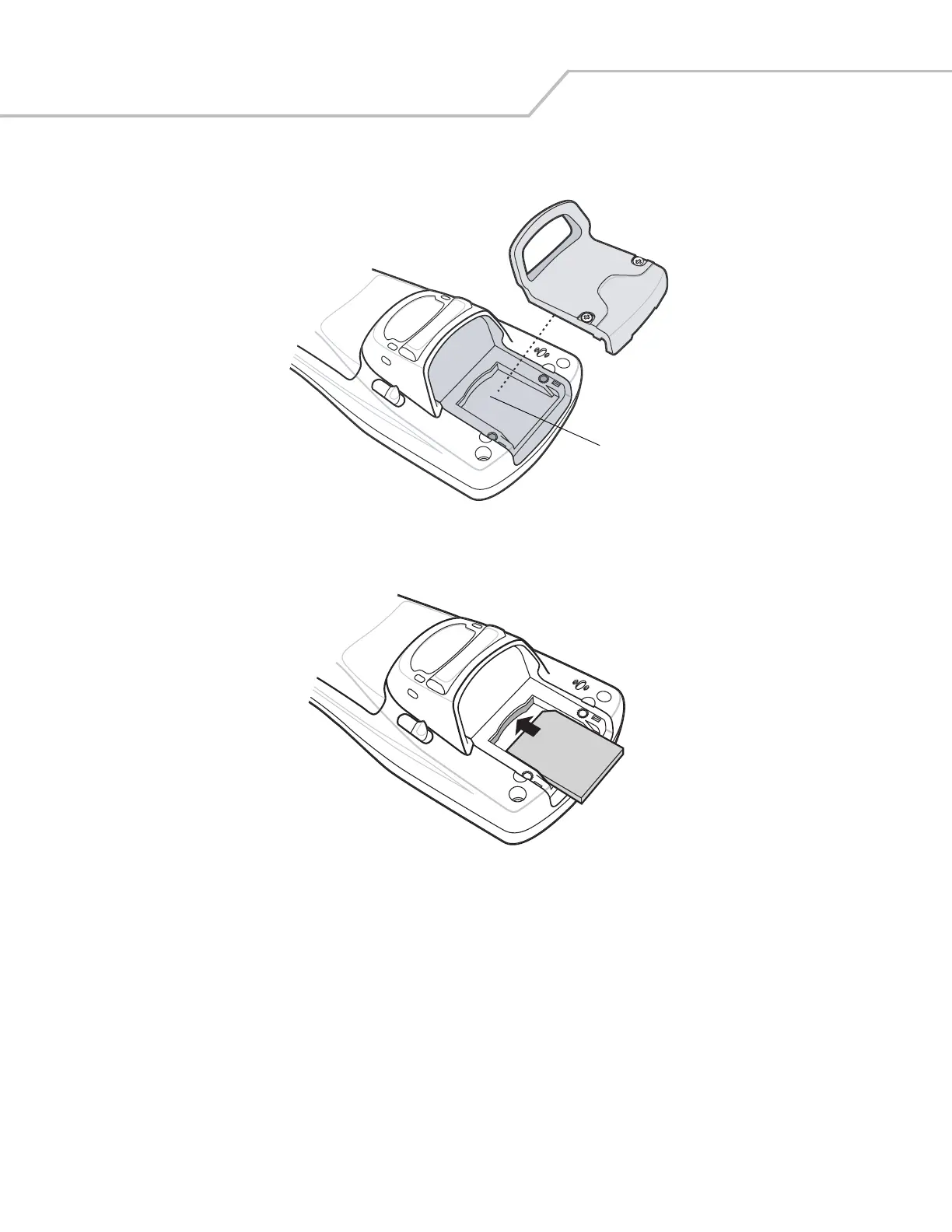
3. Remove the SD card cover.
Figure 1-9. SD Card Cover Removal
4. Insert the SD memory card into the SD card slot. Note the position of the notch on SD card.
Figure 1-10. SD Card Installation
5. Replace the SD card cover.
6. Secure the two captive screws.
SD Card Slot


 To Next Page