The Menu User guide
76
Selecting character set
(CG-Tab)
Only available for Epson LQ 2550/LQ2170 emulation. Either the Ep-
son character set Italics or the IBM graphics character set or a DLL
(download) character set, as defined before, can be activated in the
code range from hex. A0 to hex. FE.
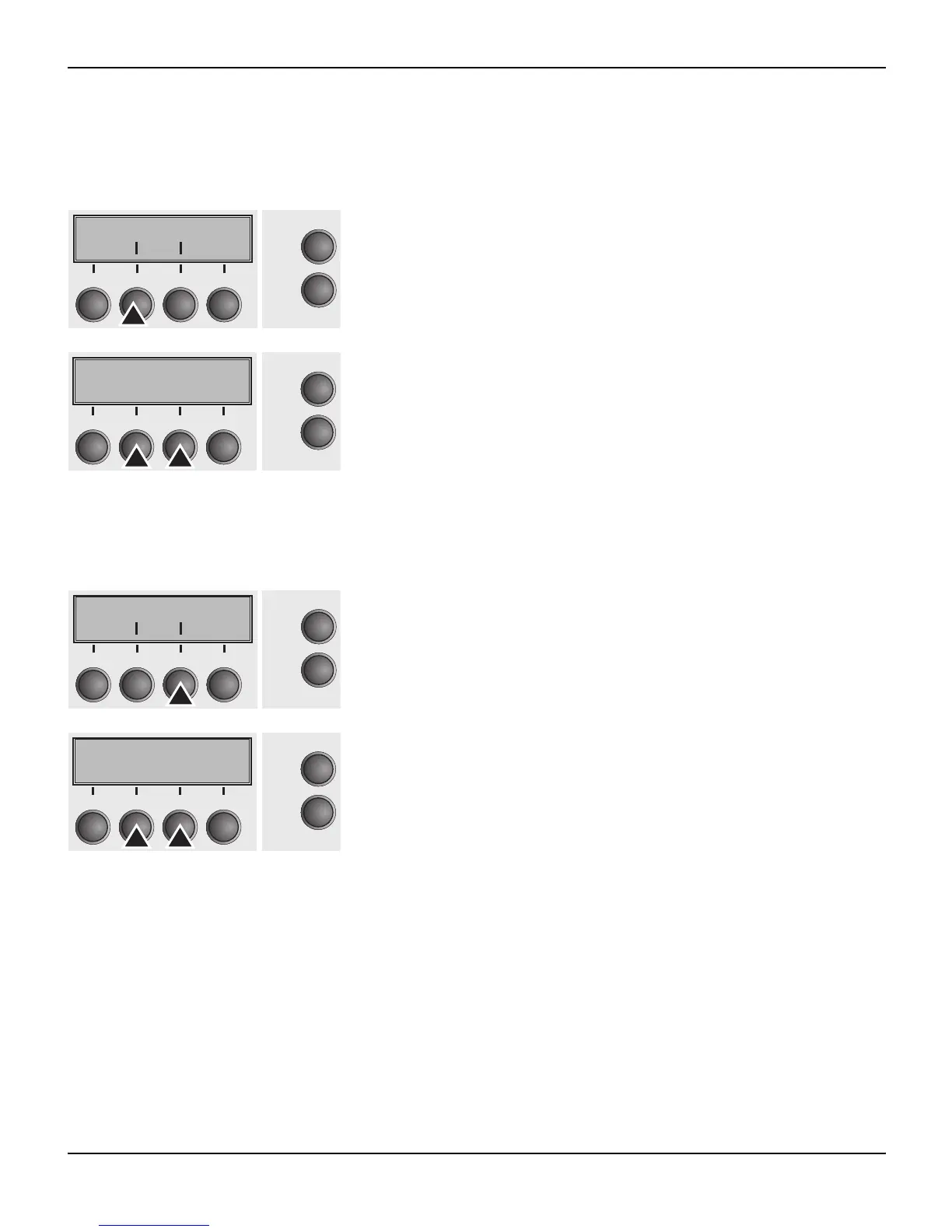
Press CG-Tab (2) key.
Use the < (2) or > (3) key to select the desired setting.
Setting Options: Graphic, DLL, Italic
Default Setting: Graphic
Confirm the setting by pressing the Set key (1).
IBM character set (CharSet) Selects the IBM standard characters or the extended IBM charac-
ters.
Press CharSet (3) key.
Use the < (2) or > (3) key to select the desired setting.
Setting Options: Standard/Extended
Default Setting: Extended
Confirm the setting by pressing the Set key (1). Press the Next key
(4) to access the next group of parameters.
CG-Tab Charset
Online
Setup
Back Next
21
3
4
CG-Tab=Graphic *
Online
Setup
Set < > Exit
21
3
4
CG-Tab CharSet
Online
Setup
21
3
4
Back Next
Extended *
Online
Setup
Set < > Exit
21
3
4














 To Next Page