What’s in this guide? Getting started Making calls Using the phone book In-call features Video conferencing
19
D1403405 USER GUIDE VIDEO ENDPOINTS MXP ENGLISH—SEPTEMBER 2009
Making calls
Menu details
About call settings
Normally, you would leave it up to the
system to decide the optimal settings
for a call, but sometimes a little
tweaking may be beneficial. For this
purpose there is a set of call settings
that you may utilize to force a call to be
the way you want.
These settings are:
• Choosing between ISDN, H.323 and SIP
as network and protocol to be used.
• Bandwidth restrictions, if needed.
Once you have defined these call
settings you may set these to serve as
default call settings from now.
Altering call settings before calling
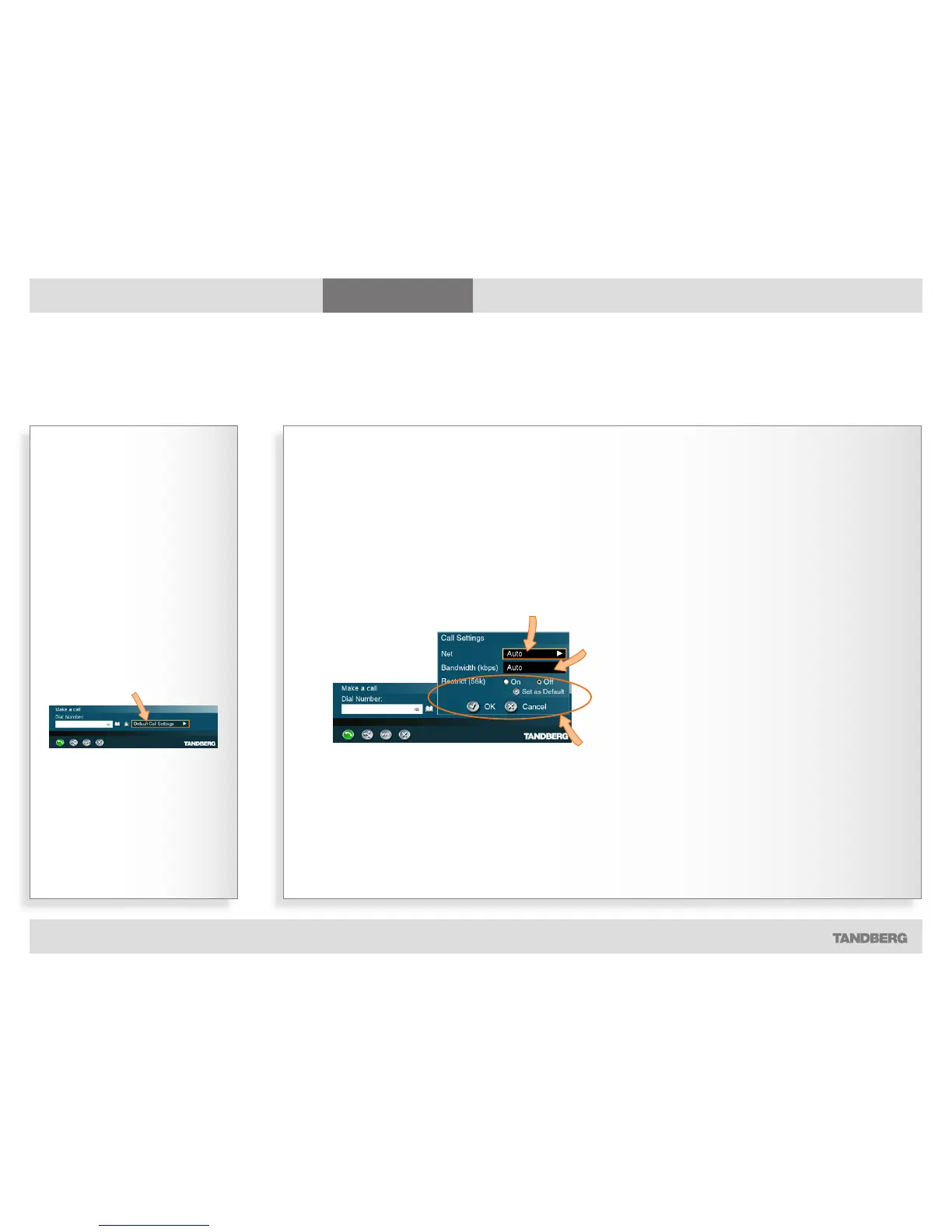
To gain access to the Net(work) settings, navigate to this and
press the OK key to expand it. You will then have the following
options:
Auto. Leaves it up to the system to decide what to use
(recommended).
ISDN. For ISDN capable systems only.
H.323. For H.323-based communication.
SIP. For SIP-based communication.
System. Defined by your administrator. Allows prefixes and
suffixes for use with additional infrastructure equipment to be
added automatically.
To gain access to the Bandwidth settings, navigate to this
and press the OK key to expand it. You will then have the
following options:
Auto. Leaves it up to the system to decide what to use
(recommended).
Defined by you. Choose between 64, 128, 192, 256, 320,
384,
512 or 768 [kbps]
Max. The highest rate possible.
Restrict (56K). Used in the US to restrict the bandwidth whenever needed while
communicating using ISDN.
Set as Default. Once you have made a set of settings, you may let these settings become
the default settings from now on.
Navigate to OK and press the OK key to leave the menu putting changes into effect, or to
Cancel and press the OK key to leave menu undoing any changes made.
Navigate to the Call Settings field
and press OK on the remote control...



 To Next Page